# Late API Documentation
This document contains the complete API documentation for the Late API.
---
# Authentication
How to get your API key and authenticate requests
All API requests require authentication using an API key. This page explains how to get your key and use it.
## Getting Your API Key
1. Log in to your Late account at [getlate.dev](https://getlate.dev)
2. Go to **Settings → API Keys**
3. Click **Create API Key**
4. Give it a name (e.g., "My App" or "CI/CD Pipeline")
5. Copy the key immediately — you won't be able to see it again
## API Key Format
| Component | Description |
|-----------|-------------|
| **Prefix** | `sk_` (3 characters) |
| **Body** | 32 random bytes as hex (64 characters) |
| **Total Length** | 67 characters |
**Example:**
```
sk_a1b2c3d4e5f6g7h8i9j0k1l2m3n4o5p6q7r8s9t0u1v
```
**Key Preview (shown in dashboard):**
```
sk_a1b2c...d0e1f2
```
**Important:**
- Keys are only shown **once** at creation time
- Keys are stored as a **SHA-256 hash** for security (never stored in plain text)
- Limited to **10 active keys** per user
## Making Authenticated Requests
Include your API key in the `Authorization` header as a Bearer token:
```bash
curl https://getlate.dev/api/v1/posts \
-H "Authorization: Bearer YOUR_API_KEY"
```
### Example: List Your Posts
```bash
curl https://getlate.dev/api/v1/posts \
-H "Authorization: Bearer sk_a1b2c3d4e5f6g7h8i9j0k1l2m3n4o5p6q7r8s9t0u1v"
```
### Example: Create a Post
```bash
curl -X POST https://getlate.dev/api/v1/posts \
-H "Authorization: Bearer sk_a1b2c3d4e5f6g7h8i9j0k1l2m3n4o5p6q7r8s9t0u1v" \
-H "Content-Type: application/json" \
-d '{
"content": "Hello from the API!",
"platforms": [
{"platform": "twitter", "accountId": "acc_123"}
]
}'
```
## Using Environment Variables
Never hardcode your API key in your code. Use environment variables instead:
```bash
# Set the environment variable
export LATE_API_KEY="sk_a1b2c3d4e5f6g7h8i9j0k1l2m3n4o5p6q7r8s9t0u1v"
# Use it in your requests
curl https://getlate.dev/api/v1/posts \
-H "Authorization: Bearer $LATE_API_KEY"
```
### In Node.js
```javascript
const apiKey = process.env.LATE_API_KEY;
const response = await fetch('https://getlate.dev/api/v1/posts', {
headers: {
'Authorization': `Bearer ${apiKey}`,
'Content-Type': 'application/json'
}
});
```
### In Python
```python
import os
import requests
api_key = os.environ.get('LATE_API_KEY')
response = requests.get(
'https://getlate.dev/api/v1/posts',
headers={'Authorization': f'Bearer {api_key}'}
)
```
## Error Responses
If authentication fails, you'll receive a `401 Unauthorized` response:
```json
{
"error": "Invalid or missing API key"
}
```
Common causes:
- Missing `Authorization` header
- Typo in the API key
- API key was deleted or expired
- Using `API_KEY` instead of `Bearer API_KEY`
## Security Best Practices
- **Never share your API key** publicly or commit it to git
- **Use environment variables** to store keys
- **Create separate keys** for different applications
- **Delete unused keys** from your dashboard
- **Rotate keys periodically** for enhanced security
## Managing API Keys Programmatically
You can also manage API keys via the API:
| Endpoint | Description |
|----------|-------------|
| `GET /v1/api-keys` | List your API keys |
| `POST /v1/api-keys` | Create a new API key |
| `DELETE /v1/api-keys/{keyId}` | Delete an API key |
See the [API Keys reference](/management/api-keys) for details.
## Next Step
Now that you can authenticate, let's [create your first post](/quickstart).
---
# Changelog
Stay up to date with the latest API changes and improvements
import { Changelog } from '@/components/changelog';
Track all updates to the Late API. We announce significant changes here and on our [Telegram channel](https://t.me/lateapi).
---
# Overview
Welcome to the Late API - schedule and publish to all your social media accounts from one place
## What is Late?
Late is a social media scheduling platform that lets you manage and publish content across all major platforms from a single API. Whether you're building a social media tool, automating your content workflow, or managing multiple brands, Late's API gives you complete control.
## What can you do with the API?
- **Schedule posts** across Twitter, Instagram, Facebook, LinkedIn, TikTok, YouTube, Pinterest, Reddit, Bluesky, Threads, Google Business, Telegram, and Snapchat
- **Upload media** including images, videos, and documents
- **Manage multiple accounts** organized into profiles
- **Set up posting queues** with recurring time slots
- **Track analytics** across all your platforms
- **Invite team members** to collaborate on content
## Base URL
All API requests use this base URL:
```
https://getlate.dev/api/v1
```
For example, to list your posts:
```
GET https://getlate.dev/api/v1/posts
```
## Key Concepts
Before you start, understand these core concepts:
### Profiles
Profiles are containers that group your social media accounts together. Think of them as "brands" or "projects". Each profile can have multiple connected social accounts.
### Accounts
These are your connected social media accounts (your Twitter account, Instagram page, etc.). Accounts belong to profiles.
### Posts
Content you want to publish. A single post can be scheduled to multiple accounts across different platforms simultaneously.
### Queue
An optional posting schedule. Set up recurring time slots (e.g., "Monday 9am, Wednesday 2pm") and Late will automatically schedule your posts to the next available slot.
## Platforms
Late supports 13 major social media platforms. Click on any platform to see its specific features and requirements:
| Platform | Supported Content | Guide |
|----------|-------------------|-------|
| Twitter/X | Text, images, videos, threads | [View Guide](/platforms/twitter) |
| Instagram | Feed, Stories, Reels, Carousels | [View Guide](/platforms/instagram) |
| Facebook | Pages, Stories, videos, multi-image | [View Guide](/platforms/facebook) |
| LinkedIn | Posts, images, videos, PDFs | [View Guide](/platforms/linkedin) |
| TikTok | Videos, photo carousels | [View Guide](/platforms/tiktok) |
| YouTube | Videos, Shorts | [View Guide](/platforms/youtube) |
| Pinterest | Pins with images or videos | [View Guide](/platforms/pinterest) |
| Reddit | Text posts, link posts | [View Guide](/platforms/reddit) |
| Bluesky | Text, images, videos | [View Guide](/platforms/bluesky) |
| Threads | Text, images, videos, sequences | [View Guide](/platforms/threads) |
| Google Business | Posts with CTAs | [View Guide](/platforms/google-business) |
| Telegram | Text, images, videos, albums | [View Guide](/platforms/telegram) |
| Snapchat | Stories, Saved Stories, Spotlight | [View Guide](/platforms/snapchat) |
For detailed media requirements and platform-specific features, visit the [Platforms Overview](/platforms).
## Rate Limits
API requests are rate limited based on your plan:
| Plan | Requests per Minute |
|------|---------------------|
| Free | 60 |
| Build | 120 |
| Accelerate | 600 |
| Unlimited | 1,200 |
Rate limit headers are included in every response so you can track your usage.
## Next Steps
Ready to get started?
1. **[Set up authentication](/auth)** — Get your API key and learn how to authenticate requests
2. **[Create your first post](/quickstart)** — Follow our step-by-step guide to schedule your first post
3. **[Explore platforms](/platforms)** — Learn platform-specific features and media requirements
---
# Pricing
Choose the plan that fits your needs - from free tier to unlimited enterprise
All plans include full API access, queue management, and support for all 13 platforms.
## Free
**$0/month**
Perfect for individuals and small brands.
---
## Build
**$19/month** or **$13/month** billed annually ($156/year)
For small teams and growing businesses.
---
## Accelerate
**$49/month** or **$33/month** billed annually ($396/year) — Most popular
For agencies and content creators.
Need more profiles? Add +50 profiles for **$49/month**.
---
## Unlimited
**$999/month** or **$667/month** billed annually ($8,004/year)
For large teams and enterprises.
---
## All Plans Include
| Feature | |
|---------|---|
| Full API access | ✓ |
| Queue management | ✓ |
| Calendar integration | ✓ |
| Post scheduling | ✓ |
| All 13 platforms | ✓ |
---
## Add-ons
### Analytics — $1/social set/month
Track post performance with detailed analytics across all platforms. View engagement metrics, reach, and insights. Available on any paid plan.
---
## Quick Comparison
| | Free | Build | Accelerate | Unlimited |
|---|:---:|:---:|:---:|:---:|
| **Monthly** | $0 | $19 | $49 | $999 |
| **Annual** | $0 | $13/mo | $33/mo | $667/mo |
| **Profiles** | 2 | 10 | 50 | ∞ |
| **Posts** | 10/mo | 120/mo | ∞ | ∞ |
| **Rate limit** | 60/min | 120/min | 600/min | 1,200/min |
---
## Get Started
For full pricing details and to sign up, visit [getlate.dev/pricing](https://getlate.dev/pricing).
---
# Quickstart
A complete walkthrough to schedule your first social media post with Late
import { Tab, Tabs } from 'fumadocs-ui/components/tabs';
This guide walks you through everything you need to schedule your first post. By the end, you'll have:
- Created a profile to organize your accounts
- Connected a social media account
- Scheduled a post to publish
**Prerequisites:** Make sure you have your [API key](/auth) ready.
## Step 1: Create a Profile
Profiles group your social accounts together. For example, you might have a "Personal Brand" profile with your Twitter and LinkedIn, and a "Company" profile with your business accounts.
```bash
curl -X POST https://getlate.dev/api/v1/profiles \
-H "Authorization: Bearer YOUR_API_KEY" \
-H "Content-Type: application/json" \
-d '{
"name": "My First Profile",
"description": "Testing the Late API"
}'
```
```javascript
const response = await fetch('https://getlate.dev/api/v1/profiles', {
method: 'POST',
headers: {
'Authorization': 'Bearer YOUR_API_KEY',
'Content-Type': 'application/json'
},
body: JSON.stringify({
name: 'My First Profile',
description: 'Testing the Late API'
})
});
const { profile } = await response.json();
console.log('Profile created:', profile._id);
```
```python
import requests
response = requests.post(
'https://getlate.dev/api/v1/profiles',
headers={'Authorization': 'Bearer YOUR_API_KEY'},
json={
'name': 'My First Profile',
'description': 'Testing the Late API'
}
)
profile = response.json()['profile']
print(f"Profile created: {profile['_id']}")
```
**Response:**
```json
{
"message": "Profile created successfully",
"profile": {
"_id": "prof_abc123",
"name": "My First Profile",
"description": "Testing the Late API",
"createdAt": "2024-01-15T10:00:00.000Z"
}
}
```
Save the `_id` value — you'll need it for the next steps.
## Step 2: Connect a Social Account
Now connect a social media account to your profile. This uses OAuth, so it will redirect to the platform for authorization.
```bash
curl "https://getlate.dev/api/v1/connect/twitter?profileId=prof_abc123" \
-H "Authorization: Bearer YOUR_API_KEY"
```
```javascript
const response = await fetch(
'https://getlate.dev/api/v1/connect/twitter?profileId=prof_abc123',
{
headers: {
'Authorization': 'Bearer YOUR_API_KEY'
}
}
);
const { authUrl } = await response.json();
// Redirect user to this URL to authorize
window.location.href = authUrl;
```
```python
import requests
response = requests.get(
'https://getlate.dev/api/v1/connect/twitter',
params={'profileId': 'prof_abc123'},
headers={'Authorization': 'Bearer YOUR_API_KEY'}
)
auth_url = response.json()['authUrl']
print(f"Open this URL to authorize: {auth_url}")
```
This returns a URL. Open it in a browser to authorize Late to access your Twitter account. After authorization, you'll be redirected back and the account will be connected.
### Available Platforms
Replace `twitter` with any of these:
| Platform | API Value | Guide |
|----------|-----------|-------|
| Twitter/X | `twitter` | [Twitter Guide](/platforms/twitter) |
| Instagram | `instagram` | [Instagram Guide](/platforms/instagram) |
| Facebook Pages | `facebook` | [Facebook Guide](/platforms/facebook) |
| LinkedIn | `linkedin` | [LinkedIn Guide](/platforms/linkedin) |
| TikTok | `tiktok` | [TikTok Guide](/platforms/tiktok) |
| YouTube | `youtube` | [YouTube Guide](/platforms/youtube) |
| Pinterest | `pinterest` | [Pinterest Guide](/platforms/pinterest) |
| Reddit | `reddit` | [Reddit Guide](/platforms/reddit) |
| Bluesky | `bluesky` | [Bluesky Guide](/platforms/bluesky) |
| Threads | `threads` | [Threads Guide](/platforms/threads) |
| Google Business | `googlebusiness` | [Google Business Guide](/platforms/google-business) |
| Telegram | `telegram` | [Telegram Guide](/platforms/telegram) |
| Snapchat | `snapchat` | [Snapchat Guide](/platforms/snapchat) |
## Step 3: Get Your Connected Accounts
After connecting, list your accounts to get the account ID:
```bash
curl "https://getlate.dev/api/v1/accounts" \
-H "Authorization: Bearer YOUR_API_KEY"
```
```javascript
const response = await fetch('https://getlate.dev/api/v1/accounts', {
headers: {
'Authorization': 'Bearer YOUR_API_KEY'
}
});
const { accounts } = await response.json();
console.log('Connected accounts:', accounts);
```
```python
import requests
response = requests.get(
'https://getlate.dev/api/v1/accounts',
headers={'Authorization': 'Bearer YOUR_API_KEY'}
)
accounts = response.json()['accounts']
for account in accounts:
print(f"{account['platform']}: {account['_id']}")
```
**Response:**
```json
{
"accounts": [
{
"_id": "acc_xyz789",
"platform": "twitter",
"username": "yourhandle",
"profileId": "prof_abc123"
}
]
}
```
Save the account `_id` — you need it to create posts.
## Step 4: Schedule Your First Post
Now you can schedule a post! Here's how to schedule a tweet for tomorrow at noon:
```bash
curl -X POST https://getlate.dev/api/v1/posts \
-H "Authorization: Bearer YOUR_API_KEY" \
-H "Content-Type: application/json" \
-d '{
"content": "Hello world! This is my first post from the Late API 🚀",
"scheduledFor": "2024-01-16T12:00:00",
"timezone": "America/New_York",
"platforms": [
{
"platform": "twitter",
"accountId": "acc_xyz789"
}
]
}'
```
```javascript
const response = await fetch('https://getlate.dev/api/v1/posts', {
method: 'POST',
headers: {
'Authorization': 'Bearer YOUR_API_KEY',
'Content-Type': 'application/json'
},
body: JSON.stringify({
content: 'Hello world! This is my first post from the Late API 🚀',
scheduledFor: '2024-01-16T12:00:00',
timezone: 'America/New_York',
platforms: [
{
platform: 'twitter',
accountId: 'acc_xyz789'
}
]
})
});
const { post } = await response.json();
console.log('Post scheduled:', post._id);
```
```python
import requests
response = requests.post(
'https://getlate.dev/api/v1/posts',
headers={'Authorization': 'Bearer YOUR_API_KEY'},
json={
'content': 'Hello world! This is my first post from the Late API 🚀',
'scheduledFor': '2024-01-16T12:00:00',
'timezone': 'America/New_York',
'platforms': [
{
'platform': 'twitter',
'accountId': 'acc_xyz789'
}
]
}
)
post = response.json()['post']
print(f"Post scheduled: {post['_id']}")
```
**Response:**
```json
{
"message": "Post scheduled successfully",
"post": {
"_id": "post_123abc",
"content": "Hello world! This is my first post from the Late API 🚀",
"status": "scheduled",
"scheduledFor": "2024-01-16T17:00:00.000Z",
"platforms": [
{
"platform": "twitter",
"accountId": "acc_xyz789",
"status": "pending"
}
]
}
}
```
Your post is now scheduled and will publish automatically at the specified time.
## Posting to Multiple Platforms
You can post to multiple platforms at once. Just add more entries to the `platforms` array:
```bash
curl -X POST https://getlate.dev/api/v1/posts \
-H "Authorization: Bearer YOUR_API_KEY" \
-H "Content-Type: application/json" \
-d '{
"content": "Cross-posting to all my accounts!",
"scheduledFor": "2024-01-16T12:00:00",
"timezone": "America/New_York",
"platforms": [
{"platform": "twitter", "accountId": "acc_twitter123"},
{"platform": "linkedin", "accountId": "acc_linkedin456"},
{"platform": "bluesky", "accountId": "acc_bluesky789"}
]
}'
```
```javascript
const response = await fetch('https://getlate.dev/api/v1/posts', {
method: 'POST',
headers: {
'Authorization': 'Bearer YOUR_API_KEY',
'Content-Type': 'application/json'
},
body: JSON.stringify({
content: 'Cross-posting to all my accounts!',
scheduledFor: '2024-01-16T12:00:00',
timezone: 'America/New_York',
platforms: [
{ platform: 'twitter', accountId: 'acc_twitter123' },
{ platform: 'linkedin', accountId: 'acc_linkedin456' },
{ platform: 'bluesky', accountId: 'acc_bluesky789' }
]
})
});
const { post } = await response.json();
console.log('Cross-posted:', post._id);
```
```python
import requests
response = requests.post(
'https://getlate.dev/api/v1/posts',
headers={'Authorization': 'Bearer YOUR_API_KEY'},
json={
'content': 'Cross-posting to all my accounts!',
'scheduledFor': '2024-01-16T12:00:00',
'timezone': 'America/New_York',
'platforms': [
{'platform': 'twitter', 'accountId': 'acc_twitter123'},
{'platform': 'linkedin', 'accountId': 'acc_linkedin456'},
{'platform': 'bluesky', 'accountId': 'acc_bluesky789'}
]
}
)
post = response.json()['post']
print(f"Cross-posted: {post['_id']}")
```
## Publishing Immediately
To publish right now instead of scheduling, use `publishNow: true`:
```bash
curl -X POST https://getlate.dev/api/v1/posts \
-H "Authorization: Bearer YOUR_API_KEY" \
-H "Content-Type: application/json" \
-d '{
"content": "This posts immediately!",
"publishNow": true,
"platforms": [
{"platform": "twitter", "accountId": "acc_xyz789"}
]
}'
```
```javascript
const response = await fetch('https://getlate.dev/api/v1/posts', {
method: 'POST',
headers: {
'Authorization': 'Bearer YOUR_API_KEY',
'Content-Type': 'application/json'
},
body: JSON.stringify({
content: 'This posts immediately!',
publishNow: true,
platforms: [
{ platform: 'twitter', accountId: 'acc_xyz789' }
]
})
});
const { post } = await response.json();
console.log('Published:', post._id);
```
```python
import requests
response = requests.post(
'https://getlate.dev/api/v1/posts',
headers={'Authorization': 'Bearer YOUR_API_KEY'},
json={
'content': 'This posts immediately!',
'publishNow': True,
'platforms': [
{'platform': 'twitter', 'accountId': 'acc_xyz789'}
]
}
)
post = response.json()['post']
print(f"Published: {post['_id']}")
```
## Creating a Draft
To save a post without publishing or scheduling:
```bash
curl -X POST https://getlate.dev/api/v1/posts \
-H "Authorization: Bearer YOUR_API_KEY" \
-H "Content-Type: application/json" \
-d '{
"content": "I will finish this later...",
"platforms": [
{"platform": "twitter", "accountId": "acc_xyz789"}
]
}'
```
```javascript
const response = await fetch('https://getlate.dev/api/v1/posts', {
method: 'POST',
headers: {
'Authorization': 'Bearer YOUR_API_KEY',
'Content-Type': 'application/json'
},
body: JSON.stringify({
content: 'I will finish this later...',
platforms: [
{ platform: 'twitter', accountId: 'acc_xyz789' }
]
})
});
const { post } = await response.json();
console.log('Draft saved:', post._id);
```
```python
import requests
response = requests.post(
'https://getlate.dev/api/v1/posts',
headers={'Authorization': 'Bearer YOUR_API_KEY'},
json={
'content': 'I will finish this later...',
'platforms': [
{'platform': 'twitter', 'accountId': 'acc_xyz789'}
]
}
)
post = response.json()['post']
print(f"Draft saved: {post['_id']}")
```
## What's Next?
Now that you've scheduled your first post, explore more features:
- **[Platform Guides](/platforms)** — Learn platform-specific features and requirements
- **[Upload media](/utilities/media)** — Add images and videos to your posts
- **[Set up a queue](/utilities/queue)** — Create recurring posting schedules
- **[View analytics](/core/analytics)** — Track how your posts perform
- **[Invite team members](/management/invites)** — Collaborate with your team
## Need Help?
Questions? Contact us at [miki@getlate.dev](mailto:miki@getlate.dev)
---
# Bluesky API
Post to Bluesky with Late API - text posts, images, and videos
import { Tab, Tabs } from 'fumadocs-ui/components/tabs';
## Quick Start
Post to Bluesky in under 60 seconds:
```bash
curl -X POST https://getlate.dev/api/v1/posts \
-H "Authorization: Bearer YOUR_API_KEY" \
-H "Content-Type: application/json" \
-d '{
"content": "Hello from Late API! 🦋",
"platforms": [
{"platform": "bluesky", "accountId": "YOUR_ACCOUNT_ID"}
],
"publishNow": true
}'
```
```javascript
const response = await fetch('https://getlate.dev/api/v1/posts', {
method: 'POST',
headers: {
'Authorization': 'Bearer YOUR_API_KEY',
'Content-Type': 'application/json'
},
body: JSON.stringify({
content: 'Hello from Late API! 🦋',
platforms: [
{ platform: 'bluesky', accountId: 'YOUR_ACCOUNT_ID' }
],
publishNow: true
})
});
const { post } = await response.json();
console.log('Posted to Bluesky!', post._id);
```
```python
import requests
response = requests.post(
'https://getlate.dev/api/v1/posts',
headers={'Authorization': 'Bearer YOUR_API_KEY'},
json={
'content': 'Hello from Late API! 🦋',
'platforms': [
{'platform': 'bluesky', 'accountId': 'YOUR_ACCOUNT_ID'}
],
'publishNow': True
}
)
post = response.json()
print(f"Posted to Bluesky! {post['_id']}")
```
## Authentication
Bluesky uses **App Passwords** instead of OAuth. To connect a Bluesky account:
1. Go to your Bluesky Settings > App Passwords
2. Create a new App Password
3. Use the connect endpoint with your handle and app password
```bash
curl -X POST https://getlate.dev/api/v1/connect/bluesky \
-H "Authorization: Bearer YOUR_API_KEY" \
-H "Content-Type: application/json" \
-d '{
"profileId": "YOUR_PROFILE_ID",
"handle": "yourhandle.bsky.social",
"appPassword": "xxxx-xxxx-xxxx-xxxx"
}'
```
```javascript
const response = await fetch('https://getlate.dev/api/v1/connect/bluesky', {
method: 'POST',
headers: {
'Authorization': 'Bearer YOUR_API_KEY',
'Content-Type': 'application/json'
},
body: JSON.stringify({
profileId: 'YOUR_PROFILE_ID',
handle: 'yourhandle.bsky.social',
appPassword: 'xxxx-xxxx-xxxx-xxxx'
})
});
const account = await response.json();
console.log('Connected:', account._id);
```
```python
response = requests.post(
'https://getlate.dev/api/v1/connect/bluesky',
headers={'Authorization': 'Bearer YOUR_API_KEY'},
json={
'profileId': 'YOUR_PROFILE_ID',
'handle': 'yourhandle.bsky.social',
'appPassword': 'xxxx-xxxx-xxxx-xxxx'
}
)
account = response.json()
print(f"Connected: {account['_id']}")
```
## Image Requirements
| Property | Requirement |
|----------|-------------|
| **Max Images** | 4 per post |
| **Formats** | JPEG, PNG, WebP, GIF |
| **Max File Size** | 1 MB per image |
| **Max Dimensions** | 2000 × 2000 px |
| **Recommended** | 1200 × 675 px (16:9) |
### Aspect Ratios
| Type | Ratio | Dimensions |
|------|-------|------------|
| Landscape | 16:9 | 1200 × 675 px |
| Square | 1:1 | 1000 × 1000 px |
| Portrait | 4:5 | 800 × 1000 px |
## Post with Image
```bash
curl -X POST https://getlate.dev/api/v1/posts \
-H "Authorization: Bearer YOUR_API_KEY" \
-H "Content-Type: application/json" \
-d '{
"content": "Check out this photo! 📸",
"mediaItems": [
{"url": "https://example.com/photo.jpg"}
],
"platforms": [
{"platform": "bluesky", "accountId": "YOUR_ACCOUNT_ID"}
],
"publishNow": true
}'
```
```javascript
const response = await fetch('https://getlate.dev/api/v1/posts', {
method: 'POST',
headers: {
'Authorization': 'Bearer YOUR_API_KEY',
'Content-Type': 'application/json'
},
body: JSON.stringify({
content: 'Check out this photo! 📸',
mediaItems: [
{ url: 'https://example.com/photo.jpg' }
],
platforms: [
{ platform: 'bluesky', accountId: 'YOUR_ACCOUNT_ID' }
],
publishNow: true
})
});
```
```python
response = requests.post(
'https://getlate.dev/api/v1/posts',
headers={'Authorization': 'Bearer YOUR_API_KEY'},
json={
'content': 'Check out this photo! 📸',
'mediaItems': [
{'url': 'https://example.com/photo.jpg'}
],
'platforms': [
{'platform': 'bluesky', 'accountId': 'YOUR_ACCOUNT_ID'}
],
'publishNow': True
}
)
```
## Video Requirements
| Property | Requirement |
|----------|-------------|
| **Max Videos** | 1 per post |
| **Formats** | MP4 |
| **Max File Size** | 50 MB |
| **Max Duration** | 60 seconds |
| **Max Dimensions** | 1920 × 1080 px |
| **Frame Rate** | 30 fps recommended |
### Recommended Video Specs
| Property | Recommended |
|----------|-------------|
| Resolution | 1280 × 720 px (720p) |
| Aspect Ratio | 16:9 (landscape) or 1:1 (square) |
| Frame Rate | 30 fps |
| Codec | H.264 |
| Audio | AAC |
## Character Limits
- **Post text**: 300 characters
- **Alt text for images**: 1000 characters
Bluesky automatically detects and renders:
- URLs as link cards
- Mentions (@handle.bsky.social)
- Hashtags
## Link Cards
When your post contains a URL, Bluesky automatically generates a link card preview. For best results:
- Place the URL at the end of your post
- Ensure the target page has proper Open Graph meta tags
- The link card includes title, description, and thumbnail
## Common Issues
### Image Too Large
Bluesky has a strict 1 MB limit per image. Compress images before upload or Late will attempt automatic compression.
### App Password Invalid
- Ensure you're using an App Password, not your main account password
- App Passwords are formatted as `xxxx-xxxx-xxxx-xxxx`
- Create a new App Password if the current one isn't working
### Post Too Long
Bluesky has a 300 character limit. If your post exceeds this, consider:
- Shortening URLs (Bluesky shows link cards anyway)
- Splitting into multiple posts
- Moving detailed content to a linked page
## Related API Endpoints
- [Connect Bluesky Account](/core/connect) — App Password authentication
- [Create Post](/core/posts) — Post creation and scheduling
- [Upload Media](/utilities/media) — Image and video uploads
---
# Facebook API
Post to Facebook with Late API - Pages, Stories, Reels, and multi-image posts
import { Tab, Tabs } from 'fumadocs-ui/components/tabs';
## Quick Start
Post to Facebook in under 60 seconds:
```bash
curl -X POST https://getlate.dev/api/v1/posts \
-H "Authorization: Bearer YOUR_API_KEY" \
-H "Content-Type: application/json" \
-d '{
"content": "Hello from Late API! 🚀",
"platforms": [
{"platform": "facebook", "accountId": "YOUR_ACCOUNT_ID"}
],
"publishNow": true
}'
```
```javascript
const response = await fetch('https://getlate.dev/api/v1/posts', {
method: 'POST',
headers: {
'Authorization': 'Bearer YOUR_API_KEY',
'Content-Type': 'application/json'
},
body: JSON.stringify({
content: 'Hello from Late API! 🚀',
platforms: [
{ platform: 'facebook', accountId: 'YOUR_ACCOUNT_ID' }
],
publishNow: true
})
});
const { post } = await response.json();
console.log('Posted to Facebook!', post._id);
```
```python
import requests
response = requests.post(
'https://getlate.dev/api/v1/posts',
headers={'Authorization': 'Bearer YOUR_API_KEY'},
json={
'content': 'Hello from Late API! 🚀',
'platforms': [
{'platform': 'facebook', 'accountId': 'YOUR_ACCOUNT_ID'}
],
'publishNow': True
}
)
post = response.json()
print(f"Posted to Facebook! {post['_id']}")
```
## Image Requirements
| Property | Feed Post | Story |
|----------|-----------|-------|
| **Max Images** | 10 | 1 |
| **Formats** | JPEG, PNG, GIF, WebP | JPEG, PNG |
| **Max File Size** | 10 MB | 10 MB |
| **Recommended** | 1200 × 630 px | 1080 × 1920 px |
| **Min Dimensions** | 200 × 200 px | 500 × 500 px |
### Aspect Ratios
| Type | Ratio | Dimensions | Use Case |
|------|-------|------------|----------|
| Landscape | 1.91:1 | 1200 × 630 px | Link previews, standard |
| Square | 1:1 | 1080 × 1080 px | Engagement posts |
| Portrait | 4:5 | 1080 × 1350 px | Mobile-optimized |
| Story | 9:16 | 1080 × 1920 px | Stories only |
## Video Requirements
| Property | Feed Video | Story |
|----------|------------|-------|
| **Max Videos** | 1 | 1 |
| **Formats** | MP4, MOV | MP4, MOV |
| **Max File Size** | 4 GB | 4 GB |
| **Max Duration** | 240 minutes | 120 seconds |
| **Min Duration** | 1 second | 1 second |
| **Resolution** | Up to 4K | 1080 × 1920 px |
| **Frame Rate** | 30 fps recommended | 30 fps |
### Recommended Video Specs
| Property | Recommended |
|----------|-------------|
| Resolution | 1280 × 720 px (720p) min |
| Aspect Ratio | 16:9 (landscape), 9:16 (Stories) |
| Codec | H.264 |
| Audio | AAC, 128 kbps stereo |
| Bitrate | 8 Mbps for 1080p |
## Multi-Image Posts
Facebook supports up to **10 images** in a single post:
```bash
curl -X POST https://getlate.dev/api/v1/posts \
-H "Authorization: Bearer YOUR_API_KEY" \
-H "Content-Type: application/json" \
-d '{
"content": "Photo dump from the weekend! 📸",
"mediaItems": [
{"url": "https://example.com/photo1.jpg"},
{"url": "https://example.com/photo2.jpg"},
{"url": "https://example.com/photo3.jpg"}
],
"platforms": [
{"platform": "facebook", "accountId": "YOUR_ACCOUNT_ID"}
],
"publishNow": true
}'
```
```javascript
const response = await fetch('https://getlate.dev/api/v1/posts', {
method: 'POST',
headers: {
'Authorization': 'Bearer YOUR_API_KEY',
'Content-Type': 'application/json'
},
body: JSON.stringify({
content: 'Photo dump from the weekend! 📸',
mediaItems: [
{ url: 'https://example.com/photo1.jpg' },
{ url: 'https://example.com/photo2.jpg' },
{ url: 'https://example.com/photo3.jpg' }
],
platforms: [
{ platform: 'facebook', accountId: 'YOUR_ACCOUNT_ID' }
],
publishNow: true
})
});
```
```python
response = requests.post(
'https://getlate.dev/api/v1/posts',
headers={'Authorization': 'Bearer YOUR_API_KEY'},
json={
'content': 'Photo dump from the weekend! 📸',
'mediaItems': [
{'url': 'https://example.com/photo1.jpg'},
{'url': 'https://example.com/photo2.jpg'},
{'url': 'https://example.com/photo3.jpg'}
],
'platforms': [
{'platform': 'facebook', 'accountId': 'YOUR_ACCOUNT_ID'}
],
'publishNow': True
}
)
```
**Note:** You cannot mix images and videos in the same post.
## Facebook Stories
Stories are 24-hour ephemeral content. To post as a Story:
```json
{
"mediaItems": [
{ "url": "https://example.com/story.jpg" }
],
"platforms": [
{
"platform": "facebook",
"accountId": "acc_123",
"platformSpecificData": {
"contentType": "story"
}
}
]
}
```
### Story Requirements
- **Media required** - Stories must have an image or video
- **No text captions** - Text won't display on Stories
- **Disappear after 24 hours**
- Recommended: 1080 × 1920 px (9:16)
## First Comment
Add an automatic first comment to your post:
```json
{
"content": "New product launch! 🚀",
"mediaItems": [
{ "url": "https://example.com/product.jpg" }
],
"platforms": [
{
"platform": "facebook",
"accountId": "acc_123",
"platformSpecificData": {
"firstComment": "Link to purchase: https://shop.example.com"
}
}
]
}
```
**Note:** First comments don't work with Stories.
## Page Targeting
If you manage multiple Pages, specify which one:
```json
{
"platforms": [
{
"platform": "facebook",
"accountId": "acc_123",
"platformSpecificData": {
"pageId": "123456789"
}
}
]
}
```
## GIF Support
Facebook supports animated GIFs:
- Treated as videos internally
- Auto-play in feed
- Max file size: 25 MB recommended
- Loop automatically
## Common Issues
### "Cannot mix media types"
Facebook doesn't allow images and videos in the same post. Create separate posts for each.
### Story has no caption
This is expected behavior. Facebook Stories don't display text captions. Add text as an image overlay instead.
### Video processing taking long
Large videos (>100 MB) may take several minutes to process. Use scheduled posts for async processing.
### Image looks cropped
Facebook auto-crops to fit feed. Use recommended aspect ratios (1.91:1, 1:1, or 4:5) for best results.
## Related API Endpoints
- [Connect Facebook Account](/core/connect) — OAuth flow
- [Create Post](/core/posts) — Post creation and scheduling
- [Upload Media](/utilities/media) — Image and video uploads
- [Analytics](/core/analytics) — Post performance metrics
---
# Google Business API
Post to Google Business Profile with Late API - Updates, CTAs, and location posts
import { Tab, Tabs } from 'fumadocs-ui/components/tabs';
## Quick Start
Create a Google Business Profile post:
```bash
curl -X POST https://getlate.dev/api/v1/posts \
-H "Authorization: Bearer YOUR_API_KEY" \
-H "Content-Type: application/json" \
-d '{
"content": "🎉 We are open this holiday weekend! Stop by for our special seasonal menu.",
"mediaItems": [
{"url": "https://example.com/holiday-special.jpg"}
],
"platforms": [
{"platform": "googlebusiness", "accountId": "YOUR_ACCOUNT_ID"}
],
"publishNow": true
}'
```
```javascript
const response = await fetch('https://getlate.dev/api/v1/posts', {
method: 'POST',
headers: {
'Authorization': 'Bearer YOUR_API_KEY',
'Content-Type': 'application/json'
},
body: JSON.stringify({
content: '🎉 We are open this holiday weekend! Stop by for our special seasonal menu.',
mediaItems: [
{ url: 'https://example.com/holiday-special.jpg' }
],
platforms: [
{ platform: 'googlebusiness', accountId: 'YOUR_ACCOUNT_ID' }
],
publishNow: true
})
});
const { post } = await response.json();
console.log('Posted to Google Business!', post._id);
```
```python
import requests
response = requests.post(
'https://getlate.dev/api/v1/posts',
headers={'Authorization': 'Bearer YOUR_API_KEY'},
json={
'content': '🎉 We are open this holiday weekend! Stop by for our special seasonal menu.',
'mediaItems': [
{'url': 'https://example.com/holiday-special.jpg'}
],
'platforms': [
{'platform': 'googlebusiness', 'accountId': 'YOUR_ACCOUNT_ID'}
],
'publishNow': True
}
)
post = response.json()
print(f"Posted to Google Business! {post['_id']}")
```
## Overview
Google Business Profile posts support **text and a single image**. Videos are not supported.
## Image Requirements
| Property | Requirement |
|----------|-------------|
| **Max Images** | 1 per post |
| **Formats** | JPEG, PNG |
| **Max File Size** | 5 MB |
| **Min Dimensions** | 250 × 250 px |
| **Recommended** | 1200 × 900 px (4:3) |
### Aspect Ratios
| Ratio | Dimensions | Notes |
|-------|------------|-------|
| 4:3 | 1200 × 900 px | **Recommended** |
| 1:1 | 1080 × 1080 px | Square, good for profile |
| 16:9 | 1200 × 675 px | Landscape |
> **Note:** Google may crop images. Use 4:3 for best results.
## Call-to-Action Buttons
Google Business posts can include CTA buttons:
```bash
curl -X POST https://getlate.dev/api/v1/posts \
-H "Authorization: Bearer YOUR_API_KEY" \
-H "Content-Type: application/json" \
-d '{
"content": "Book your appointment today! Limited spots available this week.",
"mediaItems": [
{"url": "https://example.com/booking.jpg"}
],
"platforms": [{
"platform": "googlebusiness",
"accountId": "YOUR_ACCOUNT_ID",
"platformSpecificData": {
"callToAction": {
"type": "BOOK",
"url": "https://mybusiness.com/book"
}
}
}],
"publishNow": true
}'
```
```javascript
const response = await fetch('https://getlate.dev/api/v1/posts', {
method: 'POST',
headers: {
'Authorization': 'Bearer YOUR_API_KEY',
'Content-Type': 'application/json'
},
body: JSON.stringify({
content: 'Book your appointment today! Limited spots available this week.',
mediaItems: [
{ url: 'https://example.com/booking.jpg' }
],
platforms: [{
platform: 'googlebusiness',
accountId: 'YOUR_ACCOUNT_ID',
platformSpecificData: {
callToAction: {
type: 'BOOK',
url: 'https://mybusiness.com/book'
}
}
}],
publishNow: true
})
});
```
```python
response = requests.post(
'https://getlate.dev/api/v1/posts',
headers={'Authorization': 'Bearer YOUR_API_KEY'},
json={
'content': 'Book your appointment today! Limited spots available this week.',
'mediaItems': [
{'url': 'https://example.com/booking.jpg'}
],
'platforms': [{
'platform': 'googlebusiness',
'accountId': 'YOUR_ACCOUNT_ID',
'platformSpecificData': {
'callToAction': {
'type': 'BOOK',
'url': 'https://mybusiness.com/book'
}
}
}],
'publishNow': True
}
)
```
### Available CTA Types
| Type | Description | Best For |
|------|-------------|----------|
| `LEARN_MORE` | Link to more information | Articles, about pages |
| `BOOK` | Booking/reservation link | Services, appointments |
| `ORDER` | Online ordering link | Restaurants, food |
| `SHOP` | E-commerce link | Retail, products |
| `SIGN_UP` | Registration link | Events, newsletters |
| `CALL` | Phone call action | Contact, inquiries |
## Post Without Image
Text-only posts are supported:
```json
{
"content": "Happy Friday! 🎉 We're offering 20% off all services this weekend. Mention this post when you visit!",
"platforms": [
{ "platform": "googlebusiness", "accountId": "acc_123" }
]
}
```
## Image URL Requirements
Google Business has strict image requirements:
| Requirement | Details |
|-------------|---------|
| **Public URL** | Must be publicly accessible |
| **HTTPS** | Secure URLs only |
| **No redirects** | Direct link to image |
| **No auth required** | Can't require login |
```
✅ https://mybucket.s3.amazonaws.com/image.jpg
✅ https://example.com/images/post.png
❌ https://example.com/image?token=abc (auth required)
❌ http://example.com/image.jpg (not HTTPS)
```
## Video Limitations
**Google Business Profile does not support video posts.** This is a platform limitation.
For video content:
- Post to other platforms (YouTube, Instagram)
- Include a link to the video in your text
- Use a video thumbnail as your image with a "Watch" CTA
## Location Selection
If you have multiple locations, you must have a connected account for each location. The account ID determines which location receives the post.
## Post Visibility
Posts appear on:
- Your Google Business Profile
- Google Search (when searching your business)
- Google Maps
- Google Knowledge Panel
## Character Limits
| Property | Limit |
|----------|-------|
| Post text | 1500 characters |
| CTA URL | Standard URL length |
## Best Practices
### Image Tips
- Use high-quality, relevant images
- Show your products/services
- Include your branding subtly
- Avoid excessive text overlay
- Keep important content in center (cropping)
### Content Tips
- Include a clear call-to-action
- Mention offers or specials
- Keep it relevant and timely
- Update regularly (weekly posts)
## Common Issues
### "Image not found"
- Verify URL is publicly accessible
- Check for authentication requirements
- Ensure HTTPS
- Test URL in incognito browser
### "Invalid image format"
- Use JPEG or PNG only
- WebP and GIF not supported
- Check file isn't corrupted
### "Image too small"
Minimum 250 × 250 px. Recommended: 1200 × 900 px.
### Post not appearing
- Posts may take 24-48 hours to appear
- Check Google Business Console for approval status
- Ensure account is verified
### CTA not working
- Verify URL is valid and accessible
- Use HTTPS
- Avoid shortened URLs
## Related API Endpoints
- [Connect Google Business Account](/core/connect) — OAuth flow
- [Create Post](/core/posts) — Post creation and scheduling
- [Upload Media](/utilities/media) — Image uploads
- [GMB Reviews](/utilities/gmb-reviews) — Manage reviews
---
# Overview
Complete guide to all social media platforms supported by Late API
Late supports 13 major social media platforms. Each platform page includes quick start examples, media requirements, and platform-specific features.
## Platform Quick Reference
| Platform | Connect | Post | Analytics | Media Requirements |
|----------|---------|------|-----------|-------------------|
| [Twitter/X](/platforms/twitter) | OAuth 2.0 | Text, Images, Videos, Threads | Yes | [View](/platforms/twitter#image-requirements) |
| [Instagram](/platforms/instagram) | OAuth 2.0 | Feed, Stories, Reels, Carousels | Yes | [View](/platforms/instagram#image-requirements) |
| [Facebook](/platforms/facebook) | OAuth 2.0 | Text, Images, Videos, Reels | Yes | [View](/platforms/facebook#image-requirements) |
| [LinkedIn](/platforms/linkedin) | OAuth 2.0 | Text, Images, Videos, Documents | Yes | [View](/platforms/linkedin#image-requirements) |
| [TikTok](/platforms/tiktok) | OAuth 2.0 | Videos | Yes | [View](/platforms/tiktok#video-requirements) |
| [YouTube](/platforms/youtube) | OAuth 2.0 | Videos, Shorts | Yes | [View](/platforms/youtube#video-requirements) |
| [Pinterest](/platforms/pinterest) | OAuth 2.0 | Pins (Image/Video) | Yes | [View](/platforms/pinterest#image-requirements) |
| [Reddit](/platforms/reddit) | OAuth 2.0 | Text, Images, Videos, Links | Limited | [View](/platforms/reddit#image-requirements) |
| [Bluesky](/platforms/bluesky) | App Password | Text, Images, Videos | Limited | [View](/platforms/bluesky#image-requirements) |
| [Threads](/platforms/threads) | OAuth 2.0 | Text, Images, Videos | Yes | [View](/platforms/threads#image-requirements) |
| [Google Business](/platforms/google-business) | OAuth 2.0 | Updates, Photos | Yes | [View](/platforms/google-business#image-requirements) |
| [Telegram](/platforms/telegram) | Bot Token | Text, Images, Videos, Albums | No | [View](/platforms/telegram#media-requirements) |
| [Snapchat](/platforms/snapchat) | OAuth 2.0 | Stories, Saved Stories, Spotlight | Yes | [View](/platforms/snapchat#media-requirements) |
## Getting Started
### 1. Connect an Account
Each platform uses OAuth or platform-specific authentication. Start by connecting an account:
```bash
curl "https://getlate.dev/api/v1/connect/{platform}?profileId=YOUR_PROFILE_ID" \
-H "Authorization: Bearer YOUR_API_KEY"
```
Replace `{platform}` with: `twitter`, `instagram`, `facebook`, `linkedin`, `tiktok`, `youtube`, `pinterest`, `reddit`, `bluesky`, `threads`, `googlebusiness`, `telegram`, or `snapchat`.
### 2. Create a Post
Once connected, create posts targeting specific platforms:
```bash
curl -X POST https://getlate.dev/api/v1/posts \
-H "Authorization: Bearer YOUR_API_KEY" \
-H "Content-Type: application/json" \
-d '{
"content": "Hello from Late API!",
"platforms": [
{"platform": "twitter", "accountId": "YOUR_ACCOUNT_ID"}
],
"publishNow": true
}'
```
### 3. Cross-Post to Multiple Platforms
Post to multiple platforms simultaneously:
```bash
curl -X POST https://getlate.dev/api/v1/posts \
-H "Authorization: Bearer YOUR_API_KEY" \
-H "Content-Type: application/json" \
-d '{
"content": "Cross-posting to all platforms!",
"platforms": [
{"platform": "twitter", "accountId": "acc_twitter"},
{"platform": "linkedin", "accountId": "acc_linkedin"},
{"platform": "bluesky", "accountId": "acc_bluesky"}
],
"publishNow": true
}'
```
## Platform-Specific Features
Each platform has unique capabilities:
- **Twitter/X** — Threads, polls, scheduled spaces
- **Instagram** — Stories, Reels, Carousels, Collaborators
- **Facebook** — Reels, Stories, Page posts
- **LinkedIn** — Documents (PDFs), Company pages, Personal profiles
- **TikTok** — Privacy settings, duet/stitch controls
- **YouTube** — Shorts, playlists, visibility settings
- **Pinterest** — Boards, Rich pins
- **Reddit** — Subreddits, flairs, NSFW tags
- **Bluesky** — Custom feeds, app passwords
- **Threads** — Reply controls
- **Google Business** — Location posts, offers, events
- **Telegram** — Channels, groups, silent messages, protected content
- **Snapchat** — Stories, Saved Stories, Spotlight, Public Profiles
## API Reference
- [Connect Account](/core/connect) — OAuth flow for all platforms
- [Create Post](/core/posts) — Post creation and scheduling
- [Upload Media](/utilities/media) — Image and video uploads
- [Analytics](/core/analytics) — Post performance metrics
---
# Instagram API
Post to Instagram with Late API - Feed posts, Stories, Reels, and Carousels
import { Tab, Tabs } from 'fumadocs-ui/components/tabs';
## Quick Start
Post to Instagram in under 60 seconds:
```bash
curl -X POST https://getlate.dev/api/v1/posts \
-H "Authorization: Bearer YOUR_API_KEY" \
-H "Content-Type: application/json" \
-d '{
"content": "Check out this photo! 📸",
"mediaItems": [
{"url": "https://example.com/photo.jpg"}
],
"platforms": [
{"platform": "instagram", "accountId": "YOUR_ACCOUNT_ID"}
],
"publishNow": true
}'
```
```javascript
const response = await fetch('https://getlate.dev/api/v1/posts', {
method: 'POST',
headers: {
'Authorization': 'Bearer YOUR_API_KEY',
'Content-Type': 'application/json'
},
body: JSON.stringify({
content: 'Check out this photo! 📸',
mediaItems: [
{ url: 'https://example.com/photo.jpg' }
],
platforms: [
{ platform: 'instagram', accountId: 'YOUR_ACCOUNT_ID' }
],
publishNow: true
})
});
const { post } = await response.json();
console.log('Posted to Instagram!', post._id);
```
```python
import requests
response = requests.post(
'https://getlate.dev/api/v1/posts',
headers={'Authorization': 'Bearer YOUR_API_KEY'},
json={
'content': 'Check out this photo! 📸',
'mediaItems': [
{'url': 'https://example.com/photo.jpg'}
],
'platforms': [
{'platform': 'instagram', 'accountId': 'YOUR_ACCOUNT_ID'}
],
'publishNow': True
}
)
post = response.json()
print(f"Posted to Instagram! {post['_id']}")
```
> **Note:** Instagram requires media for all posts. Text-only posts are not supported.
## Content Types
Instagram supports multiple content types, each with different requirements:
| Type | Description | Media Required |
|------|-------------|----------------|
| **Feed Post** | Standard image/video post | Yes |
| **Carousel** | Multi-image/video post (up to 10) | Yes |
| **Story** | 24-hour ephemeral content | Yes |
| **Reel** | Short-form video (up to 90 sec) | Yes (video) |
## Image Requirements
| Property | Feed Post | Story | Carousel |
|----------|-----------|-------|----------|
| **Max Images** | 1 | 1 | 10 |
| **Formats** | JPEG, PNG | JPEG, PNG | JPEG, PNG |
| **Max File Size** | 8 MB | 8 MB | 8 MB each |
| **Recommended** | 1080 × 1350 px | 1080 × 1920 px | 1080 × 1080 px |
### Aspect Ratio Requirements
**This is critical for Instagram!** Feed posts have strict aspect ratio requirements:
| Orientation | Ratio | Dimensions | Use Case |
|-------------|-------|------------|----------|
| Portrait | 4:5 | 1080 × 1350 px | Best engagement |
| Square | 1:1 | 1080 × 1080 px | Standard |
| Landscape | 1.91:1 | 1080 × 566 px | Minimum |
**Allowed range:** 0.8 (4:5) to 1.91 (1.91:1)
```
✅ 4:5 (0.8) - Portrait
✅ 1:1 (1.0) - Square
✅ 1.91:1 (1.91) - Landscape
❌ 9:16 (0.56) - Too tall, use Story instead
❌ 16:9 (1.78) - Acceptable but cropped
```
> **Important:** Images outside the 0.8-1.91 range (like 9:16 vertical videos) must be posted as Stories using `contentType: "story"`.
## Video Requirements
### Feed Videos / Reels
| Property | Requirement |
|----------|-------------|
| **Formats** | MP4, MOV |
| **Max File Size** | 300 MB (auto-compressed if larger) |
| **Max Duration** | 90 seconds (Reels), 60 min (Feed) |
| **Min Duration** | 3 seconds |
| **Aspect Ratio** | 9:16 (Reels), 4:5 to 1.91:1 (Feed) |
| **Resolution** | 1080 × 1920 px (Reels) |
| **Frame Rate** | 30 fps recommended |
| **Codec** | H.264 |
### Story Videos
| Property | Requirement |
|----------|-------------|
| **Max File Size** | 100 MB (auto-compressed if larger) |
| **Max Duration** | 60 seconds |
| **Aspect Ratio** | 9:16 |
| **Resolution** | 1080 × 1920 px |
## Carousel Posts
Create carousel posts with up to **10 items** mixing images and videos:
```bash
curl -X POST https://getlate.dev/api/v1/posts \
-H "Authorization: Bearer YOUR_API_KEY" \
-H "Content-Type: application/json" \
-d '{
"content": "Check out these photos from my trip! 🌴",
"mediaItems": [
{"url": "https://example.com/photo1.jpg"},
{"url": "https://example.com/photo2.jpg"},
{"url": "https://example.com/video.mp4"},
{"url": "https://example.com/photo3.jpg"}
],
"platforms": [
{"platform": "instagram", "accountId": "YOUR_ACCOUNT_ID"}
],
"publishNow": true
}'
```
```javascript
const response = await fetch('https://getlate.dev/api/v1/posts', {
method: 'POST',
headers: {
'Authorization': 'Bearer YOUR_API_KEY',
'Content-Type': 'application/json'
},
body: JSON.stringify({
content: 'Check out these photos from my trip! 🌴',
mediaItems: [
{ url: 'https://example.com/photo1.jpg' },
{ url: 'https://example.com/photo2.jpg' },
{ url: 'https://example.com/video.mp4' },
{ url: 'https://example.com/photo3.jpg' }
],
platforms: [
{ platform: 'instagram', accountId: 'YOUR_ACCOUNT_ID' }
],
publishNow: true
})
});
```
```python
response = requests.post(
'https://getlate.dev/api/v1/posts',
headers={'Authorization': 'Bearer YOUR_API_KEY'},
json={
'content': 'Check out these photos from my trip! 🌴',
'mediaItems': [
{'url': 'https://example.com/photo1.jpg'},
{'url': 'https://example.com/photo2.jpg'},
{'url': 'https://example.com/video.mp4'},
{'url': 'https://example.com/photo3.jpg'}
],
'platforms': [
{'platform': 'instagram', 'accountId': 'YOUR_ACCOUNT_ID'}
],
'publishNow': True
}
)
```
### Carousel Requirements
- All items should have the **same aspect ratio**
- First item determines the aspect ratio for all
- Mix of images and videos is allowed
- Each item: max 8 MB (images), 100 MB (videos)
## Stories
To post as a Story instead of feed:
```bash
curl -X POST https://getlate.dev/api/v1/posts \
-H "Authorization: Bearer YOUR_API_KEY" \
-H "Content-Type: application/json" \
-d '{
"mediaItems": [
{"url": "https://example.com/story-image.jpg"}
],
"platforms": [{
"platform": "instagram",
"accountId": "YOUR_ACCOUNT_ID",
"platformSpecificData": {
"contentType": "story"
}
}],
"publishNow": true
}'
```
```javascript
const response = await fetch('https://getlate.dev/api/v1/posts', {
method: 'POST',
headers: {
'Authorization': 'Bearer YOUR_API_KEY',
'Content-Type': 'application/json'
},
body: JSON.stringify({
mediaItems: [
{ url: 'https://example.com/story-image.jpg' }
],
platforms: [{
platform: 'instagram',
accountId: 'YOUR_ACCOUNT_ID',
platformSpecificData: {
contentType: 'story'
}
}],
publishNow: true
})
});
```
```python
response = requests.post(
'https://getlate.dev/api/v1/posts',
headers={'Authorization': 'Bearer YOUR_API_KEY'},
json={
'mediaItems': [
{'url': 'https://example.com/story-image.jpg'}
],
'platforms': [{
'platform': 'instagram',
'accountId': 'YOUR_ACCOUNT_ID',
'platformSpecificData': {
'contentType': 'story'
}
}],
'publishNow': True
}
)
```
**Story Notes:**
- Stories disappear after 24 hours
- No text captions displayed (use image overlays)
- 9:16 aspect ratio recommended
- Tappable links available for business accounts
## Trial Reels
Trial Reels are initially shared only with non-followers, allowing you to test content performance before showing it to your audience. They can later be "graduated" to regular Reels visible to followers.
```bash
curl -X POST https://getlate.dev/api/v1/posts \
-H "Authorization: Bearer YOUR_API_KEY" \
-H "Content-Type: application/json" \
-d '{
"mediaItems": [
{"url": "https://example.com/reel.mp4"}
],
"platforms": [{
"platform": "instagram",
"accountId": "YOUR_ACCOUNT_ID",
"platformSpecificData": {
"trialParams": {
"graduationStrategy": "SS_PERFORMANCE"
}
}
}],
"publishNow": true
}'
```
```javascript
const response = await fetch('https://getlate.dev/api/v1/posts', {
method: 'POST',
headers: {
'Authorization': 'Bearer YOUR_API_KEY',
'Content-Type': 'application/json'
},
body: JSON.stringify({
mediaItems: [
{ url: 'https://example.com/reel.mp4' }
],
platforms: [{
platform: 'instagram',
accountId: 'YOUR_ACCOUNT_ID',
platformSpecificData: {
trialParams: {
graduationStrategy: 'SS_PERFORMANCE'
}
}
}],
publishNow: true
})
});
```
```python
response = requests.post(
'https://getlate.dev/api/v1/posts',
headers={'Authorization': 'Bearer YOUR_API_KEY'},
json={
'mediaItems': [
{'url': 'https://example.com/reel.mp4'}
],
'platforms': [{
'platform': 'instagram',
'accountId': 'YOUR_ACCOUNT_ID',
'platformSpecificData': {
'trialParams': {
'graduationStrategy': 'SS_PERFORMANCE'
}
}
}],
'publishNow': True
}
)
```
### Graduation Strategies
| Strategy | Description |
|----------|-------------|
| `MANUAL` | Trial Reel can only be graduated manually from the Instagram app |
| `SS_PERFORMANCE` | Trial Reel automatically graduates if it performs well with non-followers |
> **Note:** Trial Reels only apply to video posts (Reels). They cannot be used with images, carousels, or stories.
## Custom Cover Images for Reels
You can upload a custom cover image for your Instagram Reels instead of using a frame from the video. Use the `instagramThumbnail` parameter in your media item:
```bash
curl -X POST https://getlate.dev/api/v1/posts \
-H "Authorization: Bearer YOUR_API_KEY" \
-H "Content-Type: application/json" \
-d '{
"content": "Check out my new Reel! 🎬",
"mediaItems": [
{
"url": "https://example.com/reel.mp4",
"instagramThumbnail": "https://example.com/custom-cover.jpg"
}
],
"platforms": [
{"platform": "instagram", "accountId": "YOUR_ACCOUNT_ID"}
],
"publishNow": true
}'
```
```javascript
const response = await fetch('https://getlate.dev/api/v1/posts', {
method: 'POST',
headers: {
'Authorization': 'Bearer YOUR_API_KEY',
'Content-Type': 'application/json'
},
body: JSON.stringify({
content: 'Check out my new Reel! 🎬',
mediaItems: [
{
url: 'https://example.com/reel.mp4',
instagramThumbnail: 'https://example.com/custom-cover.jpg'
}
],
platforms: [
{ platform: 'instagram', accountId: 'YOUR_ACCOUNT_ID' }
],
publishNow: true
})
});
```
```python
response = requests.post(
'https://getlate.dev/api/v1/posts',
headers={'Authorization': 'Bearer YOUR_API_KEY'},
json={
'content': 'Check out my new Reel! 🎬',
'mediaItems': [
{
'url': 'https://example.com/reel.mp4',
'instagramThumbnail': 'https://example.com/custom-cover.jpg'
}
],
'platforms': [
{'platform': 'instagram', 'accountId': 'YOUR_ACCOUNT_ID'}
],
'publishNow': True
}
)
```
### Cover Image Requirements
| Property | Requirement |
|----------|-------------|
| **Format** | JPEG, PNG |
| **Recommended Size** | 1080 × 1920 px (9:16) |
| **Aspect Ratio** | Should match your Reel (typically 9:16) |
> **Tip:** Custom cover images are great for adding text overlays, branded thumbnails, or eye-catching visuals that encourage viewers to watch your Reel.
## Collaborators
Invite up to 3 collaborators on feed posts and Reels:
```json
{
"platforms": [
{
"platform": "instagram",
"accountId": "acc_123",
"platformSpecificData": {
"collaborators": ["username1", "username2"]
}
}
]
}
```
## Audio Name
You can set a custom name for the original audio in Reels, replacing the default "Original Audio" label. This can only be set once during creation or later from the Instagram audio page in the app.
```bash
curl -X POST https://getlate.dev/api/v1/posts \
-H "Authorization: Bearer YOUR_API_KEY" \
-H "Content-Type: application/json" \
-d '{
"mediaItems": [{"url": "https://example.com/reel.mp4"}],
"platforms": [{
"platform": "instagram",
"accountId": "YOUR_ACCOUNT_ID",
"platformSpecificData": {
"audioName": "My Podcast Intro"
}
}],
"publishNow": true
}'
```
```javascript
const response = await fetch('https://getlate.dev/api/v1/posts', {
method: 'POST',
headers: {
'Authorization': 'Bearer YOUR_API_KEY',
'Content-Type': 'application/json'
},
body: JSON.stringify({
mediaItems: [
{ url: 'https://example.com/reel.mp4' }
],
platforms: [
{ platform: 'instagram', accountId: 'YOUR_ACCOUNT_ID', platformSpecificData: { audioName: 'My Podcast Intro' } }
],
publishNow: true
})
});
```
```python
response = requests.post(
'https://getlate.dev/api/v1/posts',
headers={'Authorization': 'Bearer YOUR_API_KEY'},
json={
'mediaItems': [
{'url': 'https://example.com/reel.mp4'}
],
'platforms': [
{'platform': 'instagram', 'accountId': 'YOUR_ACCOUNT_ID', 'platformSpecificData': {'audioName': 'My Podcast Intro'}}
],
'publishNow': True
}
)
```
> **Note:** The audio name can only be set once and is applicable only for Reels (video posts).
## Automatic Compression
Late automatically compresses oversized media:
| Content Type | Image Limit | Video Limit | Action |
|--------------|-------------|-------------|--------|
| Feed/Carousel | 8 MB | 300 MB | Auto-compress |
| Story | 8 MB | 100 MB | Auto-compress |
| Reel | 8 MB | 300 MB | Auto-compress |
Original files are preserved.
## Common Issues
### "Invalid aspect ratio"
Your image is outside the 0.8-1.91 range. Solutions:
1. Crop to 4:5 or 1:1
2. Use `contentType: "story"` for 9:16 content
### Video rejected as Reel
Videos under 90 seconds with 9:16 aspect ratio automatically become Reels. If you want a feed video, use a different aspect ratio.
### Carousel items showing differently
Ensure all carousel items have the same aspect ratio. The first item sets the ratio for all.
## Related API Endpoints
- [Connect Instagram Account](/core/connect) — OAuth flow via Facebook Business
- [Create Post](/core/posts) — Post creation and scheduling
- [Upload Media](/utilities/media) — Image and video uploads
- [Analytics](/core/analytics) — Post performance metrics
---
# LinkedIn API
Post to LinkedIn with Late API - Personal profiles, Company pages, images, videos, and documents
import { Tab, Tabs } from 'fumadocs-ui/components/tabs';
## Quick Start
Post to LinkedIn in under 60 seconds:
```bash
curl -X POST https://getlate.dev/api/v1/posts \
-H "Authorization: Bearer YOUR_API_KEY" \
-H "Content-Type: application/json" \
-d '{
"content": "Excited to share our latest update! 🚀\n\nWe have been working hard on this feature...",
"platforms": [
{"platform": "linkedin", "accountId": "YOUR_ACCOUNT_ID"}
],
"publishNow": true
}'
```
```javascript
const response = await fetch('https://getlate.dev/api/v1/posts', {
method: 'POST',
headers: {
'Authorization': 'Bearer YOUR_API_KEY',
'Content-Type': 'application/json'
},
body: JSON.stringify({
content: 'Excited to share our latest update! 🚀\n\nWe have been working hard on this feature...',
platforms: [
{ platform: 'linkedin', accountId: 'YOUR_ACCOUNT_ID' }
],
publishNow: true
})
});
const { post } = await response.json();
console.log('Posted to LinkedIn!', post._id);
```
```python
import requests
response = requests.post(
'https://getlate.dev/api/v1/posts',
headers={'Authorization': 'Bearer YOUR_API_KEY'},
json={
'content': 'Excited to share our latest update! 🚀\n\nWe have been working hard on this feature...',
'platforms': [
{'platform': 'linkedin', 'accountId': 'YOUR_ACCOUNT_ID'}
],
'publishNow': True
}
)
post = response.json()
print(f"Posted to LinkedIn! {post['_id']}")
```
## Image Requirements
| Property | Requirement |
|----------|-------------|
| **Max Images** | 20 per post |
| **Formats** | JPEG, PNG, GIF |
| **Max File Size** | 8 MB per image |
| **Recommended** | 1200 × 627 px |
| **Min Dimensions** | 552 × 276 px |
| **Max Dimensions** | 8192 × 8192 px |
### Aspect Ratios
| Type | Ratio | Dimensions | Use Case |
|------|-------|------------|----------|
| Landscape | 1.91:1 | 1200 × 627 px | Link shares, standard |
| Square | 1:1 | 1080 × 1080 px | Engagement |
| Portrait | 1:1.25 | 1080 × 1350 px | Mobile feed |
## Multi-Image Posts
LinkedIn supports up to **20 images** in carousel-style posts:
```bash
curl -X POST https://getlate.dev/api/v1/posts \
-H "Authorization: Bearer YOUR_API_KEY" \
-H "Content-Type: application/json" \
-d '{
"content": "Highlights from our team retreat! 🏔️",
"mediaItems": [
{"url": "https://example.com/photo1.jpg"},
{"url": "https://example.com/photo2.jpg"},
{"url": "https://example.com/photo3.jpg"}
],
"platforms": [
{"platform": "linkedin", "accountId": "YOUR_ACCOUNT_ID"}
],
"publishNow": true
}'
```
```javascript
const response = await fetch('https://getlate.dev/api/v1/posts', {
method: 'POST',
headers: {
'Authorization': 'Bearer YOUR_API_KEY',
'Content-Type': 'application/json'
},
body: JSON.stringify({
content: 'Highlights from our team retreat! 🏔️',
mediaItems: [
{ url: 'https://example.com/photo1.jpg' },
{ url: 'https://example.com/photo2.jpg' },
{ url: 'https://example.com/photo3.jpg' }
],
platforms: [
{ platform: 'linkedin', accountId: 'YOUR_ACCOUNT_ID' }
],
publishNow: true
})
});
```
```python
response = requests.post(
'https://getlate.dev/api/v1/posts',
headers={'Authorization': 'Bearer YOUR_API_KEY'},
json={
'content': 'Highlights from our team retreat! 🏔️',
'mediaItems': [
{'url': 'https://example.com/photo1.jpg'},
{'url': 'https://example.com/photo2.jpg'},
{'url': 'https://example.com/photo3.jpg'}
],
'platforms': [
{'platform': 'linkedin', 'accountId': 'YOUR_ACCOUNT_ID'}
],
'publishNow': True
}
)
```
## Video Requirements
| Property | Requirement |
|----------|-------------|
| **Max Videos** | 1 per post |
| **Formats** | MP4, MOV, AVI |
| **Max File Size** | 5 GB |
| **Max Duration** | 15 minutes (personal), 30 min (Pages) |
| **Min Duration** | 3 seconds |
| **Resolution** | 256 × 144 px to 4096 × 2304 px |
| **Aspect Ratio** | 1:2.4 to 2.4:1 |
| **Frame Rate** | 10-60 fps |
### Recommended Video Specs
| Property | Recommended |
|----------|-------------|
| Resolution | 1920 × 1080 px (1080p) |
| Aspect Ratio | 16:9 (landscape) or 1:1 (square) |
| Frame Rate | 30 fps |
| Codec | H.264 |
| Audio | AAC, 192 kbps |
| Bitrate | 10-30 Mbps |
## Document Posts
LinkedIn uniquely supports **PDF documents**:
| Property | Requirement |
|----------|-------------|
| **Max Documents** | 1 per post |
| **Formats** | PDF, PPT, PPTX, DOC, DOCX |
| **Max File Size** | 100 MB |
| **Max Pages** | 300 pages |
Documents display as carousels users can swipe through:
```bash
curl -X POST https://getlate.dev/api/v1/posts \
-H "Authorization: Bearer YOUR_API_KEY" \
-H "Content-Type: application/json" \
-d '{
"content": "Download our 2024 Industry Report 📊",
"mediaItems": [
{"url": "https://example.com/report.pdf"}
],
"platforms": [
{"platform": "linkedin", "accountId": "YOUR_ACCOUNT_ID"}
],
"publishNow": true
}'
```
```javascript
const response = await fetch('https://getlate.dev/api/v1/posts', {
method: 'POST',
headers: {
'Authorization': 'Bearer YOUR_API_KEY',
'Content-Type': 'application/json'
},
body: JSON.stringify({
content: 'Download our 2024 Industry Report 📊',
mediaItems: [
{ url: 'https://example.com/report.pdf' }
],
platforms: [
{ platform: 'linkedin', accountId: 'YOUR_ACCOUNT_ID' }
],
publishNow: true
})
});
```
```python
response = requests.post(
'https://getlate.dev/api/v1/posts',
headers={'Authorization': 'Bearer YOUR_API_KEY'},
json={
'content': 'Download our 2024 Industry Report 📊',
'mediaItems': [
{'url': 'https://example.com/report.pdf'}
],
'platforms': [
{'platform': 'linkedin', 'accountId': 'YOUR_ACCOUNT_ID'}
],
'publishNow': True
}
)
```
### Document Tips
- First page is the cover/preview
- Design for mobile viewing
- Keep text readable (large fonts)
- Ideal: 10-15 pages for engagement
## Link Previews
When posting text with URLs and no media, LinkedIn auto-generates link previews:
```json
{
"content": "Check out our latest blog post! https://example.com/blog/new-post",
"platforms": [
{ "platform": "linkedin", "accountId": "acc_123" }
]
}
```
### Disable Link Preview
To post a URL without the preview card:
```json
{
"platforms": [
{
"platform": "linkedin",
"accountId": "acc_123",
"platformSpecificData": {
"disableLinkPreview": true
}
}
]
}
```
## First Comment
Add an automatic first comment:
```json
{
"platforms": [
{
"platform": "linkedin",
"accountId": "acc_123",
"platformSpecificData": {
"firstComment": "What do you think? Share your thoughts below! 👇"
}
}
]
}
```
## GIF Support
GIFs on LinkedIn:
- Converted to video format
- Auto-play in feed (muted)
- Max recommended: 10 MB
- Counts as video (1 per post limit)
## Common Issues
### "Cannot mix media types"
LinkedIn doesn't allow images + videos or images + documents. Choose one type per post.
### Document not displaying
- Check file size (≤100 MB)
- Ensure valid format (PDF recommended)
- Password-protected PDFs won't work
### Video processing failed
- Ensure codec is H.264
- Check duration limits (15 min personal, 30 min Pages)
- Verify aspect ratio is between 1:2.4 and 2.4:1
### Link preview wrong image
The preview uses Open Graph meta tags from the URL. Update the `og:image` tag on your website.
## Related API Endpoints
- [Connect LinkedIn Account](/core/connect) — OAuth flow
- [Create Post](/core/posts) — Post creation and scheduling
- [Upload Media](/utilities/media) — Image and video uploads
- [LinkedIn Mentions](/utilities/linkedin-mentions) — Track mentions
- [Analytics](/core/analytics) — Post performance metrics
---
# Pinterest API
Post to Pinterest with Late API - Pins, boards, and destination links
import { Tab, Tabs } from 'fumadocs-ui/components/tabs';
## Quick Start
Create a Pin on Pinterest:
```bash
curl -X POST https://getlate.dev/api/v1/posts \
-H "Authorization: Bearer YOUR_API_KEY" \
-H "Content-Type: application/json" \
-d '{
"content": "10 Tips for Better Photography 📸",
"mediaItems": [
{"url": "https://example.com/pin-image.jpg"}
],
"platforms": [{
"platform": "pinterest",
"accountId": "YOUR_ACCOUNT_ID",
"platformSpecificData": {
"title": "10 Tips for Better Photography",
"boardId": "YOUR_BOARD_ID",
"link": "https://myblog.com/photography-tips"
}
}],
"publishNow": true
}'
```
```javascript
const response = await fetch('https://getlate.dev/api/v1/posts', {
method: 'POST',
headers: {
'Authorization': 'Bearer YOUR_API_KEY',
'Content-Type': 'application/json'
},
body: JSON.stringify({
content: '10 Tips for Better Photography 📸',
mediaItems: [
{ url: 'https://example.com/pin-image.jpg' }
],
platforms: [{
platform: 'pinterest',
accountId: 'YOUR_ACCOUNT_ID',
platformSpecificData: {
title: '10 Tips for Better Photography',
boardId: 'YOUR_BOARD_ID',
link: 'https://myblog.com/photography-tips'
}
}],
publishNow: true
})
});
const { post } = await response.json();
console.log('Pin created!', post._id);
```
```python
import requests
response = requests.post(
'https://getlate.dev/api/v1/posts',
headers={'Authorization': 'Bearer YOUR_API_KEY'},
json={
'content': '10 Tips for Better Photography 📸',
'mediaItems': [
{'url': 'https://example.com/pin-image.jpg'}
],
'platforms': [{
'platform': 'pinterest',
'accountId': 'YOUR_ACCOUNT_ID',
'platformSpecificData': {
'title': '10 Tips for Better Photography',
'boardId': 'YOUR_BOARD_ID',
'link': 'https://myblog.com/photography-tips'
}
}],
'publishNow': True
}
)
post = response.json()
print(f"Pin created! {post['_id']}")
```
## Overview
Pinterest Pins support either **one image** OR **one video** per Pin (not both).
## Image Requirements
| Property | Requirement |
|----------|-------------|
| **Max Images** | 1 per Pin |
| **Formats** | JPEG, PNG, WebP, GIF |
| **Max File Size** | 32 MB |
| **Recommended** | 1000 × 1500 px (2:3) |
| **Min Dimensions** | 100 × 100 px |
### Aspect Ratios
| Ratio | Dimensions | Use Case |
|-------|------------|----------|
| 2:3 | 1000 × 1500 px | **Optimal** - Standard Pin |
| 1:1 | 1000 × 1000 px | Square Pin |
| 1:2.1 | 1000 × 2100 px | Long Pin (max height) |
> **Best Practice:** Use 2:3 aspect ratio for optimal display in the Pinterest feed.
## Video Requirements
| Property | Requirement |
|----------|-------------|
| **Max Videos** | 1 per Pin |
| **Formats** | MP4, MOV |
| **Max File Size** | 2 GB |
| **Duration** | 4 seconds - 15 minutes |
| **Aspect Ratio** | 2:3, 1:1, or 9:16 |
| **Resolution** | 1080p recommended |
| **Frame Rate** | 25+ fps |
### Video Specs
| Property | Minimum | Recommended |
|----------|---------|-------------|
| Resolution | 240p | 1080p |
| Bitrate | - | 10 Mbps |
| Audio | - | AAC, 128 kbps |
### Video Pin Example
```bash
curl -X POST https://getlate.dev/api/v1/posts \
-H "Authorization: Bearer YOUR_API_KEY" \
-H "Content-Type: application/json" \
-d '{
"content": "Quick recipe tutorial 🍳",
"mediaItems": [
{"url": "https://example.com/recipe.mp4"}
],
"platforms": [{
"platform": "pinterest",
"accountId": "YOUR_ACCOUNT_ID",
"platformSpecificData": {
"title": "5-Minute Breakfast Recipe",
"boardId": "YOUR_BOARD_ID",
"link": "https://myrecipes.com/quick-breakfast"
}
}],
"publishNow": true
}'
```
```javascript
const response = await fetch('https://getlate.dev/api/v1/posts', {
method: 'POST',
headers: {
'Authorization': 'Bearer YOUR_API_KEY',
'Content-Type': 'application/json'
},
body: JSON.stringify({
content: 'Quick recipe tutorial 🍳',
mediaItems: [
{ url: 'https://example.com/recipe.mp4' }
],
platforms: [{
platform: 'pinterest',
accountId: 'YOUR_ACCOUNT_ID',
platformSpecificData: {
title: '5-Minute Breakfast Recipe',
boardId: 'YOUR_BOARD_ID',
link: 'https://myrecipes.com/quick-breakfast'
}
}],
publishNow: true
})
});
```
```python
response = requests.post(
'https://getlate.dev/api/v1/posts',
headers={'Authorization': 'Bearer YOUR_API_KEY'},
json={
'content': 'Quick recipe tutorial 🍳',
'mediaItems': [
{'url': 'https://example.com/recipe.mp4'}
],
'platforms': [{
'platform': 'pinterest',
'accountId': 'YOUR_ACCOUNT_ID',
'platformSpecificData': {
'title': '5-Minute Breakfast Recipe',
'boardId': 'YOUR_BOARD_ID',
'link': 'https://myrecipes.com/quick-breakfast'
}
}],
'publishNow': True
}
)
```
## Video Cover Image
Add a custom cover for video Pins:
```json
{
"platformSpecificData": {
"coverImageUrl": "https://example.com/cover.jpg",
"coverImageKeyFrameTime": 5
}
}
```
| Property | Description |
|----------|-------------|
| `coverImageUrl` | Custom cover image URL |
| `coverImageKeyFrameTime` | Auto-extract frame at N seconds |
## Pin Title
| Property | Requirement |
|----------|-------------|
| Max Length | 100 characters |
| Default | First line of content |
| Fallback | "Pin" |
```json
{
"platformSpecificData": {
"title": "My Pin Title (max 100 chars)"
}
}
```
## Board Selection
Specify which board to pin to:
```json
{
"platformSpecificData": {
"boardId": "board_123456"
}
}
```
If omitted, the first available board is used.
### Get Board IDs
Use the Pinterest accounts endpoint to list available boards for a connected account.
## Destination Link
Add a clickable link to your Pin:
```json
{
"platformSpecificData": {
"link": "https://example.com/landing-page"
}
}
```
- Must be a valid URL
- Opens when users click the Pin
- Important for driving traffic
## GIF Support
Pinterest supports animated GIFs:
- Auto-play in feed
- Max 32 MB
- Treated as image (not video)
- Recommend keeping under 10 MB for fast loading
## Common Issues
### "Image too small"
Minimum dimensions are 100 × 100 px, but Pinterest recommends at least 600 px wide for good quality.
### Pin not showing in feed
- Pinterest may take time to index new Pins
- Ensure board is not secret/archived
- Check if account is in good standing
### Video processing failed
- Ensure format is MP4 or MOV
- Check duration (4 sec - 15 min)
- Verify file size (≤2 GB)
- Use H.264 codec
### Wrong aspect ratio display
Pinterest crops images to fit. Use 2:3 ratio for best results:
- 1000 × 1500 px
- 600 × 900 px (minimum)
### Link not clickable
- Ensure URL is valid and accessible
- Use `https://` (not `http://`)
- Avoid URL shorteners that may be blocked
## Related API Endpoints
- [Connect Pinterest Account](/core/connect) — OAuth flow
- [Create Post](/core/posts) — Pin creation and scheduling
- [Upload Media](/utilities/media) — Image and video uploads
- [Pinterest Boards](/core/accounts) — List boards for an account
---
# Reddit API
Post to Reddit with Late API - Text posts, links, and image posts
import { Tab, Tabs } from 'fumadocs-ui/components/tabs';
## Quick Start
Create a post on Reddit:
```bash
curl -X POST https://getlate.dev/api/v1/posts \
-H "Authorization: Bearer YOUR_API_KEY" \
-H "Content-Type: application/json" \
-d '{
"content": "What is your favorite programming language and why?\n\nI have been using Python for years but considering learning Rust.",
"platforms": [
{"platform": "reddit", "accountId": "YOUR_ACCOUNT_ID"}
],
"publishNow": true
}'
```
```javascript
const response = await fetch('https://getlate.dev/api/v1/posts', {
method: 'POST',
headers: {
'Authorization': 'Bearer YOUR_API_KEY',
'Content-Type': 'application/json'
},
body: JSON.stringify({
content: "What is your favorite programming language and why?\n\nI have been using Python for years but considering learning Rust.",
platforms: [
{ platform: 'reddit', accountId: 'YOUR_ACCOUNT_ID' }
],
publishNow: true
})
});
const { post } = await response.json();
console.log('Posted to Reddit!', post._id);
```
```python
import requests
response = requests.post(
'https://getlate.dev/api/v1/posts',
headers={'Authorization': 'Bearer YOUR_API_KEY'},
json={
'content': "What is your favorite programming language and why?\n\nI have been using Python for years but considering learning Rust.",
'platforms': [
{'platform': 'reddit', 'accountId': 'YOUR_ACCOUNT_ID'}
],
'publishNow': True
}
)
post = response.json()
print(f"Posted to Reddit! {post['_id']}")
```
## Overview
Reddit API posting supports:
- ✅ Text posts
- ✅ Link posts
- ✅ Image posts (single image)
- ❌ Video posts (not supported via API)
## Image Requirements
| Property | Requirement |
|----------|-------------|
| **Max Images** | 1 per post |
| **Formats** | JPEG, PNG, GIF |
| **Max File Size** | 20 MB |
| **Recommended** | 1200 × 628 px |
### Aspect Ratios
Reddit is flexible with aspect ratios:
| Ratio | Use Case |
|-------|----------|
| 16:9 | Standard landscape |
| 4:3 | Classic format |
| 1:1 | Square images |
| 9:16 | Mobile screenshots |
## Image Post Example
```bash
curl -X POST https://getlate.dev/api/v1/posts \
-H "Authorization: Bearer YOUR_API_KEY" \
-H "Content-Type: application/json" \
-d '{
"content": "Check out this view from my hike!",
"mediaItems": [
{"url": "https://example.com/hiking-photo.jpg"}
],
"platforms": [
{"platform": "reddit", "accountId": "YOUR_ACCOUNT_ID"}
],
"publishNow": true
}'
```
```javascript
const response = await fetch('https://getlate.dev/api/v1/posts', {
method: 'POST',
headers: {
'Authorization': 'Bearer YOUR_API_KEY',
'Content-Type': 'application/json'
},
body: JSON.stringify({
content: 'Check out this view from my hike!',
mediaItems: [
{ url: 'https://example.com/hiking-photo.jpg' }
],
platforms: [
{ platform: 'reddit', accountId: 'YOUR_ACCOUNT_ID' }
],
publishNow: true
})
});
```
```python
response = requests.post(
'https://getlate.dev/api/v1/posts',
headers={'Authorization': 'Bearer YOUR_API_KEY'},
json={
'content': 'Check out this view from my hike!',
'mediaItems': [
{'url': 'https://example.com/hiking-photo.jpg'}
],
'platforms': [
{'platform': 'reddit', 'accountId': 'YOUR_ACCOUNT_ID'}
],
'publishNow': True
}
)
```
## Link Posts
Share a URL:
```json
{
"content": "Interesting article about AI",
"link": "https://example.com/article",
"platforms": [
{ "platform": "reddit", "accountId": "acc_123" }
]
}
```
**Note:** When a link is provided, Reddit creates a link post. The `content` becomes the post title.
## Subreddit Selection
Posts are submitted to the subreddit configured on the connected Reddit account. You cannot change subreddits per-post via API.
## GIF Support
Reddit supports animated GIFs:
- Static display until clicked
- Max 20 MB
- May convert to video format internally
- Keep under 10 MB for better performance
## Video Limitations
**Important:** Reddit's API does not support video uploads for third-party applications. This is a Reddit API limitation, not a Late limitation.
If you need to post videos to Reddit:
1. Upload to a video hosting service (YouTube, Imgur, etc.)
2. Create a link post with the video URL
## Formatting Tips
Reddit supports Markdown in text posts:
```markdown
# Heading
**Bold text**
*Italic text*
- Bullet points
1. Numbered lists
[Link text](https://example.com)
> Block quotes
`inline code`
```
## Common Issues
### "Post rejected by subreddit"
Each subreddit has rules:
- Some require flair
- Some don't allow images
- Some have karma requirements
- Check r/subreddit rules
### "Rate limited"
Reddit has strict rate limits:
- ~10 posts per day for new accounts
- Higher limits for established accounts
- Wait between posts
### Image not displaying
- Check file size (≤20 MB)
- Ensure valid format (JPEG, PNG, GIF)
- Verify URL is publicly accessible
### "Video not supported"
Reddit API doesn't support video uploads. Use a link post with a video URL instead.
### Post removed
Moderators may remove posts for:
- Breaking subreddit rules
- Spam detection
- Missing required flair
- Low karma accounts
## Related API Endpoints
- [Connect Reddit Account](/core/connect) — OAuth flow
- [Create Post](/core/posts) — Post creation and scheduling
- [Upload Media](/utilities/media) — Image uploads
- [Reddit Search](/utilities/reddit-search) — Search Reddit content
---
# Snapchat API
Post to Snapchat with Late API - Stories, Saved Stories, and Spotlight content
import { Tab, Tabs } from 'fumadocs-ui/components/tabs';
## Quick Start
Post to Snapchat in under 60 seconds:
```bash
curl -X POST https://getlate.dev/api/v1/posts \
-H "Authorization: Bearer YOUR_API_KEY" \
-H "Content-Type: application/json" \
-d '{
"mediaItems": [
{"url": "https://example.com/video.mp4"}
],
"platforms": [{
"platform": "snapchat",
"accountId": "YOUR_ACCOUNT_ID",
"platformSpecificData": {
"contentType": "story"
}
}],
"publishNow": true
}'
```
```javascript
const response = await fetch('https://getlate.dev/api/v1/posts', {
method: 'POST',
headers: {
'Authorization': 'Bearer YOUR_API_KEY',
'Content-Type': 'application/json'
},
body: JSON.stringify({
mediaItems: [
{ url: 'https://example.com/video.mp4' }
],
platforms: [{
platform: 'snapchat',
accountId: 'YOUR_ACCOUNT_ID',
platformSpecificData: {
contentType: 'story'
}
}],
publishNow: true
})
});
const { post } = await response.json();
console.log('Posted to Snapchat!', post._id);
```
```python
import requests
response = requests.post(
'https://getlate.dev/api/v1/posts',
headers={'Authorization': 'Bearer YOUR_API_KEY'},
json={
'mediaItems': [
{'url': 'https://example.com/video.mp4'}
],
'platforms': [{
'platform': 'snapchat',
'accountId': 'YOUR_ACCOUNT_ID',
'platformSpecificData': {
'contentType': 'story'
}
}],
'publishNow': True
}
)
post = response.json()
print(f"Posted to Snapchat! {post['post']['_id']}")
```
## Overview
Snapchat supports three content types through the Public Profile API: Stories, Saved Stories, and Spotlight. A Public Profile is required to publish content via the API.
| Feature | Support |
|---------|---------|
| Stories | Ephemeral content (24 hours) |
| Saved Stories | Permanent content on Public Profile |
| Spotlight | Video feed (similar to TikTok) |
| Text-only posts | Not supported |
| Scheduling | Yes |
| Analytics | Views, screenshots, shares, completion rate |
## Content Types
Snapchat offers three distinct content types:
| Type | Description | Duration | Caption Support |
|------|-------------|----------|-----------------|
| `story` | Ephemeral snap visible for 24 hours | Temporary | No caption |
| `saved_story` | Permanent story on Public Profile | Permanent | Title (max 45 chars) |
| `spotlight` | Video in Snapchat's entertainment feed | Permanent | Description (max 160 chars) |
## Media Requirements
**Important:** Media is required for all Snapchat posts. Text-only posts are not supported.
### Images
| Property | Requirement |
|----------|-------------|
| **Formats** | JPEG, PNG |
| **Max File Size** | 20 MB |
| **Recommended Dimensions** | 1080 × 1920 px |
| **Aspect Ratio** | 9:16 (portrait) |
### Videos
| Property | Requirement |
|----------|-------------|
| **Format** | MP4 |
| **Max File Size** | 500 MB |
| **Duration** | 5-60 seconds |
| **Min Resolution** | 540 × 960 px |
| **Recommended Dimensions** | 1080 × 1920 px |
| **Aspect Ratio** | 9:16 (portrait) |
> **Note:** Media is automatically encrypted using AES-256-CBC before upload to Snapchat.
## Story Posts
Stories are ephemeral content visible for 24 hours. No caption or text is supported.
```bash
curl -X POST https://getlate.dev/api/v1/posts \
-H "Authorization: Bearer YOUR_API_KEY" \
-H "Content-Type: application/json" \
-d '{
"mediaItems": [
{"url": "https://example.com/image.jpg"}
],
"platforms": [{
"platform": "snapchat",
"accountId": "YOUR_ACCOUNT_ID",
"platformSpecificData": {
"contentType": "story"
}
}],
"publishNow": true
}'
```
```javascript
const response = await fetch('https://getlate.dev/api/v1/posts', {
method: 'POST',
headers: {
'Authorization': 'Bearer YOUR_API_KEY',
'Content-Type': 'application/json'
},
body: JSON.stringify({
mediaItems: [
{ url: 'https://example.com/image.jpg' }
],
platforms: [{
platform: 'snapchat',
accountId: 'YOUR_ACCOUNT_ID',
platformSpecificData: {
contentType: 'story'
}
}],
publishNow: true
})
});
```
```python
response = requests.post(
'https://getlate.dev/api/v1/posts',
headers={'Authorization': 'Bearer YOUR_API_KEY'},
json={
'mediaItems': [
{'url': 'https://example.com/image.jpg'}
],
'platforms': [{
'platform': 'snapchat',
'accountId': 'YOUR_ACCOUNT_ID',
'platformSpecificData': {
'contentType': 'story'
}
}],
'publishNow': True
}
)
```
## Saved Story Posts
Saved Stories are permanent content displayed on your Public Profile. The post `content` is used as the title (max 45 characters).
```bash
curl -X POST https://getlate.dev/api/v1/posts \
-H "Authorization: Bearer YOUR_API_KEY" \
-H "Content-Type: application/json" \
-d '{
"content": "Behind the scenes look!",
"mediaItems": [
{"url": "https://example.com/video.mp4"}
],
"platforms": [{
"platform": "snapchat",
"accountId": "YOUR_ACCOUNT_ID",
"platformSpecificData": {
"contentType": "saved_story"
}
}],
"publishNow": true
}'
```
```javascript
const response = await fetch('https://getlate.dev/api/v1/posts', {
method: 'POST',
headers: {
'Authorization': 'Bearer YOUR_API_KEY',
'Content-Type': 'application/json'
},
body: JSON.stringify({
content: 'Behind the scenes look!',
mediaItems: [
{ url: 'https://example.com/video.mp4' }
],
platforms: [{
platform: 'snapchat',
accountId: 'YOUR_ACCOUNT_ID',
platformSpecificData: {
contentType: 'saved_story'
}
}],
publishNow: true
})
});
```
```python
response = requests.post(
'https://getlate.dev/api/v1/posts',
headers={'Authorization': 'Bearer YOUR_API_KEY'},
json={
'content': 'Behind the scenes look!',
'mediaItems': [
{'url': 'https://example.com/video.mp4'}
],
'platforms': [{
'platform': 'snapchat',
'accountId': 'YOUR_ACCOUNT_ID',
'platformSpecificData': {
'contentType': 'saved_story'
}
}],
'publishNow': True
}
)
```
## Spotlight Posts
Spotlight is Snapchat's TikTok-like entertainment feed. Only video content is supported. The post `content` is used as the description (max 160 characters) and can include hashtags.
```bash
curl -X POST https://getlate.dev/api/v1/posts \
-H "Authorization: Bearer YOUR_API_KEY" \
-H "Content-Type: application/json" \
-d '{
"content": "Check out this amazing sunset! #sunset #nature #viral",
"mediaItems": [
{"url": "https://example.com/sunset-video.mp4"}
],
"platforms": [{
"platform": "snapchat",
"accountId": "YOUR_ACCOUNT_ID",
"platformSpecificData": {
"contentType": "spotlight"
}
}],
"publishNow": true
}'
```
```javascript
const response = await fetch('https://getlate.dev/api/v1/posts', {
method: 'POST',
headers: {
'Authorization': 'Bearer YOUR_API_KEY',
'Content-Type': 'application/json'
},
body: JSON.stringify({
content: 'Check out this amazing sunset! #sunset #nature #viral',
mediaItems: [
{ url: 'https://example.com/sunset-video.mp4' }
],
platforms: [{
platform: 'snapchat',
accountId: 'YOUR_ACCOUNT_ID',
platformSpecificData: {
contentType: 'spotlight'
}
}],
publishNow: true
})
});
```
```python
response = requests.post(
'https://getlate.dev/api/v1/posts',
headers={'Authorization': 'Bearer YOUR_API_KEY'},
json={
'content': 'Check out this amazing sunset! #sunset #nature #viral',
'mediaItems': [
{'url': 'https://example.com/sunset-video.mp4'}
],
'platforms': [{
'platform': 'snapchat',
'accountId': 'YOUR_ACCOUNT_ID',
'platformSpecificData': {
'contentType': 'spotlight'
}
}],
'publishNow': True
}
)
```
## Connect a Snapchat Account
Snapchat uses OAuth for authentication and requires selecting a Public Profile to publish content.
### Standard Flow
Redirect users to the Late OAuth URL:
```
https://getlate.dev/connect/snapchat?profileId=YOUR_PROFILE_ID&redirect_url=https://yourapp.com/callback
```
After authorization, users select a Public Profile, and Late redirects back to your `redirect_url` with connection details.
### Headless Mode (Custom UI)
Build your own fully-branded Public Profile selector:
#### Step 1: Initiate OAuth
```
https://getlate.dev/api/v1/connect/snapchat?profileId=YOUR_PROFILE_ID&redirect_url=https://yourapp.com/callback&headless=true
```
After OAuth, you'll be redirected to your `redirect_url` with:
- `tempToken` - Temporary access token
- `userProfile` - URL-encoded JSON with user info
- `publicProfiles` - URL-encoded JSON array of available Public Profiles
- `connect_token` - Short-lived token for API authentication
- `platform=snapchat`
- `step=select_public_profile`
#### Step 2: List Public Profiles
```bash
curl -X GET "https://getlate.dev/api/v1/connect/snapchat/select-profile?profileId=YOUR_PROFILE_ID&tempToken=TEMP_TOKEN" \
-H "X-Connect-Token: CONNECT_TOKEN"
```
```javascript
const response = await fetch(
`https://getlate.dev/api/v1/connect/snapchat/select-profile?profileId=${profileId}&tempToken=${tempToken}`,
{
headers: { 'X-Connect-Token': connectToken }
}
);
const { publicProfiles } = await response.json();
// Display profiles in your custom UI
```
```python
response = requests.get(
'https://getlate.dev/api/v1/connect/snapchat/select-profile',
params={'profileId': 'YOUR_PROFILE_ID', 'tempToken': temp_token},
headers={'X-Connect-Token': connect_token}
)
public_profiles = response.json()['publicProfiles']
# Display profiles in your custom UI
```
**Response:**
```json
{
"publicProfiles": [
{
"id": "abc123-def456",
"display_name": "My Brand",
"username": "mybrand",
"profile_image_url": "https://cf-st.sc-cdn.net/...",
"subscriber_count": 15000
},
{
"id": "xyz789-uvw012",
"display_name": "Side Project",
"username": "sideproject",
"profile_image_url": "https://cf-st.sc-cdn.net/...",
"subscriber_count": 5000
}
]
}
```
#### Step 3: Select Public Profile
```bash
curl -X POST https://getlate.dev/api/v1/connect/snapchat/select-profile \
-H "X-Connect-Token: CONNECT_TOKEN" \
-H "Content-Type: application/json" \
-d '{
"profileId": "YOUR_LATE_PROFILE_ID",
"selectedPublicProfile": {
"id": "abc123-def456",
"display_name": "My Brand",
"username": "mybrand"
},
"tempToken": "TEMP_TOKEN",
"userProfile": {
"id": "user123",
"username": "mybrand",
"displayName": "My Brand"
}
}'
```
```javascript
const response = await fetch('https://getlate.dev/api/v1/connect/snapchat/select-profile', {
method: 'POST',
headers: {
'X-Connect-Token': connectToken,
'Content-Type': 'application/json'
},
body: JSON.stringify({
profileId: 'YOUR_LATE_PROFILE_ID',
selectedPublicProfile: {
id: 'abc123-def456',
display_name: 'My Brand',
username: 'mybrand'
},
tempToken: tempToken,
userProfile: userProfile
})
});
const { account } = await response.json();
console.log('Connected:', account._id);
```
```python
response = requests.post(
'https://getlate.dev/api/v1/connect/snapchat/select-profile',
headers={
'X-Connect-Token': connect_token,
'Content-Type': 'application/json'
},
json={
'profileId': 'YOUR_LATE_PROFILE_ID',
'selectedPublicProfile': {
'id': 'abc123-def456',
'display_name': 'My Brand',
'username': 'mybrand'
},
'tempToken': temp_token,
'userProfile': user_profile
}
)
account = response.json()['account']
print(f"Connected: {account['_id']}")
```
**Response:**
```json
{
"message": "Snapchat connected successfully with public profile",
"account": {
"platform": "snapchat",
"username": "mybrand",
"displayName": "My Brand",
"profilePicture": "https://cf-st.sc-cdn.net/...",
"isActive": true,
"publicProfileName": "My Brand"
}
}
```
## Platform-Specific Options
| Option | Type | Default | Description |
|--------|------|---------|-------------|
| `contentType` | string | `story` | Content type: `story`, `saved_story`, or `spotlight` |
## Caption/Title Limits
| Content Type | Text Field | Limit |
|--------------|------------|-------|
| Story | N/A | No text supported |
| Saved Story | Title | 45 characters |
| Spotlight | Description | 160 characters (hashtags supported) |
## Analytics
Snapchat provides analytics for your content. Available metrics include:
| Metric | Description |
|--------|-------------|
| Views | Total number of views |
| Unique Viewers | Number of unique users who viewed |
| Screenshots | Number of screenshots taken |
| Shares | Number of times shared |
| Completion Rate | Percentage of viewers who watched to the end |
Analytics are fetched per content type (story, saved_story, spotlight).
## Common Issues
### "Public Profile required"
Snapchat requires a Public Profile to publish content via the API. During the connection flow, you must select a Public Profile to use.
### "Media is required"
Snapchat does not support text-only posts. All posts must include either an image or video.
### "Only one media item supported"
Snapchat only supports single media items per post. Carousels or albums are not supported.
### Video rejected
- Check duration (must be 5-60 seconds)
- Verify format (MP4 required)
- Ensure minimum resolution (540 × 960 px)
- Confirm file size is under 500 MB
### "Title too long" (Saved Stories)
Saved Story titles are limited to 45 characters. Truncate your content or use a shorter title.
### "Description too long" (Spotlight)
Spotlight descriptions are limited to 160 characters including hashtags.
## Related API Endpoints
- [Connect Snapchat Account](/core/connect) — OAuth connection flow
- [Create Post](/core/posts) — Post creation and scheduling
- [Upload Media](/utilities/media) — Image and video uploads
- [Analytics](/core/analytics) — Fetch post analytics
---
# Telegram API
Post to Telegram channels and groups with Late API - Text, images, videos, and media albums
import { Tab, Tabs } from 'fumadocs-ui/components/tabs';
## Quick Start
Post to a Telegram channel or group:
```bash
curl -X POST https://getlate.dev/api/v1/posts \
-H "Authorization: Bearer YOUR_API_KEY" \
-H "Content-Type: application/json" \
-d '{
"content": "Hello from Late API! Check out our latest update.",
"platforms": [
{"platform": "telegram", "accountId": "YOUR_ACCOUNT_ID"}
],
"publishNow": true
}'
```
```javascript
const response = await fetch('https://getlate.dev/api/v1/posts', {
method: 'POST',
headers: {
'Authorization': 'Bearer YOUR_API_KEY',
'Content-Type': 'application/json'
},
body: JSON.stringify({
content: 'Hello from Late API! Check out our latest update.',
platforms: [
{ platform: 'telegram', accountId: 'YOUR_ACCOUNT_ID' }
],
publishNow: true
})
});
const { post } = await response.json();
console.log('Posted to Telegram!', post._id);
```
```python
import requests
response = requests.post(
'https://getlate.dev/api/v1/posts',
headers={'Authorization': 'Bearer YOUR_API_KEY'},
json={
'content': 'Hello from Late API! Check out our latest update.',
'platforms': [
{'platform': 'telegram', 'accountId': 'YOUR_ACCOUNT_ID'}
],
'publishNow': True
}
)
post = response.json()
print(f"Posted to Telegram! {post['post']['_id']}")
```
## Connect a Telegram Account
Late provides a managed bot (`@LateScheduleBot`) for Telegram integration. No need to create your own bot - just add Late's bot to your channel or group.
### Option 1: Access Code Flow (Recommended)
This is the easiest way to connect a Telegram channel or group.
#### Step 1: Generate an Access Code
```bash
curl -X GET "https://getlate.dev/api/v1/connect/telegram?profileId=YOUR_PROFILE_ID" \
-H "Authorization: Bearer YOUR_API_KEY"
```
```javascript
const response = await fetch(
'https://getlate.dev/api/v1/connect/telegram?profileId=YOUR_PROFILE_ID',
{
headers: { 'Authorization': 'Bearer YOUR_API_KEY' }
}
);
const { code, botUsername, instructions } = await response.json();
console.log(`Your access code: ${code}`);
console.log(`Bot to message: @${botUsername}`);
```
```python
response = requests.get(
'https://getlate.dev/api/v1/connect/telegram',
params={'profileId': 'YOUR_PROFILE_ID'},
headers={'Authorization': 'Bearer YOUR_API_KEY'}
)
data = response.json()
print(f"Your access code: {data['code']}")
print(f"Bot to message: @{data['botUsername']}")
```
**Response:**
```json
{
"code": "LATE-ABC123",
"expiresAt": "2025-01-15T12:30:00.000Z",
"expiresIn": 900,
"botUsername": "LateScheduleBot",
"instructions": [
"1. Add @LateScheduleBot as an administrator in your channel/group",
"2. Open a private chat with @LateScheduleBot",
"3. Send: LATE-ABC123 @yourchannel (replace @yourchannel with your channel username)",
"4. Wait for confirmation - the connection will appear in your dashboard",
"Tip: If your channel has no public username, forward a message from it along with the code"
]
}
```
#### Step 2: Add the Bot to Your Channel/Group
**For Channels:**
1. Go to your channel settings
2. Add `@LateScheduleBot` as an **Administrator**
3. Grant permission to **Post Messages**
**For Groups:**
1. Add `@LateScheduleBot` to the group
2. Make the bot an **Administrator** (required for posting)
#### Step 3: Send the Access Code
1. Open a private chat with [@LateScheduleBot](https://t.me/LateScheduleBot)
2. Send your access code with your channel: `LATE-ABC123 @yourchannel`
3. For private channels without a username, forward any message from the channel to the bot along with the code
#### Step 4: Poll for Connection Status
```bash
curl -X PATCH "https://getlate.dev/api/v1/connect/telegram?code=LATE-ABC123" \
-H "Authorization: Bearer YOUR_API_KEY"
```
```javascript
// Poll every 3 seconds until connected
const checkStatus = async (code) => {
const response = await fetch(
`https://getlate.dev/api/v1/connect/telegram?code=${code}`,
{
method: 'PATCH',
headers: { 'Authorization': 'Bearer YOUR_API_KEY' }
}
);
return response.json();
};
// Example polling loop
const pollConnection = async (code) => {
while (true) {
const status = await checkStatus(code);
if (status.status === 'connected') {
console.log(`Connected to ${status.chatTitle}!`);
console.log(`Account ID: ${status.account._id}`);
return status.account;
}
if (status.status === 'expired') {
throw new Error('Access code expired. Generate a new one.');
}
// Wait 3 seconds before next check
await new Promise(resolve => setTimeout(resolve, 3000));
}
};
```
```python
import time
def check_status(code):
response = requests.patch(
'https://getlate.dev/api/v1/connect/telegram',
params={'code': code},
headers={'Authorization': 'Bearer YOUR_API_KEY'}
)
return response.json()
# Poll until connected
def poll_connection(code):
while True:
status = check_status(code)
if status['status'] == 'connected':
print(f"Connected to {status['chatTitle']}!")
print(f"Account ID: {status['account']['_id']}")
return status['account']
if status['status'] == 'expired':
raise Exception('Access code expired. Generate a new one.')
time.sleep(3) # Wait 3 seconds
```
**Status Response (Pending):**
```json
{
"status": "pending",
"expiresAt": "2025-01-15T12:30:00.000Z",
"expiresIn": 542
}
```
**Status Response (Connected):**
```json
{
"status": "connected",
"chatId": "-1001234567890",
"chatTitle": "My Channel",
"chatType": "channel",
"account": {
"_id": "64e1f0a9e2b5af0012ab34cd",
"platform": "telegram",
"username": "mychannel",
"displayName": "My Channel"
}
}
```
### Option 2: Direct Connection (Power Users)
If you already know your chat ID and the Late bot is already an administrator in your channel/group:
```bash
curl -X POST https://getlate.dev/api/v1/connect/telegram \
-H "Authorization: Bearer YOUR_API_KEY" \
-H "Content-Type: application/json" \
-d '{
"profileId": "YOUR_PROFILE_ID",
"chatId": "-1001234567890"
}'
```
```javascript
const response = await fetch('https://getlate.dev/api/v1/connect/telegram', {
method: 'POST',
headers: {
'Authorization': 'Bearer YOUR_API_KEY',
'Content-Type': 'application/json'
},
body: JSON.stringify({
profileId: 'YOUR_PROFILE_ID',
chatId: '-1001234567890' // or '@mychannel' for public channels
})
});
const { account } = await response.json();
console.log('Connected:', account._id);
```
```python
response = requests.post(
'https://getlate.dev/api/v1/connect/telegram',
headers={'Authorization': 'Bearer YOUR_API_KEY'},
json={
'profileId': 'YOUR_PROFILE_ID',
'chatId': '-1001234567890' # or '@mychannel' for public channels
}
)
data = response.json()
print(f"Connected: {data['account']['_id']}")
```
**Response:**
```json
{
"message": "Telegram channel connected successfully",
"account": {
"_id": "64e1f0a9e2b5af0012ab34cd",
"platform": "telegram",
"username": "mychannel",
"displayName": "My Channel",
"isActive": true,
"chatType": "channel"
}
}
```
### Finding Your Chat ID
**For Public Channels:**
- Use the channel username with `@` prefix: `@mychannel`
**For Private Channels:**
- Forward a message from the channel to [@userinfobot](https://t.me/userinfobot)
- The bot will reply with the numeric chat ID (starts with `-100`)
**For Groups:**
- Add [@userinfobot](https://t.me/userinfobot) to your group temporarily
- It will display the group's chat ID (negative number)
- Remove the bot after getting the ID
## Overview
Telegram supports text messages, images, videos, and mixed media albums. Posts can be sent to channels or groups where the Late bot has posting permissions.
| Feature | Support |
|---------|---------|
| Text posts | Up to 4096 characters |
| Media captions | Up to 1024 characters |
| Images | Up to 10 per album |
| Videos | Up to 10 per album |
| Mixed media | Images and videos in same album |
| Scheduling | Yes |
| Analytics | Not available (platform limitation) |
## Media Requirements
### Images
| Property | Requirement |
|----------|-------------|
| **Max Images** | 10 per album |
| **Formats** | JPEG, PNG, GIF, WebP |
| **Max File Size** | 10 MB |
| **Max Resolution** | 10000 × 10000 px |
### Videos
| Property | Requirement |
|----------|-------------|
| **Max Videos** | 10 per album |
| **Formats** | MP4, MOV |
| **Max File Size** | 50 MB |
| **Max Duration** | No limit |
| **Codec** | H.264 recommended |
## Platform-Specific Options
Telegram supports several message options:
```bash
curl -X POST https://getlate.dev/api/v1/posts \
-H "Authorization: Bearer YOUR_API_KEY" \
-H "Content-Type: application/json" \
-d '{
"content": "Important Update!\n\nCheck out our new feature.",
"platforms": [{
"platform": "telegram",
"accountId": "YOUR_ACCOUNT_ID",
"platformSpecificData": {
"parseMode": "HTML",
"disableWebPagePreview": false,
"disableNotification": false,
"protectContent": false
}
}],
"publishNow": true
}'
```
```javascript
const response = await fetch('https://getlate.dev/api/v1/posts', {
method: 'POST',
headers: {
'Authorization': 'Bearer YOUR_API_KEY',
'Content-Type': 'application/json'
},
body: JSON.stringify({
content: 'Important Update!\n\nCheck out our new feature.',
platforms: [{
platform: 'telegram',
accountId: 'YOUR_ACCOUNT_ID',
platformSpecificData: {
parseMode: 'HTML',
disableWebPagePreview: false,
disableNotification: false,
protectContent: false
}
}],
publishNow: true
})
});
```
```python
response = requests.post(
'https://getlate.dev/api/v1/posts',
headers={'Authorization': 'Bearer YOUR_API_KEY'},
json={
'content': 'Important Update!\n\nCheck out our new feature.',
'platforms': [{
'platform': 'telegram',
'accountId': 'YOUR_ACCOUNT_ID',
'platformSpecificData': {
'parseMode': 'HTML',
'disableWebPagePreview': False,
'disableNotification': False,
'protectContent': False
}
}],
'publishNow': True
}
)
```
### Available Options
| Option | Type | Default | Description |
|--------|------|---------|-------------|
| `parseMode` | string | `HTML` | Text formatting mode: `HTML`, `Markdown`, or `MarkdownV2` |
| `disableWebPagePreview` | boolean | `false` | Disable link preview generation for URLs |
| `disableNotification` | boolean | `false` | Send message silently (no notification sound) |
| `protectContent` | boolean | `false` | Prevent message from being forwarded or saved |
## Text Formatting
### HTML Mode (Default)
```html
bold
italic
underline
strikethrough
inline code
code block
link
```
### Markdown Mode
```markdown
*bold*
_italic_
[link](https://example.com)
`inline code`
```
### MarkdownV2 Mode
```markdown
*bold*
_italic_
__underline__
~strikethrough~
||spoiler||
`inline code`
```
> **Note:** MarkdownV2 requires escaping special characters: `_`, `*`, `[`, `]`, `(`, `)`, `~`, `` ` ``, `>`, `#`, `+`, `-`, `=`, `|`, `{`, `}`, `.`, `!`
## Posting with Media
### Single Image
```bash
curl -X POST https://getlate.dev/api/v1/posts \
-H "Authorization: Bearer YOUR_API_KEY" \
-H "Content-Type: application/json" \
-d '{
"content": "Check out this photo!",
"mediaItems": [
{"url": "https://example.com/image.jpg"}
],
"platforms": [
{"platform": "telegram", "accountId": "YOUR_ACCOUNT_ID"}
],
"publishNow": true
}'
```
```javascript
const response = await fetch('https://getlate.dev/api/v1/posts', {
method: 'POST',
headers: {
'Authorization': 'Bearer YOUR_API_KEY',
'Content-Type': 'application/json'
},
body: JSON.stringify({
content: 'Check out this photo!',
mediaItems: [
{ url: 'https://example.com/image.jpg' }
],
platforms: [
{ platform: 'telegram', accountId: 'YOUR_ACCOUNT_ID' }
],
publishNow: true
})
});
```
```python
response = requests.post(
'https://getlate.dev/api/v1/posts',
headers={'Authorization': 'Bearer YOUR_API_KEY'},
json={
'content': 'Check out this photo!',
'mediaItems': [
{'url': 'https://example.com/image.jpg'}
],
'platforms': [
{'platform': 'telegram', 'accountId': 'YOUR_ACCOUNT_ID'}
],
'publishNow': True
}
)
```
### Media Album (Multiple Images/Videos)
```json
{
"content": "Our latest product gallery!",
"mediaItems": [
{"url": "https://example.com/image1.jpg"},
{"url": "https://example.com/image2.jpg"},
{"url": "https://example.com/video.mp4"},
{"url": "https://example.com/image3.jpg"}
],
"platforms": [
{"platform": "telegram", "accountId": "YOUR_ACCOUNT_ID"}
],
"publishNow": true
}
```
> **Note:** Media albums support up to 10 items. Images and videos can be mixed in the same album.
## Channel vs Group Posts
| Destination | Author Display |
|-------------|----------------|
| **Channel** | Channel name and logo |
| **Group** | Bot name (LateScheduleBot) |
When posting to a **channel**, the post appears as if sent by the channel itself. When posting to a **group**, the post shows as sent by the Late bot.
## Character Limits
| Content Type | Limit |
|--------------|-------|
| Text-only messages | 4096 characters |
| Media captions | 1024 characters |
## Silent Messages
Send messages without triggering notification sounds:
```json
{
"content": "Late night update - didn't want to wake anyone!",
"platforms": [{
"platform": "telegram",
"accountId": "YOUR_ACCOUNT_ID",
"platformSpecificData": {
"disableNotification": true
}
}]
}
```
## Protected Content
Prevent users from forwarding or saving your content:
```json
{
"content": "Exclusive content for channel members only!",
"platforms": [{
"platform": "telegram",
"accountId": "YOUR_ACCOUNT_ID",
"platformSpecificData": {
"protectContent": true
}
}]
}
```
## Analytics Limitations
> **Important:** Telegram analytics are **not available via API**. The Telegram Bot API does not expose message analytics (views, forwards, reactions).
- View counts are only visible to channel admins directly in the Telegram app
- This is a Telegram platform limitation that affects all third-party tools
- Message IDs are returned for tracking purposes
## Common Issues
### "Bot is not a member of the channel"
- Ensure `@LateScheduleBot` is added to the channel/group as an administrator
- Grant the bot permission to post messages
### "Message is too long"
- Text-only messages: max 4096 characters
- Media captions: max 1024 characters
- Split long content into multiple messages
### "Wrong file identifier/HTTP URL specified"
- Ensure media URLs are publicly accessible
- Use HTTPS URLs
- Check that the URL directly points to the file (no redirects)
### "Can't parse entities"
- Check your HTML/Markdown syntax
- Ensure special characters are properly escaped in MarkdownV2
- Verify all tags are properly closed in HTML mode
### Media not displaying
- Verify file format is supported
- Check file size limits (10 MB for images, 50 MB for videos)
- Ensure the URL is publicly accessible without authentication
### "Access code expired"
- Access codes are valid for 15 minutes
- Generate a new code with `GET /v1/connect/telegram`
## Related API Endpoints
- [Connect Telegram Account](/core/connect) — Access code connection flow
- [Create Post](/core/posts) — Post creation and scheduling
- [Upload Media](/utilities/media) — Image and video uploads
---
# Threads API
Post to Threads with Late API - Text, images, videos, and thread sequences
import { Tab, Tabs } from 'fumadocs-ui/components/tabs';
## Quick Start
Post to Threads in under 60 seconds:
```bash
curl -X POST https://getlate.dev/api/v1/posts \
-H "Authorization: Bearer YOUR_API_KEY" \
-H "Content-Type: application/json" \
-d '{
"content": "Sharing some thoughts on building in public 🚀",
"platforms": [
{"platform": "threads", "accountId": "YOUR_ACCOUNT_ID"}
],
"publishNow": true
}'
```
```javascript
const response = await fetch('https://getlate.dev/api/v1/posts', {
method: 'POST',
headers: {
'Authorization': 'Bearer YOUR_API_KEY',
'Content-Type': 'application/json'
},
body: JSON.stringify({
content: 'Sharing some thoughts on building in public 🚀',
platforms: [
{ platform: 'threads', accountId: 'YOUR_ACCOUNT_ID' }
],
publishNow: true
})
});
const { post } = await response.json();
console.log('Posted to Threads!', post._id);
```
```python
import requests
response = requests.post(
'https://getlate.dev/api/v1/posts',
headers={'Authorization': 'Bearer YOUR_API_KEY'},
json={
'content': 'Sharing some thoughts on building in public 🚀',
'platforms': [
{'platform': 'threads', 'accountId': 'YOUR_ACCOUNT_ID'}
],
'publishNow': True
}
)
post = response.json()
print(f"Posted to Threads! {post['_id']}")
```
## Overview
Threads (by Meta) supports images, videos, and thread sequences (multiple connected posts).
## Image Requirements
| Property | Requirement |
|----------|-------------|
| **Max Images** | 20 per post |
| **Formats** | JPEG, PNG, WebP, GIF |
| **Max File Size** | 8 MB per image |
| **Recommended** | 1080 × 1350 px (4:5) |
### Aspect Ratios
| Ratio | Dimensions | Notes |
|-------|------------|-------|
| 4:5 | 1080 × 1350 px | Portrait, recommended |
| 1:1 | 1080 × 1080 px | Square |
| 16:9 | 1080 × 608 px | Landscape |
## Image Post Example
```bash
curl -X POST https://getlate.dev/api/v1/posts \
-H "Authorization: Bearer YOUR_API_KEY" \
-H "Content-Type: application/json" \
-d '{
"content": "Sharing some thoughts on building in public 🚀",
"mediaItems": [
{"url": "https://example.com/photo1.jpg"},
{"url": "https://example.com/photo2.jpg"}
],
"platforms": [
{"platform": "threads", "accountId": "YOUR_ACCOUNT_ID"}
],
"publishNow": true
}'
```
```javascript
const response = await fetch('https://getlate.dev/api/v1/posts', {
method: 'POST',
headers: {
'Authorization': 'Bearer YOUR_API_KEY',
'Content-Type': 'application/json'
},
body: JSON.stringify({
content: 'Sharing some thoughts on building in public 🚀',
mediaItems: [
{ url: 'https://example.com/photo1.jpg' },
{ url: 'https://example.com/photo2.jpg' }
],
platforms: [
{ platform: 'threads', accountId: 'YOUR_ACCOUNT_ID' }
],
publishNow: true
})
});
```
```python
response = requests.post(
'https://getlate.dev/api/v1/posts',
headers={'Authorization': 'Bearer YOUR_API_KEY'},
json={
'content': 'Sharing some thoughts on building in public 🚀',
'mediaItems': [
{'url': 'https://example.com/photo1.jpg'},
{'url': 'https://example.com/photo2.jpg'}
],
'platforms': [
{'platform': 'threads', 'accountId': 'YOUR_ACCOUNT_ID'}
],
'publishNow': True
}
)
```
## Video Requirements
| Property | Requirement |
|----------|-------------|
| **Max Videos** | 1 per post |
| **Formats** | MP4, MOV |
| **Max File Size** | 1 GB |
| **Max Duration** | 5 minutes |
| **Min Duration** | 0 seconds |
| **Aspect Ratio** | 9:16 (vertical), 16:9 (landscape), 1:1 |
| **Resolution** | 1080p recommended |
### Recommended Video Specs
| Property | Recommended |
|----------|-------------|
| Resolution | 1080 × 1920 px (vertical) |
| Frame Rate | 30 fps |
| Codec | H.264 |
| Audio | AAC, 128 kbps |
## Thread Sequences
Create connected posts (root + replies):
```bash
curl -X POST https://getlate.dev/api/v1/posts \
-H "Authorization: Bearer YOUR_API_KEY" \
-H "Content-Type: application/json" \
-d '{
"platforms": [{
"platform": "threads",
"accountId": "YOUR_ACCOUNT_ID",
"platformSpecificData": {
"threadItems": [
{
"content": "Here is a thread about API design 🧵",
"mediaItems": [{"url": "https://example.com/cover.jpg"}]
},
{
"content": "1/ First, let us talk about REST principles..."
},
{
"content": "2/ Authentication is crucial. Here is what we recommend...",
"mediaItems": [{"url": "https://example.com/auth-diagram.jpg"}]
},
{
"content": "3/ Finally, always version your API! /end"
}
]
}
}],
"publishNow": true
}'
```
```javascript
const response = await fetch('https://getlate.dev/api/v1/posts', {
method: 'POST',
headers: {
'Authorization': 'Bearer YOUR_API_KEY',
'Content-Type': 'application/json'
},
body: JSON.stringify({
platforms: [{
platform: 'threads',
accountId: 'YOUR_ACCOUNT_ID',
platformSpecificData: {
threadItems: [
{
content: 'Here is a thread about API design 🧵',
mediaItems: [{ url: 'https://example.com/cover.jpg' }]
},
{ content: '1/ First, let us talk about REST principles...' },
{
content: '2/ Authentication is crucial. Here is what we recommend...',
mediaItems: [{ url: 'https://example.com/auth-diagram.jpg' }]
},
{ content: '3/ Finally, always version your API! /end' }
]
}
}],
publishNow: true
})
});
```
```python
response = requests.post(
'https://getlate.dev/api/v1/posts',
headers={'Authorization': 'Bearer YOUR_API_KEY'},
json={
'platforms': [{
'platform': 'threads',
'accountId': 'YOUR_ACCOUNT_ID',
'platformSpecificData': {
'threadItems': [
{
'content': 'Here is a thread about API design 🧵',
'mediaItems': [{'url': 'https://example.com/cover.jpg'}]
},
{'content': '1/ First, let us talk about REST principles...'},
{
'content': '2/ Authentication is crucial. Here is what we recommend...',
'mediaItems': [{'url': 'https://example.com/auth-diagram.jpg'}]
},
{'content': '3/ Finally, always version your API! /end'}
]
}
}],
'publishNow': True
}
)
```
### Thread Sequence Notes
- First item is the root post
- Subsequent items become replies in order
- Each item can have its own media
- No limit on thread length
## Carousel Posts
Multiple images in a single swipeable post:
```json
{
"content": "Product launch day! Here are all the new features:",
"mediaItems": [
{ "url": "https://example.com/feature1.jpg" },
{ "url": "https://example.com/feature2.jpg" },
{ "url": "https://example.com/feature3.jpg" }
],
"platforms": [
{ "platform": "threads", "accountId": "acc_123" }
]
}
```
Up to **20 images** per carousel.
## GIF Support
Threads supports animated GIFs:
- Auto-play in feed
- Max 8 MB
- Counts toward image limit
- May be converted to video internally
## Link Previews
URLs in text generate preview cards:
```json
{
"content": "Just published a new blog post! https://myblog.com/new-post",
"platforms": [
{ "platform": "threads", "accountId": "acc_123" }
]
}
```
## Text Limits
| Property | Limit |
|----------|-------|
| Post text | 500 characters |
| With link | Link may use additional space |
## Common Issues
### "Too many images"
Max 20 images per post. Use a thread sequence for more content.
### Video too long
Max duration is 5 minutes. Trim or split longer videos.
### Image rejected
- Check file size (≤8 MB)
- Ensure valid format
- Verify aspect ratio is reasonable
### Thread sequence failed
- Ensure first item has content
- Check each item's media individually
- Verify account permissions
### "Media type mismatch"
Unlike TikTok, Threads allows mixing images and videos in thread sequences, but not in a single post with multiple media.
## Related API Endpoints
- [Connect Threads Account](/core/connect) — Via Instagram authentication
- [Create Post](/core/posts) — Post creation and scheduling
- [Upload Media](/utilities/media) — Image and video uploads
---
# TikTok API
Post to TikTok with Late API - Videos, photo carousels, and creator tools
import { Tab, Tabs } from 'fumadocs-ui/components/tabs';
## Quick Start
Post to TikTok in under 60 seconds:
```bash
curl -X POST https://getlate.dev/api/v1/posts \
-H "Authorization: Bearer YOUR_API_KEY" \
-H "Content-Type: application/json" \
-d '{
"content": "Check out this amazing sunset! 🌅 #sunset #nature",
"mediaItems": [
{"url": "https://example.com/sunset-video.mp4"}
],
"platforms": [{
"platform": "tiktok",
"accountId": "YOUR_ACCOUNT_ID"
}],
"tiktokSettings": {
"privacy_level": "PUBLIC_TO_EVERYONE",
"allow_comment": true,
"allow_duet": true,
"allow_stitch": true,
"content_preview_confirmed": true,
"express_consent_given": true
},
"publishNow": true
}'
```
```javascript
const response = await fetch('https://getlate.dev/api/v1/posts', {
method: 'POST',
headers: {
'Authorization': 'Bearer YOUR_API_KEY',
'Content-Type': 'application/json'
},
body: JSON.stringify({
content: 'Check out this amazing sunset! 🌅 #sunset #nature',
mediaItems: [
{ url: 'https://example.com/sunset-video.mp4' }
],
platforms: [{
platform: 'tiktok',
accountId: 'YOUR_ACCOUNT_ID'
}],
tiktokSettings: {
privacy_level: 'PUBLIC_TO_EVERYONE',
allow_comment: true,
allow_duet: true,
allow_stitch: true,
content_preview_confirmed: true,
express_consent_given: true
},
publishNow: true
})
});
const { post } = await response.json();
console.log('Posted to TikTok!', post._id);
```
```python
import requests
response = requests.post(
'https://getlate.dev/api/v1/posts',
headers={'Authorization': 'Bearer YOUR_API_KEY'},
json={
'content': 'Check out this amazing sunset! 🌅 #sunset #nature',
'mediaItems': [
{'url': 'https://example.com/sunset-video.mp4'}
],
'platforms': [{
'platform': 'tiktok',
'accountId': 'YOUR_ACCOUNT_ID'
}],
'tiktokSettings': {
'privacy_level': 'PUBLIC_TO_EVERYONE',
'allow_comment': True,
'allow_duet': True,
'allow_stitch': True,
'content_preview_confirmed': True,
'express_consent_given': True
},
'publishNow': True
}
)
post = response.json()
print(f"Posted to TikTok! {post['_id']}")
```
## Content Types
TikTok supports two content types:
| Type | Description | Max Items |
|------|-------------|-----------|
| **Video** | Single video post | 1 |
| **Photo Carousel** | Multiple images | 35 |
**Important:** You cannot mix photos and videos in the same post.
## Video Requirements
| Property | Requirement |
|----------|-------------|
| **Formats** | MP4, MOV, WebM |
| **Max File Size** | 4 GB |
| **Max Duration** | 10 minutes |
| **Min Duration** | 3 seconds |
| **Resolution** | 720 × 1280 px minimum |
| **Aspect Ratio** | 9:16 (recommended) |
| **Frame Rate** | 24-60 fps |
| **Codec** | H.264 |
### Recommended Video Specs
| Property | Recommended |
|----------|-------------|
| Resolution | 1080 × 1920 px |
| Aspect Ratio | 9:16 (vertical) |
| Frame Rate | 30 fps |
| Bitrate | 10-20 Mbps |
| Audio | AAC, 128 kbps |
## Video Cover (Thumbnail)
Customize which frame appears as the thumbnail:
```json
{
"tiktokSettings": {
"video_cover_timestamp_ms": 3000
}
}
```
- Value in **milliseconds**
- Default: 1000 (1 second)
- Must be within video duration
## Photo Carousel
Create photo carousels with up to **35 images**:
```bash
curl -X POST https://getlate.dev/api/v1/posts \
-H "Authorization: Bearer YOUR_API_KEY" \
-H "Content-Type: application/json" \
-d '{
"content": "My travel highlights ✈️",
"mediaItems": [
{"url": "https://example.com/photo1.jpg"},
{"url": "https://example.com/photo2.jpg"},
{"url": "https://example.com/photo3.jpg"}
],
"platforms": [{
"platform": "tiktok",
"accountId": "YOUR_ACCOUNT_ID"
}],
"tiktokSettings": {
"privacy_level": "PUBLIC_TO_EVERYONE",
"allow_comment": true,
"media_type": "photo",
"photo_cover_index": 0,
"content_preview_confirmed": true,
"express_consent_given": true
},
"publishNow": true
}'
```
```javascript
const response = await fetch('https://getlate.dev/api/v1/posts', {
method: 'POST',
headers: {
'Authorization': 'Bearer YOUR_API_KEY',
'Content-Type': 'application/json'
},
body: JSON.stringify({
content: 'My travel highlights ✈️',
mediaItems: [
{ url: 'https://example.com/photo1.jpg' },
{ url: 'https://example.com/photo2.jpg' },
{ url: 'https://example.com/photo3.jpg' }
],
platforms: [{
platform: 'tiktok',
accountId: 'YOUR_ACCOUNT_ID'
}],
tiktokSettings: {
privacy_level: 'PUBLIC_TO_EVERYONE',
allow_comment: true,
media_type: 'photo',
photo_cover_index: 0,
content_preview_confirmed: true,
express_consent_given: true
},
publishNow: true
})
});
```
```python
response = requests.post(
'https://getlate.dev/api/v1/posts',
headers={'Authorization': 'Bearer YOUR_API_KEY'},
json={
'content': 'My travel highlights ✈️',
'mediaItems': [
{'url': 'https://example.com/photo1.jpg'},
{'url': 'https://example.com/photo2.jpg'},
{'url': 'https://example.com/photo3.jpg'}
],
'platforms': [{
'platform': 'tiktok',
'accountId': 'YOUR_ACCOUNT_ID'
}],
'tiktokSettings': {
'privacy_level': 'PUBLIC_TO_EVERYONE',
'allow_comment': True,
'media_type': 'photo',
'photo_cover_index': 0,
'content_preview_confirmed': True,
'express_consent_given': True
},
'publishNow': True
}
)
```
### Photo Carousel Requirements
| Property | Requirement |
|----------|-------------|
| **Max Photos** | 35 |
| **Formats** | JPEG, PNG, WebP |
| **Max File Size** | 20 MB per image |
| **Aspect Ratio** | 9:16 recommended |
| **Resolution** | 1080 × 1920 px recommended |
## Title/Caption Limits
| Content Type | Title Limit | Description |
|--------------|-------------|-------------|
| **Video** | 2200 chars | Full content used as title |
| **Photo** | 90 chars | Auto-truncated (hashtags/URLs stripped) |
For photo carousels with longer captions, use the `description` field:
```json
{
"tiktokSettings": {
"description": "This is my detailed description up to 4000 characters..."
}
}
```
## Auto-Add Music
Let TikTok add recommended music to photo carousels:
```json
{
"tiktokSettings": {
"auto_add_music": true
}
}
```
**Note:** Only works for photo carousels, not videos.
## AI Disclosure
Disclose AI-generated content:
```json
{
"tiktokSettings": {
"video_made_with_ai": true
}
}
```
## Draft Mode
Send to Creator Inbox as draft instead of publishing:
```json
{
"tiktokSettings": {
"draft": true
}
}
```
## Required TikTok Settings
Due to TikTok's Direct Post API requirements, these fields are **required**:
| Field | Required For | Notes |
|-------|--------------|-------|
| `privacy_level` | All | Must match allowed values from creator info |
| `allow_comment` | All | Enable/disable comments |
| `allow_duet` | Videos only | Enable/disable duets |
| `allow_stitch` | Videos only | Enable/disable stitches |
| `content_preview_confirmed` | All | Must be `true` |
| `express_consent_given` | All | Must be `true` |
## Common Issues
### "Invalid privacy_level"
The `privacy_level` must be one of the values allowed for the creator's account. Fetch allowed values from the TikTok creator info endpoint.
### "Missing required fields"
Ensure `content_preview_confirmed` and `express_consent_given` are both `true`.
### "Cannot mix media types"
TikTok doesn't allow photos and videos in the same post. Use either all photos or one video.
### Video rejected
- Check duration (3 sec - 10 min)
- Verify format (MP4 recommended)
- Ensure aspect ratio is vertical (9:16)
### Photo carousel title truncated
Photo titles are limited to 90 characters. Use the `description` field for longer text.
## Related API Endpoints
- [Connect TikTok Account](/core/connect) — OAuth flow
- [Create Post](/core/posts) — Post creation and scheduling
- [Upload Media](/utilities/media) — Image and video uploads
- [TikTok Video Download](/tools/downloads) — Download TikTok videos
---
# Twitter/X API
Post to Twitter/X with Late API - tweets, threads, images, videos, and GIFs
import { Tab, Tabs } from 'fumadocs-ui/components/tabs';
## Quick Start
Post to Twitter/X in under 60 seconds:
```bash
curl -X POST https://getlate.dev/api/v1/posts \
-H "Authorization: Bearer YOUR_API_KEY" \
-H "Content-Type: application/json" \
-d '{
"content": "Hello from Late API! 🚀",
"platforms": [
{"platform": "twitter", "accountId": "YOUR_ACCOUNT_ID"}
],
"publishNow": true
}'
```
```javascript
const response = await fetch('https://getlate.dev/api/v1/posts', {
method: 'POST',
headers: {
'Authorization': 'Bearer YOUR_API_KEY',
'Content-Type': 'application/json'
},
body: JSON.stringify({
content: 'Hello from Late API! 🚀',
platforms: [
{ platform: 'twitter', accountId: 'YOUR_ACCOUNT_ID' }
],
publishNow: true
})
});
const { post } = await response.json();
console.log('Tweet posted!', post._id);
```
```python
import requests
response = requests.post(
'https://getlate.dev/api/v1/posts',
headers={'Authorization': 'Bearer YOUR_API_KEY'},
json={
'content': 'Hello from Late API! 🚀',
'platforms': [
{'platform': 'twitter', 'accountId': 'YOUR_ACCOUNT_ID'}
],
'publishNow': True
}
)
post = response.json()
print(f"Tweet posted! {post['_id']}")
```
## Image Requirements
| Property | Requirement |
|----------|-------------|
| **Max Images** | 4 per post |
| **Formats** | JPEG, PNG, WebP, GIF |
| **Max File Size** | 5 MB (images), 15 MB (GIFs) |
| **Min Dimensions** | 4 × 4 px |
| **Max Dimensions** | 8192 × 8192 px |
| **Recommended** | 1200 × 675 px (16:9) |
### Aspect Ratios
| Type | Ratio | Dimensions |
|------|-------|------------|
| Landscape | 16:9 | 1200 × 675 px |
| Square | 1:1 | 1200 × 1200 px |
| Portrait | 4:5 | 1080 × 1350 px |
## Post with Image
```bash
curl -X POST https://getlate.dev/api/v1/posts \
-H "Authorization: Bearer YOUR_API_KEY" \
-H "Content-Type: application/json" \
-d '{
"content": "Check out this photo! 📸",
"mediaItems": [
{"url": "https://example.com/photo.jpg"}
],
"platforms": [
{"platform": "twitter", "accountId": "YOUR_ACCOUNT_ID"}
],
"publishNow": true
}'
```
```javascript
const response = await fetch('https://getlate.dev/api/v1/posts', {
method: 'POST',
headers: {
'Authorization': 'Bearer YOUR_API_KEY',
'Content-Type': 'application/json'
},
body: JSON.stringify({
content: 'Check out this photo! 📸',
mediaItems: [
{ url: 'https://example.com/photo.jpg' }
],
platforms: [
{ platform: 'twitter', accountId: 'YOUR_ACCOUNT_ID' }
],
publishNow: true
})
});
```
```python
response = requests.post(
'https://getlate.dev/api/v1/posts',
headers={'Authorization': 'Bearer YOUR_API_KEY'},
json={
'content': 'Check out this photo! 📸',
'mediaItems': [
{'url': 'https://example.com/photo.jpg'}
],
'platforms': [
{'platform': 'twitter', 'accountId': 'YOUR_ACCOUNT_ID'}
],
'publishNow': True
}
)
```
## GIF Support
Twitter/X has excellent GIF support:
- Max file size: **15 MB**
- Max dimensions: **1280 × 1080 px**
- Animated GIFs play automatically in timeline
- Only **1 GIF** per post (counts as all 4 image slots)
```json
{
"content": "Check out this animation!",
"mediaItems": [
{ "url": "https://example.com/animation.gif" }
],
"platforms": [
{ "platform": "twitter", "accountId": "acc_123" }
]
}
```
## Video Requirements
| Property | Requirement |
|----------|-------------|
| **Max Videos** | 1 per post |
| **Formats** | MP4, MOV |
| **Max File Size** | 512 MB |
| **Max Duration** | 2 minutes 20 seconds (140 sec) |
| **Min Duration** | 0.5 seconds |
| **Max Dimensions** | 1920 × 1200 px |
| **Min Dimensions** | 32 × 32 px |
| **Frame Rate** | 40 fps max |
| **Bitrate** | 25 Mbps max |
### Recommended Video Specs
For best quality on Twitter/X:
| Property | Recommended |
|----------|-------------|
| Resolution | 1280 × 720 px (720p) |
| Aspect Ratio | 16:9 (landscape) or 1:1 (square) |
| Frame Rate | 30 fps |
| Codec | H.264 |
| Audio | AAC, 128 kbps |
## Threads (Multi-Tweet)
Create Twitter threads with multiple connected tweets:
```bash
curl -X POST https://getlate.dev/api/v1/posts \
-H "Authorization: Bearer YOUR_API_KEY" \
-H "Content-Type: application/json" \
-d '{
"platforms": [{
"platform": "twitter",
"accountId": "YOUR_ACCOUNT_ID",
"platformSpecificData": {
"threadItems": [
{
"content": "1/ Starting a thread about API design 🧵",
"mediaItems": [{"url": "https://example.com/image1.jpg"}]
},
{
"content": "2/ First, always use proper HTTP methods..."
},
{
"content": "3/ Second, version your APIs from day one..."
},
{
"content": "4/ Finally, document everything! /end"
}
]
}
}],
"publishNow": true
}'
```
```javascript
const response = await fetch('https://getlate.dev/api/v1/posts', {
method: 'POST',
headers: {
'Authorization': 'Bearer YOUR_API_KEY',
'Content-Type': 'application/json'
},
body: JSON.stringify({
platforms: [{
platform: 'twitter',
accountId: 'YOUR_ACCOUNT_ID',
platformSpecificData: {
threadItems: [
{
content: '1/ Starting a thread about API design 🧵',
mediaItems: [{ url: 'https://example.com/image1.jpg' }]
},
{ content: '2/ First, always use proper HTTP methods...' },
{ content: '3/ Second, version your APIs from day one...' },
{ content: '4/ Finally, document everything! /end' }
]
}
}],
publishNow: true
})
});
```
```python
response = requests.post(
'https://getlate.dev/api/v1/posts',
headers={'Authorization': 'Bearer YOUR_API_KEY'},
json={
'platforms': [{
'platform': 'twitter',
'accountId': 'YOUR_ACCOUNT_ID',
'platformSpecificData': {
'threadItems': [
{
'content': '1/ Starting a thread about API design 🧵',
'mediaItems': [{'url': 'https://example.com/image1.jpg'}]
},
{'content': '2/ First, always use proper HTTP methods...'},
{'content': '3/ Second, version your APIs from day one...'},
{'content': '4/ Finally, document everything! /end'}
]
}
}],
'publishNow': True
}
)
```
## Common Issues
### Image Too Large
Twitter rejects images over 5 MB. Compress before upload or Late will attempt automatic compression.
### GIF Won't Animate
- Check file size (must be ≤ 15 MB)
- Ensure it's a true animated GIF, not a static image with `.gif` extension
- Twitter may convert large GIFs to video
### Video Rejected
Common causes:
- Duration over 2:20
- File size over 512 MB
- Unsupported codec (use H.264)
- Frame rate over 40 fps
## Related API Endpoints
- [Connect Twitter Account](/core/connect) — OAuth flow
- [Create Post](/core/posts) — Post creation and scheduling
- [Upload Media](/utilities/media) — Image and video uploads
- [Analytics](/core/analytics) — Post performance metrics
---
# YouTube API
Post to YouTube with Late API - Videos, Shorts, thumbnails, and visibility settings
import { Tab, Tabs } from 'fumadocs-ui/components/tabs';
## Quick Start
Upload a video to YouTube:
```bash
curl -X POST https://getlate.dev/api/v1/posts \
-H "Authorization: Bearer YOUR_API_KEY" \
-H "Content-Type: application/json" \
-d '{
"content": "My Latest Video\n\nIn this video, I share my thoughts on...\n\n#tutorial #howto",
"mediaItems": [
{"url": "https://example.com/video.mp4"}
],
"platforms": [{
"platform": "youtube",
"accountId": "YOUR_ACCOUNT_ID",
"platformSpecificData": {
"title": "My Latest Video",
"visibility": "public"
}
}],
"publishNow": true
}'
```
```javascript
const response = await fetch('https://getlate.dev/api/v1/posts', {
method: 'POST',
headers: {
'Authorization': 'Bearer YOUR_API_KEY',
'Content-Type': 'application/json'
},
body: JSON.stringify({
content: 'My Latest Video\n\nIn this video, I share my thoughts on...\n\n#tutorial #howto',
mediaItems: [
{ url: 'https://example.com/video.mp4' }
],
platforms: [{
platform: 'youtube',
accountId: 'YOUR_ACCOUNT_ID',
platformSpecificData: {
title: 'My Latest Video',
visibility: 'public'
}
}],
publishNow: true
})
});
const { post } = await response.json();
console.log('Uploaded to YouTube!', post._id);
```
```python
import requests
response = requests.post(
'https://getlate.dev/api/v1/posts',
headers={'Authorization': 'Bearer YOUR_API_KEY'},
json={
'content': 'My Latest Video\n\nIn this video, I share my thoughts on...\n\n#tutorial #howto',
'mediaItems': [
{'url': 'https://example.com/video.mp4'}
],
'platforms': [{
'platform': 'youtube',
'accountId': 'YOUR_ACCOUNT_ID',
'platformSpecificData': {
'title': 'My Latest Video',
'visibility': 'public'
}
}],
'publishNow': True
}
)
post = response.json()
print(f"Uploaded to YouTube! {post['_id']}")
```
## Video Types
YouTube automatically detects content type based on duration:
| Duration | Type | Notes |
|----------|------|-------|
| ≤ 3 minutes | **YouTube Shorts** | Vertical format, no custom thumbnails via API |
| > 3 minutes | **Regular Video** | Supports custom thumbnails |
## Video Requirements
| Property | Shorts | Regular Video |
|----------|--------|---------------|
| **Max Duration** | 3 minutes | 12 hours |
| **Min Duration** | 1 second | 1 second |
| **Max File Size** | 256 GB | 256 GB |
| **Formats** | MP4, MOV, AVI, WMV, FLV, 3GP | MP4, MOV, AVI, WMV, FLV, 3GP |
| **Aspect Ratio** | 9:16 (vertical) | 16:9 (horizontal) |
| **Resolution** | 1080 × 1920 px | 1920 × 1080 px (1080p) |
### Recommended Specs
| Property | Shorts | Regular Video |
|----------|--------|---------------|
| Resolution | 1080 × 1920 px | 3840 × 2160 px (4K) |
| Frame Rate | 30 fps | 24-60 fps |
| Codec | H.264 | H.264 or H.265 |
| Audio | AAC, 128 kbps | AAC, 384 kbps |
| Bitrate | 10 Mbps | 35-68 Mbps (4K) |
## Title and Description
| Property | Limit | Notes |
|----------|-------|-------|
| Title | 100 characters | Defaults to first line of content |
| Description | 5000 characters | Full content used |
The `content` field becomes the video description. The title is either:
1. Specified in `platformSpecificData.title`
2. Auto-extracted from first line of content
3. "Untitled Video" as fallback
## Visibility Options
Control who can see your video:
| Visibility | Description |
|------------|-------------|
| `public` | Anyone can search and watch (default) |
| `unlisted` | Only people with link can watch |
| `private` | Only you and shared users |
```json
{
"platformSpecificData": {
"visibility": "unlisted"
}
}
```
## Custom Thumbnails
For regular videos (>3 min), add a custom thumbnail:
```bash
curl -X POST https://getlate.dev/api/v1/posts \
-H "Authorization: Bearer YOUR_API_KEY" \
-H "Content-Type: application/json" \
-d '{
"content": "My Video Description",
"mediaItems": [{
"url": "https://example.com/video.mp4",
"thumbnail": {
"url": "https://example.com/thumbnail.jpg"
}
}],
"platforms": [{
"platform": "youtube",
"accountId": "YOUR_ACCOUNT_ID",
"platformSpecificData": {
"title": "My Video Title",
"visibility": "public"
}
}],
"publishNow": true
}'
```
```javascript
const response = await fetch('https://getlate.dev/api/v1/posts', {
method: 'POST',
headers: {
'Authorization': 'Bearer YOUR_API_KEY',
'Content-Type': 'application/json'
},
body: JSON.stringify({
content: 'My Video Description',
mediaItems: [{
url: 'https://example.com/video.mp4',
thumbnail: {
url: 'https://example.com/thumbnail.jpg'
}
}],
platforms: [{
platform: 'youtube',
accountId: 'YOUR_ACCOUNT_ID',
platformSpecificData: {
title: 'My Video Title',
visibility: 'public'
}
}],
publishNow: true
})
});
```
```python
response = requests.post(
'https://getlate.dev/api/v1/posts',
headers={'Authorization': 'Bearer YOUR_API_KEY'},
json={
'content': 'My Video Description',
'mediaItems': [{
'url': 'https://example.com/video.mp4',
'thumbnail': {
'url': 'https://example.com/thumbnail.jpg'
}
}],
'platforms': [{
'platform': 'youtube',
'accountId': 'YOUR_ACCOUNT_ID',
'platformSpecificData': {
'title': 'My Video Title',
'visibility': 'public'
}
}],
'publishNow': True
}
)
```
### Thumbnail Requirements
| Property | Requirement |
|----------|-------------|
| Format | JPEG, PNG, GIF |
| Max Size | 2 MB |
| Resolution | 1280 × 720 px (16:9) |
| Min Width | 640 px |
**Note:** Custom thumbnails are **not supported for Shorts** via API.
## First Comment
Add an automatic pinned comment:
```json
{
"platformSpecificData": {
"firstComment": "Thanks for watching! Don't forget to subscribe. What topics should I cover next? 👇"
}
}
```
- Max 10,000 characters
- Posted immediately after upload
- Can include links
## Scheduled Videos
When scheduling a YouTube video:
1. Video uploads immediately with specified visibility
2. Stays in that state until scheduled time
3. At scheduled time, may change to "public" if originally set
```json
{
"scheduledFor": "2024-12-25T10:00:00Z",
"platforms": [
{
"platform": "youtube",
"platformSpecificData": {
"visibility": "private"
}
}
]
}
```
## Supported Formats
| Format | Extension | Notes |
|--------|-----------|-------|
| MPEG-4 | .mp4 | Recommended |
| QuickTime | .mov | Well supported |
| AVI | .avi | Supported |
| WMV | .wmv | Windows Media |
| FLV | .flv | Flash Video |
| 3GPP | .3gp | Mobile format |
| WebM | .webm | Supported |
| MPEG-PS | .mpg | Supported |
## Common Issues
### Video stuck processing
Large videos (>1 GB) may take 30+ minutes to process. Use scheduled posts for async handling.
### Wrong video type detected
- Shorts: ≤3 min + vertical aspect ratio
- Regular: >3 min OR horizontal aspect ratio
- Ensure aspect ratio matches intent
### Thumbnail rejected
- Must be exactly 16:9 aspect ratio
- Max 2 MB file size
- Min 640 px width
- Not available for Shorts
### Audio issues
- Use AAC codec
- Avoid copyright-protected music
- Ensure audio bitrate is at least 128 kbps
### Resolution too low
Minimum recommended:
- Shorts: 720 × 1280 px
- Regular: 1280 × 720 px (720p)
## Related API Endpoints
- [Connect YouTube Account](/core/connect) — OAuth flow
- [Create Post](/core/posts) — Post creation and scheduling
- [Upload Media](/utilities/media) — Video uploads
- [YouTube Video Download](/tools/downloads) — Download YouTube videos
- [YouTube Transcripts](/tools/transcripts) — Get video transcripts
---
# Social Media MCP
Schedule posts directly from Claude Desktop using natural language
import { Tab, Tabs } from 'fumadocs-ui/components/tabs';
import { Callout } from 'fumadocs-ui/components/callout';
import { Step, Steps } from 'fumadocs-ui/components/steps';
Schedule social media posts directly from Claude Desktop using natural language. No coding required.
This uses the [Model Context Protocol (MCP)](https://modelcontextprotocol.io/) to connect Claude Desktop with Late API.
## What You Can Do
Ask Claude things like:
- *"Post 'Hello world!' to Twitter"*
- *"Schedule a LinkedIn post for tomorrow at 9am"*
- *"Show my connected accounts"*
- *"Cross-post this to Twitter and LinkedIn"*
- *"Post this image to Instagram"* (with browser upload flow)
## Setup
### Install uv
uv is a fast Python package manager that Claude Desktop uses to run the Late MCP server.
```bash
curl -LsSf https://astral.sh/uv/install.sh | sh
```
```powershell
powershell -c "irm https://astral.sh/uv/install.ps1 | iex"
```
### Get Your API Key
Go to [getlate.dev/dashboard/api-keys](https://getlate.dev/dashboard/api-keys) and create an API key.
### Configure Claude Desktop
Open Claude Desktop settings and go to **Developer** → **Edit Config**:
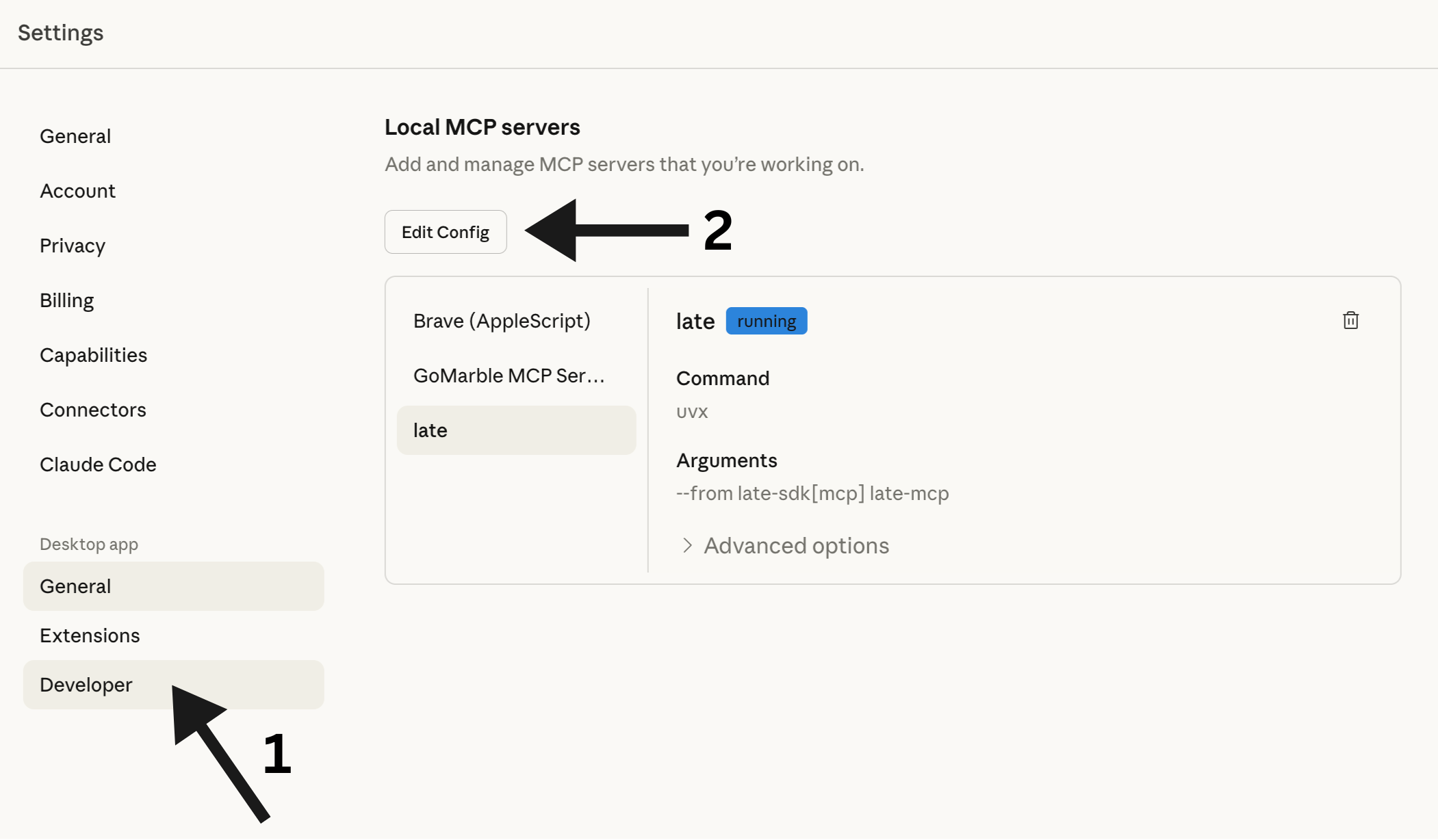
This will open the folder containing `claude_desktop_config.json`. Open this file with your favorite editor:
```
~/Library/Application Support/Claude/claude_desktop_config.json
```
```
%APPDATA%\Claude\claude_desktop_config.json
```
Add the Late MCP server:
```json
{
"mcpServers": {
"late": {
"command": "uvx",
"args": ["--from", "getlate[mcp]", "late-mcp"],
"env": {
"LATE_API_KEY": "your_api_key_here"
}
}
}
}
```
Replace `your_api_key_here` with your actual API key from Step 2.
### Restart Claude Desktop
Close and reopen Claude Desktop. The Late integration will be available immediately.
## Alternative: Using pip
If you prefer pip over uvx:
```bash
pip install getlate[mcp]
```
```json
{
"mcpServers": {
"late": {
"command": "python",
"args": ["-m", "late.mcp"],
"env": {
"LATE_API_KEY": "your_api_key_here"
}
}
}
}
```
## Available Commands
| Command | Description |
|---------|-------------|
| `accounts_list` | Show all connected social media accounts |
| `accounts_get` | Get account details for a specific platform |
| `profiles_list` | Show all profiles |
| `profiles_get` | Get details of a specific profile |
| `profiles_create` | Create a new profile |
| `profiles_update` | Update an existing profile |
| `profiles_delete` | Delete a profile |
| `posts_list` | List posts (optionally filter by status) |
| `posts_get` | Get details of a specific post |
| `posts_create` | Create a new post (draft, scheduled, or immediate) |
| `posts_publish_now` | Publish a post immediately |
| `posts_cross_post` | Post to multiple platforms at once |
| `posts_update` | Update an existing post |
| `posts_delete` | Delete a post |
| `posts_retry` | Retry a failed post |
| `posts_list_failed` | List all failed posts |
| `posts_retry_all_failed` | Retry all failed posts |
| `media_generate_upload_link` | Get a link to upload media files |
| `media_check_upload_status` | Check if media upload is complete |
## Tool Reference
Detailed parameters for each MCP tool.
### Accounts
#### `accounts_list`
List all connected social media accounts. Returns the platform, username, and account ID for each connected account. Use this to find account IDs needed for creating posts.
#### `accounts_get`
Get account details for a specific platform. Returns username and ID for the first account matching the platform.
| Parameter | Type | Description | Required | Default |
|-----------|------|-------------|----------|---------|
| `platform` | `string` | Platform name: twitter, instagram, linkedin, tiktok, bluesky, facebook, youtube, pinterest, threads, googlebusiness, telegram, snapchat | Yes | - |
### Profiles
#### `profiles_list`
List all profiles. Profiles group multiple social accounts together for easier management.
#### `profiles_get`
Get details of a specific profile including name, description, and color.
| Parameter | Type | Description | Required | Default |
|-----------|------|-------------|----------|---------|
| `profile_id` | `string` | The profile ID | Yes | - |
#### `profiles_create`
Create a new profile for grouping social accounts.
| Parameter | Type | Description | Required | Default |
|-----------|------|-------------|----------|---------|
| `name` | `string` | Profile name | Yes | - |
| `description` | `string` | Optional description | No | `""` |
| `color` | `string` | Optional hex color (e.g., '#4CAF50') | No | `""` |
#### `profiles_update`
Update an existing profile. Only provided fields will be changed.
| Parameter | Type | Description | Required | Default |
|-----------|------|-------------|----------|---------|
| `profile_id` | `string` | The profile ID to update | Yes | - |
| `name` | `string` | New name (leave empty to keep current) | No | `""` |
| `description` | `string` | New description (leave empty to keep current) | No | `""` |
| `color` | `string` | New hex color (leave empty to keep current) | No | `""` |
| `is_default` | `boolean` | Set as default profile | No | `false` |
#### `profiles_delete`
Delete a profile. The profile must have no connected accounts.
| Parameter | Type | Description | Required | Default |
|-----------|------|-------------|----------|---------|
| `profile_id` | `string` | The profile ID to delete | Yes | - |
### Posts
#### `posts_create`
Create a social media post. Can be saved as DRAFT, SCHEDULED, or PUBLISHED immediately.
**Choose the correct mode based on user intent:**
- **DRAFT MODE** (`is_draft=true`): Use when user says "draft", "save for later", "don't publish". Post is saved but NOT published.
- **IMMEDIATE MODE** (`publish_now=true`): Use when user says "publish now", "post now", "immediately". Post goes live right away.
- **SCHEDULED MODE** (default): Use when user says "schedule", "in X minutes/hours". Post is scheduled for future publication.
| Parameter | Type | Description | Required | Default |
|-----------|------|-------------|----------|---------|
| `content` | `string` | The post text/content | Yes | - |
| `platform` | `string` | Target platform: twitter, instagram, linkedin, tiktok, bluesky, facebook, youtube, pinterest, threads, googlebusiness, telegram, snapchat | Yes | - |
| `is_draft` | `boolean` | Set to true to save as DRAFT (not published, not scheduled) | No | `false` |
| `publish_now` | `boolean` | Set to true to publish IMMEDIATELY | No | `false` |
| `schedule_minutes` | `integer` | Minutes from now to schedule. Only used when is_draft=false AND publish_now=false | No | `60` |
| `media_urls` | `string` | Comma-separated URLs of media files to attach (images, videos) | No | `""` |
| `title` | `string` | Post title (required for YouTube, recommended for Pinterest) | No | `""` |
#### `posts_publish_now`
Publish a post immediately to a platform. The post goes live right away. This is a convenience wrapper around `posts_create` with `publish_now=true`.
| Parameter | Type | Description | Required | Default |
|-----------|------|-------------|----------|---------|
| `content` | `string` | The post text/content | Yes | - |
| `platform` | `string` | Target platform: twitter, instagram, linkedin, tiktok, bluesky, etc. | Yes | - |
| `media_urls` | `string` | Comma-separated URLs of media files to attach | No | `""` |
#### `posts_cross_post`
Post the same content to multiple platforms at once.
| Parameter | Type | Description | Required | Default |
|-----------|------|-------------|----------|---------|
| `content` | `string` | The post text/content | Yes | - |
| `platforms` | `string` | Comma-separated list of platforms (e.g., 'twitter,linkedin,bluesky') | Yes | - |
| `is_draft` | `boolean` | Set to true to save as DRAFT (not published) | No | `false` |
| `publish_now` | `boolean` | Set to true to publish IMMEDIATELY to all platforms | No | `false` |
| `media_urls` | `string` | Comma-separated URLs of media files to attach | No | `""` |
#### `posts_list`
List posts with optional filtering by status.
| Parameter | Type | Description | Required | Default |
|-----------|------|-------------|----------|---------|
| `status` | `string` | Filter by status: draft, scheduled, published, failed. Leave empty for all posts | No | `""` |
| `limit` | `integer` | Maximum number of posts to return | No | `10` |
#### `posts_get`
Get full details of a specific post including content, status, and scheduling info.
| Parameter | Type | Description | Required | Default |
|-----------|------|-------------|----------|---------|
| `post_id` | `string` | The post ID to retrieve | Yes | - |
#### `posts_update`
Update an existing post. Only draft, scheduled, and failed posts can be updated. Published posts cannot be modified.
| Parameter | Type | Description | Required | Default |
|-----------|------|-------------|----------|---------|
| `post_id` | `string` | The post ID to update | Yes | - |
| `content` | `string` | New content (leave empty to keep current) | No | `""` |
| `scheduled_for` | `string` | New schedule time as ISO string (leave empty to keep current) | No | `""` |
| `title` | `string` | New title (leave empty to keep current) | No | `""` |
#### `posts_delete`
Delete a post by ID. Published posts cannot be deleted.
| Parameter | Type | Description | Required | Default |
|-----------|------|-------------|----------|---------|
| `post_id` | `string` | The post ID to delete | Yes | - |
#### `posts_retry`
Retry publishing a failed post. Only works on posts with 'failed' status.
| Parameter | Type | Description | Required | Default |
|-----------|------|-------------|----------|---------|
| `post_id` | `string` | The ID of the failed post to retry | Yes | - |
#### `posts_list_failed`
List all failed posts that can be retried.
| Parameter | Type | Description | Required | Default |
|-----------|------|-------------|----------|---------|
| `limit` | `integer` | Maximum number of posts to return | No | `10` |
#### `posts_retry_all_failed`
Retry all failed posts at once.
### Media
#### `media_generate_upload_link`
Generate a unique upload URL for the user to upload files via browser.
Use this when the user wants to include images or videos in their post. The flow is:
1. Call this tool to get an upload URL
2. Ask the user to open the URL in their browser
3. User uploads files through the web interface
4. Call `media_check_upload_status` to get the uploaded file URLs
5. Use those URLs when creating the post with `posts_create`
#### `media_check_upload_status`
Check the status of an upload token and get uploaded file URLs.
Use this after the user has uploaded files through the browser upload page. Returns: pending (waiting for upload), completed (files ready), or expired (token expired).
| Parameter | Type | Description | Required | Default |
|-----------|------|-------------|----------|---------|
| `token` | `string` | The upload token from media_generate_upload_link | Yes | - |
## Uploading Images & Videos
Since Claude Desktop can't access files on your computer directly, we use a browser upload flow:
### Ask Claude to Create an Upload Link
Say something like: *"I want to post an image to Instagram"*
Claude will give you a unique upload URL.
### Upload Your File
Open the URL in your browser. You'll see a simple upload page where you can drag & drop your image or video.
### Tell Claude You're Done
Just say *"done"* or *"uploaded"*. Claude will check the status and create your post with the media attached.
**Supported file types:**
- Images: JPG, PNG, WebP, GIF
- Videos: MP4, MOV, WebM
- Documents: PDF
**Maximum file size:** 5GB
## Example Conversations
### Simple Post
> **You:** Post "Just launched our new feature! 🚀" to Twitter
>
> **Claude:** ✅ Published to Twitter (@yourhandle)
> Post ID: post_abc123
### Scheduled Post
> **You:** Schedule a LinkedIn post for tomorrow at 9am: "Excited to announce our Series A funding!"
>
> **Claude:** ✅ Scheduled for LinkedIn (@yourcompany)
> Post ID: post_xyz789
> Scheduled: 2024-12-12 09:00
### Cross-Posting
> **You:** Post "Big news coming soon..." to Twitter and LinkedIn
>
> **Claude:** ✅ Published to: twitter, linkedin
> Post ID: post_multi456
### Draft Post
> **You:** Create a draft post for Twitter with the text "Working on something exciting..."
>
> **Claude:** 📝 Draft saved for twitter (@yourhandle)
> Post ID: post_draft789
> Status: draft
### With Image
> **You:** I want to post a product photo to Instagram
>
> **Claude:** 📤 Upload link generated!
> Open this link in your browser to upload: http://...
>
> **You:** done
>
> **Claude:** ✅ Upload completed! 1 file uploaded.
> Now I'll create the post...
> ✅ Published to Instagram with 1 media file
## Troubleshooting
### "Command not found: uvx"
Make sure uv is installed and in your PATH:
```bash
# Check if installed
uvx --version
# If not, install it
curl -LsSf https://astral.sh/uv/install.sh | sh
```
You may need to restart your terminal or add uv to your PATH.
### "Invalid API key"
1. Check your API key at [getlate.dev/dashboard/api-keys](https://getlate.dev/dashboard/api-keys)
2. Make sure you copied it correctly (no extra spaces)
3. Verify the key is active
### "No accounts connected"
You need to connect social media accounts at [getlate.dev](https://getlate.dev) before you can post.
### Changes not taking effect
After editing `claude_desktop_config.json`, you must restart Claude Desktop completely.
## Links
- [Late Dashboard](https://getlate.dev)
- [Get API Key](https://getlate.dev/dashboard/api-keys)
- [SDKs](/resources/sdks)
- [MCP Protocol](https://modelcontextprotocol.io/)
---
# SDKs
Official SDK libraries for the Late API
import { Cards, Card } from 'fumadocs-ui/components/card';
## Official SDKs
}
title="Node.js"
description="github.com/getlatedev/late-node"
href="https://github.com/getlatedev/late-node"
/>
}
title="Python"
description="github.com/getlatedev/late-python"
href="https://github.com/getlatedev/late-python"
/>
## OpenAPI
}
title="OpenAPI Spec"
description="getlate.dev/openapi.yaml"
href="https://getlate.dev/openapi.yaml"
/>
---
# Accounts API Reference
Connect and manage social media accounts across all supported platforms
## GET /v1/account-groups
**List account groups for the authenticated user**
### Responses
#### 200: Groups
**Response Body:**
- **groups** `array[object]`:
- **_id** `string`: No description
- **name** `string`: No description
- **accountIds** `array[string]`:
#### 401: Unauthorized
**Response Body:**
- **error** `string`: No description (example: "Unauthorized")
---
## POST /v1/account-groups
**Create a new account group**
### Request Body
- **name** (required) `string`: No description
- **accountIds** (required) `array`: No description
### Responses
#### 201: Created
**Response Body:**
- **message** `string`: No description
- **group** `object`:
- **_id** `string`: No description
- **name** `string`: No description
- **accountIds** `array[string]`:
#### 400: Invalid request
#### 401: Unauthorized
**Response Body:**
- **error** `string`: No description (example: "Unauthorized")
#### 409: Group name already exists
---
## PUT /v1/account-groups/{groupId}
**Update an account group**
### Parameters
- **groupId** (required) in path: No description
### Request Body
- **name** `string`: No description
- **accountIds** `array`: No description
### Responses
#### 200: Updated
**Response Body:**
- **message** `string`: No description
- **group** `object`: No description
#### 401: Unauthorized
**Response Body:**
- **error** `string`: No description (example: "Unauthorized")
#### 404: Resource not found
**Response Body:**
- **error** `string`: No description (example: "Not found")
#### 409: Group name already exists
---
## DELETE /v1/account-groups/{groupId}
**Delete an account group**
### Parameters
- **groupId** (required) in path: No description
### Responses
#### 200: Deleted
**Response Body:**
- **message** `string`: No description
#### 401: Unauthorized
**Response Body:**
- **error** `string`: No description (example: "Unauthorized")
#### 404: Resource not found
**Response Body:**
- **error** `string`: No description (example: "Not found")
---
## GET /v1/accounts
**List connected social accounts**
Returns list of connected social accounts.
By default, only returns accounts from profiles within the user's plan limit.
Follower count data (followersCount, followersLastUpdated) is only included if user has analytics add-on.
### Parameters
- **profileId** (optional) in query: Filter accounts by profile ID
- **includeOverLimit** (optional) in query: When true, includes accounts from profiles that exceed the user's plan limit.
Useful for disconnecting accounts from over-limit profiles so they can be deleted.
### Responses
#### 200: Accounts
**Response Body:**
- **accounts** `array[SocialAccount]`:
- **hasAnalyticsAccess** `boolean`: Whether user has analytics add-on access
#### 401: Unauthorized
**Response Body:**
- **error** `string`: No description (example: "Unauthorized")
---
## GET /v1/accounts/follower-stats
**Get follower stats and growth metrics**
Returns follower count history and growth metrics for connected social accounts.
**Requires analytics add-on subscription.**
**Data Freshness:** Follower counts are automatically refreshed once per day.
### Parameters
- **accountIds** (optional) in query: Comma-separated list of account IDs (optional, defaults to all user's accounts)
- **profileId** (optional) in query: Filter by profile ID
- **fromDate** (optional) in query: Start date in YYYY-MM-DD format (defaults to 30 days ago)
- **toDate** (optional) in query: End date in YYYY-MM-DD format (defaults to today)
- **granularity** (optional) in query: Data aggregation level
### Responses
#### 200: Follower stats
**Response Body:**
- **accounts** `array[AccountWithFollowerStats]`:
- **stats** `object`: No description
- **dateRange** `object`:
- **from** `string` (date-time): No description
- **to** `string` (date-time): No description
- **granularity** `string`: No description
#### 401: Unauthorized
**Response Body:**
- **error** `string`: No description (example: "Unauthorized")
#### 403: Analytics add-on required
**Response Body:**
- **error** `string`: No description (example: "Analytics add-on required")
- **message** `string`: No description (example: "Follower stats tracking requires the Analytics add-on. Please upgrade to access this feature.")
- **requiresAddon** `boolean`: No description (example: true)
---
## PUT /v1/accounts/{accountId}
**Update a social account**
### Parameters
- **accountId** (required) in path: No description
### Request Body
- **username** `string`: No description
- **displayName** `string`: No description
### Responses
#### 200: Updated
**Response Body:**
- **message** `string`: No description
- **username** `string`: No description
- **displayName** `string`: No description
#### 400: Invalid request
#### 401: Unauthorized
**Response Body:**
- **error** `string`: No description (example: "Unauthorized")
#### 404: Resource not found
**Response Body:**
- **error** `string`: No description (example: "Not found")
---
## DELETE /v1/accounts/{accountId}
**Disconnect a social account**
### Parameters
- **accountId** (required) in path: No description
### Responses
#### 200: Disconnected
**Response Body:**
- **message** `string`: No description
#### 401: Unauthorized
**Response Body:**
- **error** `string`: No description (example: "Unauthorized")
#### 404: Resource not found
**Response Body:**
- **error** `string`: No description (example: "Not found")
---
## GET /v1/accounts/health
**Check health of all connected accounts**
Returns the health status of all connected social accounts, including token validity,
permissions status, and any issues that need attention. Useful for monitoring account
connections and identifying accounts that need reconnection.
### Parameters
- **profileId** (optional) in query: Filter by profile ID
- **platform** (optional) in query: Filter by platform
- **status** (optional) in query: Filter by health status
### Responses
#### 200: Account health summary
**Response Body:**
- **summary** `object`:
- **total** `integer`: Total number of accounts
- **healthy** `integer`: Number of healthy accounts
- **warning** `integer`: Number of accounts with warnings
- **error** `integer`: Number of accounts with errors
- **needsReconnect** `integer`: Number of accounts needing reconnection
- **accounts** `array[object]`:
- **accountId** `string`: No description
- **platform** `string`: No description
- **username** `string`: No description
- **displayName** `string`: No description
- **profileId** `string`: No description
- **status** `string`: No description - one of: healthy, warning, error
- **canPost** `boolean`: No description
- **canFetchAnalytics** `boolean`: No description
- **tokenValid** `boolean`: No description
- **tokenExpiresAt** `string` (date-time): No description
- **needsReconnect** `boolean`: No description
- **issues** `array[string]`:
#### 401: Unauthorized
**Response Body:**
- **error** `string`: No description (example: "Unauthorized")
---
## GET /v1/accounts/{accountId}/health
**Check health of a specific account**
Returns detailed health information for a specific social account, including token status,
granted permissions, missing permissions, and actionable recommendations.
### Parameters
- **accountId** (required) in path: The account ID to check
### Responses
#### 200: Account health details
**Response Body:**
- **accountId** `string`: No description
- **platform** `string`: No description
- **username** `string`: No description
- **displayName** `string`: No description
- **status** `string`: Overall health status - one of: healthy, warning, error
- **tokenStatus** `object`:
- **valid** `boolean`: Whether the token is valid
- **expiresAt** `string` (date-time): No description
- **expiresIn** `string`: Human-readable time until expiry
- **needsRefresh** `boolean`: Whether token expires within 24 hours
- **permissions** `object`:
- **posting** `array[object]`:
- **scope** `string`: No description
- **granted** `boolean`: No description
- **required** `boolean`: No description
- **analytics** `array[object]`:
- **scope** `string`: No description
- **granted** `boolean`: No description
- **required** `boolean`: No description
- **optional** `array[object]`:
- **scope** `string`: No description
- **granted** `boolean`: No description
- **required** `boolean`: No description
- **canPost** `boolean`: No description
- **canFetchAnalytics** `boolean`: No description
- **missingRequired** `array[string]`:
- **issues** `array[string]`: List of issues found
- **recommendations** `array[string]`: Actionable recommendations to fix issues
#### 401: Unauthorized
**Response Body:**
- **error** `string`: No description (example: "Unauthorized")
#### 404: Resource not found
**Response Body:**
- **error** `string`: No description (example: "Not found")
---
## GET /v1/accounts/{accountId}/gmb-reviews
**Get Google Business Profile reviews**
Fetches reviews for a connected Google Business Profile account.
Returns all reviews for the business location, including:
- Reviewer information (name, profile photo)
- Star rating (1-5)
- Review comment/text
- Business owner's reply (if any)
- Review timestamps
Use pagination via `nextPageToken` to fetch all reviews for locations with many reviews.
### Parameters
- **accountId** (required) in path: The Late account ID (from /v1/accounts)
- **pageSize** (optional) in query: Number of reviews to fetch per page (max 50)
- **pageToken** (optional) in query: Pagination token from previous response
### Responses
#### 200: Reviews fetched successfully
**Response Body:**
- **success** `boolean`: No description
- **accountId** `string`: No description
- **locationId** `string`: No description
- **reviews** `array[object]`:
- **id** `string`: Review ID
- **name** `string`: Full resource name
- **reviewer** `object`:
- **displayName** `string`: No description
- **profilePhotoUrl** `string`: No description
- **isAnonymous** `boolean`: No description
- **rating** `integer`: Numeric star rating
- **starRating** `string`: Google's string rating - one of: ONE, TWO, THREE, FOUR, FIVE
- **comment** `string`: Review text
- **createTime** `string` (date-time): No description
- **updateTime** `string` (date-time): No description
- **reviewReply** `object`:
- **comment** `string`: Business owner reply
- **updateTime** `string` (date-time): No description
- **averageRating** `number`: Overall average rating
- **totalReviewCount** `integer`: Total number of reviews
- **nextPageToken** `string`: Token for next page
#### 400: Invalid request - not a Google Business account or missing location
**Response Body:**
- **error** `string`: No description
- **details** `object`: No description
#### 401: Unauthorized or token expired
**Response Body:**
- **error** `string`: No description
- **details** `object`: No description
#### 403: Permission denied for this location
**Response Body:**
- **error** `string`: No description
- **details** `object`: No description
#### 404: Resource not found
**Response Body:**
- **error** `string`: No description (example: "Not found")
#### 500: Failed to fetch reviews
**Response Body:**
- **error** `string`: No description
- **details** `object`: No description
---
## PUT /v1/accounts/{accountId}/facebook-page
**Update selected Facebook page for a connected account**
### Parameters
- **accountId** (required) in path: No description
### Request Body
- **selectedPageId** (required) `string`: No description
### Responses
#### 200: Page updated
**Response Body:**
- **message** `string`: No description
- **account**: `SocialAccount` - See schema definition
#### 400: Page not in available pages
#### 401: Unauthorized
**Response Body:**
- **error** `string`: No description (example: "Unauthorized")
#### 404: Account not found
---
## GET /v1/accounts/{accountId}/linkedin-organizations
**Get available LinkedIn organizations for a connected account**
### Parameters
- **accountId** (required) in path: No description
### Responses
#### 200: Organizations list
**Response Body:**
- **organizations** `array[object]`:
- **id** `string`: No description
- **name** `string`: No description
- **vanityName** `string`: No description
- **localizedName** `string`: No description
#### 401: Unauthorized
**Response Body:**
- **error** `string`: No description (example: "Unauthorized")
#### 404: Account not found
---
## GET /v1/accounts/{accountId}/linkedin-aggregate-analytics
**Get aggregate analytics for a LinkedIn personal account**
Returns aggregate analytics across ALL posts for a LinkedIn personal account.
Uses LinkedIn's `memberCreatorPostAnalytics` API with `q=me` finder.
**Important:** This endpoint only works for LinkedIn **personal** accounts. Organization accounts should use the standard `/v1/analytics` endpoint for per-post analytics.
**Required Scope:** `r_member_postAnalytics`
If the connected account doesn't have this scope, you'll receive a 403 error with instructions to reconnect.
**Aggregation Options:**
- `TOTAL` (default): Returns lifetime totals for all metrics
- `DAILY`: Returns daily breakdown of metrics over time
**Available Metrics:**
- `IMPRESSION`: Number of times posts were displayed
- `MEMBERS_REACHED`: Unique members who saw posts (NOT available with DAILY aggregation)
- `REACTION`: Total reactions (likes, celebrates, etc.)
- `COMMENT`: Total comments
- `RESHARE`: Total reshares/reposts
**Date Range Filtering:**
Use `startDate` and `endDate` parameters to filter analytics to a specific time period.
If omitted, returns lifetime analytics.
**LinkedIn API Limitation:** The combination of `MEMBERS_REACHED` + `DAILY` aggregation is not supported by LinkedIn's API.
### Parameters
- **accountId** (required) in path: The ID of the LinkedIn personal account
- **aggregation** (optional) in query: Type of aggregation for the analytics data.
- `TOTAL` (default): Returns single totals for each metric
- `DAILY`: Returns daily breakdown of metrics
Note: `MEMBERS_REACHED` metric is not available with `DAILY` aggregation.
- **startDate** (optional) in query: Start date for analytics data in YYYY-MM-DD format.
If provided without endDate, endDate defaults to today.
If omitted entirely, returns lifetime analytics.
- **endDate** (optional) in query: End date for analytics data in YYYY-MM-DD format (exclusive).
If provided without startDate, startDate defaults to 30 days before endDate.
- **metrics** (optional) in query: Comma-separated list of metrics to fetch. If omitted, fetches all available metrics.
Valid values: IMPRESSION, MEMBERS_REACHED, REACTION, COMMENT, RESHARE
### Responses
#### 200: Aggregate analytics data
**Response Body:**
*One of the following:*
- `LinkedInAggregateAnalyticsTotalResponse`
- `LinkedInAggregateAnalyticsDailyResponse`
#### 400: Invalid request
**Response Body:**
- **error** `string`: No description
- **code** `string`: No description
- **validOptions** `array[string]`:
#### 401: Unauthorized
**Response Body:**
- **error** `string`: No description (example: "Unauthorized")
#### 402: Analytics add-on required
**Response Body:**
- **error** `string`: No description
- **code** `string`: No description
#### 403: Missing required LinkedIn scope
**Response Body:**
- **error** `string`: No description
- **code** `string`: No description (example: "missing_scope")
- **requiredScope** `string`: No description (example: "r_member_postAnalytics")
- **action** `string`: No description (example: "reconnect")
#### 404: Account not found
---
## GET /v1/accounts/{accountId}/linkedin-post-analytics
**Get analytics for a specific LinkedIn post by URN**
Returns analytics for a specific LinkedIn post using its URN.
Works for both personal and organization accounts.
This is useful for fetching analytics of posts that weren't published through Late,
as long as you have the post URN.
**For Personal Accounts:**
- Uses `memberCreatorPostAnalytics` API + `memberCreatorVideoAnalytics` for video posts
- Requires `r_member_postAnalytics` scope
- Available metrics: impressions, reach, likes, comments, shares, video views (video posts only)
- **Clicks are NOT available** for personal accounts
**For Organization Accounts:**
- Uses `organizationalEntityShareStatistics` API + `videoAnalytics` for video posts
- Requires `r_organization_social` scope
- Available metrics: impressions, reach, clicks, likes, comments, shares, video views (video posts only), engagement rate
### Parameters
- **accountId** (required) in path: The ID of the LinkedIn account
- **urn** (required) in query: The LinkedIn post URN
### Responses
#### 200: Post analytics data
**Response Body:**
- **accountId** `string`: No description
- **platform** `string`: No description (example: "linkedin")
- **accountType** `string`: No description - one of: personal, organization
- **username** `string`: No description
- **postUrn** `string`: No description
- **analytics** `object`:
- **impressions** `integer`: Times the post was shown
- **reach** `integer`: Unique members who saw the post
- **likes** `integer`: Reactions on the post
- **comments** `integer`: Comments on the post
- **shares** `integer`: Reshares of the post
- **clicks** `integer`: Clicks on the post (organization accounts only)
- **views** `integer`: Video views (video posts only)
- **engagementRate** `number`: Engagement rate as percentage
- **lastUpdated** `string` (date-time): No description
#### 400: Invalid request
**Response Body:**
- **error** `string`: No description
- **code** `string`: No description - one of: missing_urn, invalid_urn, invalid_platform
#### 401: Unauthorized
**Response Body:**
- **error** `string`: No description (example: "Unauthorized")
#### 402: Analytics add-on required
#### 403: Missing required LinkedIn scope
**Response Body:**
- **error** `string`: No description
- **code** `string`: No description (example: "missing_scope")
- **requiredScope** `string`: No description
- **action** `string`: No description (example: "reconnect")
#### 404: Account or post not found
**Response Body:**
- **error** `string`: No description
- **code** `string`: No description
---
## PUT /v1/accounts/{accountId}/linkedin-organization
**Switch LinkedIn account type (personal/organization)**
### Parameters
- **accountId** (required) in path: No description
### Request Body
- **accountType** (required) `string`: No description - one of: personal, organization
- **selectedOrganization** `object`: No description
### Responses
#### 200: Account updated
**Response Body:**
- **message** `string`: No description
- **account**: `SocialAccount` - See schema definition
#### 400: Invalid request
#### 401: Unauthorized
**Response Body:**
- **error** `string`: No description (example: "Unauthorized")
#### 404: Account not found
---
## GET /v1/accounts/{accountId}/linkedin-mentions
**Resolve a LinkedIn profile or company URL to a URN for @mentions**
Converts a LinkedIn profile URL (person) or company page URL (organization) to a URN that can be used to @mention them in posts.
**Supports both:**
- **Person mentions:** `linkedin.com/in/username` or just `username`
- **Organization mentions:** `linkedin.com/company/company-name` or `company/company-name`
**⚠️ Organization Admin Required for Person Mentions Only:**
Person mentions require the connected LinkedIn account to have admin access to at least one LinkedIn Organization (Company Page).
Organization mentions do NOT have this requirement - any LinkedIn account can tag companies.
**IMPORTANT - Display Name Requirement:**
For **person mentions** to be clickable, the display name must **exactly match** what appears on their LinkedIn profile.
- Organization mentions automatically retrieve the company name from LinkedIn API
- Person mentions require the exact name, so provide the `displayName` parameter
**Mention Format:**
Use the returned `mentionFormat` value directly in your post content:
```
Great insights from @[Miquel Palet](urn:li:person:4qj5ox-agD) on this topic!
Excited to partner with @[Microsoft](urn:li:organization:1035)!
```
### Parameters
- **accountId** (required) in path: The LinkedIn account ID
- **url** (required) in query: LinkedIn profile URL, company URL, or vanity name.
- Person: `miquelpalet`, `linkedin.com/in/miquelpalet`
- Organization: `company/microsoft`, `linkedin.com/company/microsoft`
- **displayName** (optional) in query: The exact display name as shown on LinkedIn.
- **Person mentions:** Required for clickable mentions. If not provided, a name is derived from the vanity URL which may not match exactly.
- **Organization mentions:** Optional. If not provided, the company name is automatically retrieved from LinkedIn.
### Responses
#### 200: URN resolved successfully
**Response Body:**
- **urn** `string`: The LinkedIn URN (person or organization) (example: "urn:li:person:4qj5ox-agD")
- **type** `string`: The type of entity (person or organization) - one of: person, organization (example: "person")
- **displayName** `string`: Display name (provided, from API, or derived from vanity URL) (example: "Miquel Palet")
- **mentionFormat** `string`: Ready-to-use mention format for post content (example: "@[Miquel Palet](urn:li:person:4qj5ox-agD)")
- **vanityName** `string`: The vanity name/slug (only for organization mentions) (example: "microsoft")
- **warning** `string`: Warning about clickable mentions (only present for person mentions if displayName was not provided) (example: "For clickable person mentions, provide the displayName parameter with the exact name as shown on their LinkedIn profile.")
#### 400: Invalid request or no organization found (for person mentions)
**Response Body:**
- **error** `string`: No description
#### 401: Unauthorized
**Response Body:**
- **error** `string`: No description (example: "Unauthorized")
#### 404: Person or organization not found
**Response Body:**
- **error** `string`: No description
---
## GET /v1/accounts/{accountId}/pinterest-boards
**List Pinterest boards for a connected account**
### Parameters
- **accountId** (required) in path: No description
### Responses
#### 200: Boards list
**Response Body:**
- **boards** `array[object]`:
- **id** `string`: No description
- **name** `string`: No description
- **description** `string`: No description
- **privacy** `string`: No description
#### 400: Not a Pinterest account
#### 401: Unauthorized
**Response Body:**
- **error** `string`: No description (example: "Unauthorized")
#### 404: Account not found
---
## PUT /v1/accounts/{accountId}/pinterest-boards
**Set default Pinterest board on the connection**
### Parameters
- **accountId** (required) in path: No description
### Request Body
- **defaultBoardId** (required) `string`: No description
- **defaultBoardName** `string`: No description
### Responses
#### 200: Default board set
**Response Body:**
- **message** `string`: No description
- **account**: `SocialAccount` - See schema definition
#### 400: Invalid request
#### 401: Unauthorized
**Response Body:**
- **error** `string`: No description (example: "Unauthorized")
#### 404: Account not found
---
## GET /v1/accounts/{accountId}/reddit-subreddits
**List Reddit subreddits for a connected account**
### Parameters
- **accountId** (required) in path: No description
### Responses
#### 200: Subreddits list
**Response Body:**
- **subreddits** `array[object]`:
- **name** `string`: No description
- **displayName** `string`: No description
- **subscribers** `integer`: No description
- **public_description** `string`: No description
#### 400: Not a Reddit account
#### 401: Unauthorized
**Response Body:**
- **error** `string`: No description (example: "Unauthorized")
#### 404: Account not found
---
## PUT /v1/accounts/{accountId}/reddit-subreddits
**Set default subreddit on the connection**
### Parameters
- **accountId** (required) in path: No description
### Request Body
- **defaultSubreddit** (required) `string`: No description
### Responses
#### 200: Default subreddit set
**Response Body:**
- **message** `string`: No description
- **account**: `SocialAccount` - See schema definition
#### 400: Invalid request
#### 401: Unauthorized
**Response Body:**
- **error** `string`: No description (example: "Unauthorized")
#### 404: Account not found
---
# Related Schema Definitions
## SocialAccount
### Properties
- **_id** `string`: No description
- **platform** `string`: No description
- **profileId**: No description
- **username** `string`: No description
- **displayName** `string`: No description
- **profileUrl** `string`: Full profile URL for the connected account. Available for all platforms:
- Twitter/X: https://x.com/{username}
- Instagram: https://instagram.com/{username}
- TikTok: https://tiktok.com/@{username}
- YouTube: https://youtube.com/@{handle} or https://youtube.com/channel/{id}
- LinkedIn Personal: https://www.linkedin.com/in/{vanityName}/
- LinkedIn Organization: https://www.linkedin.com/company/{vanityName}/
- Threads: https://threads.net/@{username}
- Pinterest: https://pinterest.com/{username}
- Reddit: https://reddit.com/user/{username}
- Bluesky: https://bsky.app/profile/{handle}
- Facebook: https://facebook.com/{username} or https://facebook.com/{pageId}
- Google Business: Google Maps URL for the business location
- **isActive** `boolean`: No description
- **followersCount** `number`: Follower count (only included if user has analytics add-on)
- **followersLastUpdated** `string`: Last time follower count was updated (only included if user has analytics add-on)
## AccountWithFollowerStats
## ErrorResponse
### Properties
- **error** `string`: No description
- **details** `object`: No description
## LinkedInAggregateAnalyticsTotalResponse
Response for TOTAL aggregation (lifetime totals)
### Properties
- **accountId** `string`: No description
- **platform** `string`: No description
- **accountType** `string`: No description
- **username** `string`: No description
- **aggregation** `string`: No description - one of: TOTAL
- **dateRange** `object`:
- **startDate** `string`:
- **endDate** `string`:
- **analytics** `object`:
- **impressions** `integer`: Total impressions across all posts
- **reach** `integer`: Unique members reached across all posts
- **reactions** `integer`: Total reactions across all posts
- **comments** `integer`: Total comments across all posts
- **shares** `integer`: Total reshares across all posts
- **engagementRate** `number`: Overall engagement rate as percentage
- **note** `string`: No description
- **lastUpdated** `string`: No description
## LinkedInAggregateAnalyticsDailyResponse
Response for DAILY aggregation (time series breakdown)
### Properties
- **accountId** `string`: No description
- **platform** `string`: No description
- **accountType** `string`: No description
- **username** `string`: No description
- **aggregation** `string`: No description - one of: DAILY
- **dateRange** `object`:
- **startDate** `string`:
- **endDate** `string`:
- **analytics** `object`: Daily breakdown of each metric. Each metric contains an array of date/count pairs.
Note: 'reach' (MEMBERS_REACHED) is not available with DAILY aggregation per LinkedIn API limitations.
- **impressions** `array`:
- **reactions** `array`:
- **comments** `array`:
- **shares** `array`:
- **skippedMetrics** `array`: Metrics that were skipped due to API limitations
- **note** `string`: No description
- **lastUpdated** `string`: No description
---
# Analytics API Reference
Retrieve post performance metrics, engagement data, and analytics via the Late API
## GET /v1/analytics
**Unified analytics for posts**
Returns analytics for posts. If postId is provided, returns analytics for a single post.
Otherwise returns a paginated list of posts with overview stats.
**Important: Understanding Post IDs**
This endpoint uses two types of posts:
- **Late Posts** - Posts scheduled/created via the Late API (e.g., via `POST /v1/posts`)
- **External Posts** - Posts synced from social platforms for analytics tracking
When you schedule a post via Late and it gets published, **both** records exist:
1. The original Late Post (returned when you created the post)
2. An External Post (created when we sync analytics from the platform)
**List endpoint behavior:**
- Returns External Post IDs (`_id` field)
- Use the `isExternal` field to identify post origin:
- `isExternal: true` - Synced from platform (may have been originally scheduled via Late)
- `isExternal: false` - Late-scheduled post (shown when querying by Late post ID)
**Single post behavior (`postId` parameter):**
- Accepts **both** Late Post IDs and External Post IDs
- If you pass a Late Post ID, the API automatically resolves it to the corresponding External Post analytics
- Both return the same analytics data for the same underlying social media post
**Correlating posts:** Use `platformPostUrl` (e.g., `https://www.instagram.com/reel/ABC123/`) as the unique identifier - it's consistent across both Late and External post records.
**Note:** For follower count history and growth metrics, use the dedicated `/v1/accounts/follower-stats` endpoint.
**LinkedIn Analytics:**
- **Personal Accounts:** Per-post analytics available for posts published through Late. External posts cannot be synced due to LinkedIn API restrictions.
- **Organization Accounts:** Full analytics support including external post syncing.
**Telegram Analytics:**
- **Not available.** The Telegram Bot API does not provide message view counts, forwards, or engagement metrics. This is a Telegram platform limitation, not a Late limitation. View counts are only visible to channel admins in the Telegram app.
**Data Freshness:** Analytics data is cached and refreshed at most once per hour. When you call this endpoint, if the cache is older than 60 minutes, a background refresh is triggered and you'll see updated data on subsequent requests. There is no rate limit on API requests.
### Parameters
- **postId** (optional) in query: Returns analytics for a single post. Accepts both Late Post IDs (from `POST /v1/posts`)
and External Post IDs (from this endpoint's list response). The API automatically
resolves Late Post IDs to their corresponding External Post analytics.
- **platform** (optional) in query: Filter by platform (default "all")
- **profileId** (optional) in query: Filter by profile ID (default "all")
- **fromDate** (optional) in query: Inclusive lower bound
- **toDate** (optional) in query: Inclusive upper bound
- **limit** (optional) in query: Page size (default 50)
- **page** (optional) in query: Page number (default 1)
- **sortBy** (optional) in query: Sort by date or engagement
- **order** (optional) in query: Sort order
### Responses
#### 200: Analytics result
**Response Body:**
*One of the following:*
- `AnalyticsSinglePostResponse`
- `AnalyticsListResponse`
#### 401: Unauthorized
**Response Body:**
- **error** `string`: No description (example: "Unauthorized")
#### 402: Analytics add-on required
**Response Body:**
- **error** `string`: No description (example: "Analytics add-on required")
- **code** `string`: No description (example: "analytics_addon_required")
#### 404: Resource not found
**Response Body:**
- **error** `string`: No description (example: "Not found")
#### 500: Internal server error
**Response Body:**
- **error** `string`: No description
- **details** `object`: No description
---
## GET /v1/analytics/youtube/daily-views
**YouTube daily views breakdown**
Returns historical daily view counts for a specific YouTube video.
Uses YouTube Analytics API v2 to fetch daily breakdowns including views,
watch time, and subscriber changes.
**Required Scope:** This endpoint requires the `yt-analytics.readonly` OAuth scope.
Existing YouTube accounts may need to re-authorize to grant this permission.
If the scope is missing, the response will include a `reauthorizeUrl`.
**Data Latency:** YouTube Analytics data has a 2-3 day delay. The `endDate`
is automatically capped to 3 days ago.
**Date Range:** Maximum 90 days of historical data available. Defaults to last 30 days.
### Parameters
- **videoId** (required) in query: The YouTube video ID (e.g., "dQw4w9WgXcQ")
- **accountId** (required) in query: The Late account ID for the YouTube account
- **startDate** (optional) in query: Start date (YYYY-MM-DD). Defaults to 30 days ago.
- **endDate** (optional) in query: End date (YYYY-MM-DD). Defaults to 3 days ago (YouTube data latency).
### Responses
#### 200: Daily views breakdown
**Response Body:**
- **success** `boolean`: No description (example: true)
- **videoId** `string`: The YouTube video ID
- **dateRange** `object`:
- **startDate** `string` (date): No description
- **endDate** `string` (date): No description
- **totalViews** `integer`: Sum of views across all days in the range
- **dailyViews** `array[object]`:
- **date** `string` (date): No description
- **views** `integer`: No description
- **estimatedMinutesWatched** `number`: No description
- **averageViewDuration** `number`: Average view duration in seconds
- **subscribersGained** `integer`: No description
- **subscribersLost** `integer`: No description
- **likes** `integer`: No description
- **comments** `integer`: No description
- **shares** `integer`: No description
- **lastSyncedAt** `string` (date-time): When the data was last synced from YouTube
- **scopeStatus** `object`:
- **hasAnalyticsScope** `boolean`: No description
#### 400: Bad request (missing or invalid parameters)
**Response Body:**
- **error** `string`: No description
#### 401: Unauthorized
**Response Body:**
- **error** `string`: No description (example: "Unauthorized")
#### 402: Analytics add-on required
**Response Body:**
- **error** `string`: No description (example: "Analytics add-on required")
- **code** `string`: No description (example: "analytics_addon_required")
#### 403: Access denied to this account
**Response Body:**
- **error** `string`: No description (example: "Access denied to this account")
#### 412: Missing YouTube Analytics scope
**Response Body:**
- **success** `boolean`: No description (example: false)
- **error** `string`: No description (example: "To access daily video analytics, please reconnect your YouTube account to grant the required permissions.")
- **code** `string`: No description (example: "youtube_analytics_scope_missing")
- **scopeStatus** `object`:
- **hasAnalyticsScope** `boolean`: No description (example: false)
- **requiresReauthorization** `boolean`: No description (example: true)
- **reauthorizeUrl** `string` (uri): URL to redirect user for reauthorization
#### 500: Internal server error
**Response Body:**
- **success** `boolean`: No description (example: false)
- **error** `string`: No description
---
## GET /v1/accounts/{accountId}/linkedin-aggregate-analytics
**Get aggregate analytics for a LinkedIn personal account**
Returns aggregate analytics across ALL posts for a LinkedIn personal account.
Uses LinkedIn's `memberCreatorPostAnalytics` API with `q=me` finder.
**Important:** This endpoint only works for LinkedIn **personal** accounts. Organization accounts should use the standard `/v1/analytics` endpoint for per-post analytics.
**Required Scope:** `r_member_postAnalytics`
If the connected account doesn't have this scope, you'll receive a 403 error with instructions to reconnect.
**Aggregation Options:**
- `TOTAL` (default): Returns lifetime totals for all metrics
- `DAILY`: Returns daily breakdown of metrics over time
**Available Metrics:**
- `IMPRESSION`: Number of times posts were displayed
- `MEMBERS_REACHED`: Unique members who saw posts (NOT available with DAILY aggregation)
- `REACTION`: Total reactions (likes, celebrates, etc.)
- `COMMENT`: Total comments
- `RESHARE`: Total reshares/reposts
**Date Range Filtering:**
Use `startDate` and `endDate` parameters to filter analytics to a specific time period.
If omitted, returns lifetime analytics.
**LinkedIn API Limitation:** The combination of `MEMBERS_REACHED` + `DAILY` aggregation is not supported by LinkedIn's API.
### Parameters
- **accountId** (required) in path: The ID of the LinkedIn personal account
- **aggregation** (optional) in query: Type of aggregation for the analytics data.
- `TOTAL` (default): Returns single totals for each metric
- `DAILY`: Returns daily breakdown of metrics
Note: `MEMBERS_REACHED` metric is not available with `DAILY` aggregation.
- **startDate** (optional) in query: Start date for analytics data in YYYY-MM-DD format.
If provided without endDate, endDate defaults to today.
If omitted entirely, returns lifetime analytics.
- **endDate** (optional) in query: End date for analytics data in YYYY-MM-DD format (exclusive).
If provided without startDate, startDate defaults to 30 days before endDate.
- **metrics** (optional) in query: Comma-separated list of metrics to fetch. If omitted, fetches all available metrics.
Valid values: IMPRESSION, MEMBERS_REACHED, REACTION, COMMENT, RESHARE
### Responses
#### 200: Aggregate analytics data
**Response Body:**
*One of the following:*
- `LinkedInAggregateAnalyticsTotalResponse`
- `LinkedInAggregateAnalyticsDailyResponse`
#### 400: Invalid request
**Response Body:**
- **error** `string`: No description
- **code** `string`: No description
- **validOptions** `array[string]`:
#### 401: Unauthorized
**Response Body:**
- **error** `string`: No description (example: "Unauthorized")
#### 402: Analytics add-on required
**Response Body:**
- **error** `string`: No description
- **code** `string`: No description
#### 403: Missing required LinkedIn scope
**Response Body:**
- **error** `string`: No description
- **code** `string`: No description (example: "missing_scope")
- **requiredScope** `string`: No description (example: "r_member_postAnalytics")
- **action** `string`: No description (example: "reconnect")
#### 404: Account not found
---
## GET /v1/accounts/{accountId}/linkedin-post-analytics
**Get analytics for a specific LinkedIn post by URN**
Returns analytics for a specific LinkedIn post using its URN.
Works for both personal and organization accounts.
This is useful for fetching analytics of posts that weren't published through Late,
as long as you have the post URN.
**For Personal Accounts:**
- Uses `memberCreatorPostAnalytics` API + `memberCreatorVideoAnalytics` for video posts
- Requires `r_member_postAnalytics` scope
- Available metrics: impressions, reach, likes, comments, shares, video views (video posts only)
- **Clicks are NOT available** for personal accounts
**For Organization Accounts:**
- Uses `organizationalEntityShareStatistics` API + `videoAnalytics` for video posts
- Requires `r_organization_social` scope
- Available metrics: impressions, reach, clicks, likes, comments, shares, video views (video posts only), engagement rate
### Parameters
- **accountId** (required) in path: The ID of the LinkedIn account
- **urn** (required) in query: The LinkedIn post URN
### Responses
#### 200: Post analytics data
**Response Body:**
- **accountId** `string`: No description
- **platform** `string`: No description (example: "linkedin")
- **accountType** `string`: No description - one of: personal, organization
- **username** `string`: No description
- **postUrn** `string`: No description
- **analytics** `object`:
- **impressions** `integer`: Times the post was shown
- **reach** `integer`: Unique members who saw the post
- **likes** `integer`: Reactions on the post
- **comments** `integer`: Comments on the post
- **shares** `integer`: Reshares of the post
- **clicks** `integer`: Clicks on the post (organization accounts only)
- **views** `integer`: Video views (video posts only)
- **engagementRate** `number`: Engagement rate as percentage
- **lastUpdated** `string` (date-time): No description
#### 400: Invalid request
**Response Body:**
- **error** `string`: No description
- **code** `string`: No description - one of: missing_urn, invalid_urn, invalid_platform
#### 401: Unauthorized
**Response Body:**
- **error** `string`: No description (example: "Unauthorized")
#### 402: Analytics add-on required
#### 403: Missing required LinkedIn scope
**Response Body:**
- **error** `string`: No description
- **code** `string`: No description (example: "missing_scope")
- **requiredScope** `string`: No description
- **action** `string`: No description (example: "reconnect")
#### 404: Account or post not found
**Response Body:**
- **error** `string`: No description
- **code** `string`: No description
---
# Related Schema Definitions
## AnalyticsSinglePostResponse
### Properties
- **postId** `string`: No description
- **status** `string`: No description
- **content** `string`: No description
- **scheduledFor** `string`: No description
- **publishedAt** `string`: No description
- **analytics**: No description
- **platformAnalytics** `array`: No description
- **platform** `string`: No description
- **platformPostUrl** `string`: No description
- **isExternal** `boolean`: No description
## AnalyticsListResponse
### Properties
- **overview**: No description
- **posts** `array`: No description
- **pagination**: No description
- **accounts** `array`: Connected social accounts (followerCount and followersLastUpdated only included if user has analytics add-on)
- **hasAnalyticsAccess** `boolean`: Whether user has analytics add-on access
## ErrorResponse
### Properties
- **error** `string`: No description
- **details** `object`: No description
## YouTubeDailyViewsResponse
### Properties
- **success** `boolean`: No description
- **videoId** `string`: The YouTube video ID
- **dateRange** `object`:
- **startDate** `string`:
- **endDate** `string`:
- **totalViews** `integer`: Sum of views across all days in the range
- **dailyViews** `array`: No description
- **lastSyncedAt** `string`: When the data was last synced from YouTube
- **scopeStatus** `object`:
- **hasAnalyticsScope** `boolean`:
## YouTubeScopeMissingResponse
### Properties
- **success** `boolean`: No description
- **error** `string`: No description
- **code** `string`: No description
- **scopeStatus** `object`:
- **hasAnalyticsScope** `boolean`:
- **requiresReauthorization** `boolean`:
- **reauthorizeUrl** `string`: URL to redirect user for reauthorization
## LinkedInAggregateAnalyticsTotalResponse
Response for TOTAL aggregation (lifetime totals)
### Properties
- **accountId** `string`: No description
- **platform** `string`: No description
- **accountType** `string`: No description
- **username** `string`: No description
- **aggregation** `string`: No description - one of: TOTAL
- **dateRange** `object`:
- **startDate** `string`:
- **endDate** `string`:
- **analytics** `object`:
- **impressions** `integer`: Total impressions across all posts
- **reach** `integer`: Unique members reached across all posts
- **reactions** `integer`: Total reactions across all posts
- **comments** `integer`: Total comments across all posts
- **shares** `integer`: Total reshares across all posts
- **engagementRate** `number`: Overall engagement rate as percentage
- **note** `string`: No description
- **lastUpdated** `string`: No description
## LinkedInAggregateAnalyticsDailyResponse
Response for DAILY aggregation (time series breakdown)
### Properties
- **accountId** `string`: No description
- **platform** `string`: No description
- **accountType** `string`: No description
- **username** `string`: No description
- **aggregation** `string`: No description - one of: DAILY
- **dateRange** `object`:
- **startDate** `string`:
- **endDate** `string`:
- **analytics** `object`: Daily breakdown of each metric. Each metric contains an array of date/count pairs.
Note: 'reach' (MEMBERS_REACHED) is not available with DAILY aggregation per LinkedIn API limitations.
- **impressions** `array`:
- **reactions** `array`:
- **comments** `array`:
- **shares** `array`:
- **skippedMetrics** `array`: Metrics that were skipped due to API limitations
- **note** `string`: No description
- **lastUpdated** `string`: No description
---
# Connect API Reference
OAuth flows and connection management for linking social media platforms to Late
## GET /v1/connect/{platform}
**Start OAuth connection for a platform**
Initiate an OAuth connection flow for any supported social media platform.
**Standard Flow (Hosted UI):**
For Facebook connections, Late hosts the page selection UI:
1. Call this endpoint with your API key and `redirect_url` (optional)
2. Redirect your user to the returned `authUrl`
3. After OAuth, the user is redirected to Late’s hosted page selector at
`/connect/facebook/select-page?profileId=X&tempToken=Y&userProfile=Z&redirect_url=YOUR_URL&connect_token=CT`
4. After they pick a page, Late saves the connection and finally redirects to your `redirect_url` (if provided)
**Headless/Whitelabel Mode (Facebook, LinkedIn, Pinterest & Google Business Profile):**
Build your own fully branded selection UI while Late handles OAuth:
**Facebook:**
1. Call this endpoint with your API key and add `&headless=true`, e.g.
`GET /v1/connect/facebook?profileId=PROFILE_ID&redirect_url=https://yourapp.com/callback&headless=true`
2. Redirect your user to the returned `authUrl`
3. After OAuth, the user is redirected directly to **your** `redirect_url` with:
- `profileId` – your Late profile ID
- `tempToken` – temporary Facebook access token
- `userProfile` – URL‑encoded JSON user profile
- `connect_token` – short‑lived connect token (for API auth)
- `platform=facebook`
- `step=select_page`
4. Use `tempToken`, `userProfile`, and the `X-Connect-Token` header with:
- `GET /v1/connect/facebook/select-page` to fetch pages
- `POST /v1/connect/facebook/select-page` to save the selected page
5. In this mode, users never see Late's hosted page selector – only your UI.
**LinkedIn:**
1. Call this endpoint with `&headless=true`, e.g.
`GET /v1/connect/linkedin?profileId=PROFILE_ID&redirect_url=https://yourapp.com/callback&headless=true`
2. Redirect your user to the returned `authUrl`
3. After OAuth, the user is redirected directly to **your** `redirect_url` with:
- `profileId` – your Late profile ID
- `tempToken` – temporary LinkedIn access token
- `userProfile` – URL‑encoded JSON with `id`, `username`, `displayName`, `profilePicture`
- `organizations` – URL‑encoded JSON array with `id`, `urn`, `name` for each org (logos not included to prevent URL length issues)
- `connect_token` – short‑lived connect token (for API auth)
- `platform=linkedin`
- `step=select_organization`
4. The `organizations` array contains minimal data (`id`, `urn`, `name`). Use it to build your selection UI.
5. **Optional:** To fetch full organization details (logos, vanityName, website, industry, description), call `GET /v1/connect/linkedin/organizations?tempToken=X&orgIds=id1,id2,...`
6. Call `POST /v1/connect/linkedin/select-organization` with the `X-Connect-Token` header to save the selection.
7. In this mode, users never see Late's hosted organization selector – only your UI.
8. Note: If the user has no organization admin access, `step=select_organization` will NOT be present,
and the account will be connected directly as a personal account.
**Pinterest:**
1. Call this endpoint with `&headless=true`, e.g.
`GET /v1/connect/pinterest?profileId=PROFILE_ID&redirect_url=https://yourapp.com/callback&headless=true`
2. Redirect your user to the returned `authUrl`
3. After OAuth, the user is redirected directly to **your** `redirect_url` with:
- `profileId` – your Late profile ID
- `tempToken` – temporary Pinterest access token
- `userProfile` – URL‑encoded JSON user profile
- `connect_token` – short‑lived connect token (for API auth)
- `platform=pinterest`
- `step=select_board`
4. Use `tempToken`, `userProfile`, and the `X-Connect-Token` header with:
- `GET /v1/connect/pinterest/select-board` to fetch boards
- `POST /v1/connect/pinterest/select-board` to save the selected board
5. In this mode, users never see Late's hosted board selector – only your UI.
**Google Business Profile:**
1. Call this endpoint with `&headless=true`, e.g.
`GET /v1/connect/googlebusiness?profileId=PROFILE_ID&redirect_url=https://yourapp.com/callback&headless=true`
2. Redirect your user to the returned `authUrl`
3. After OAuth, the user is redirected directly to **your** `redirect_url` with:
- `profileId` – your Late profile ID
- `tempToken` – temporary Google access token
- `userProfile` – URL‑encoded JSON user profile (includes refresh token info)
- `connect_token` – short‑lived connect token (for API auth)
- `platform=googlebusiness`
- `step=select_location`
4. Use `tempToken`, `userProfile`, and the `X-Connect-Token` header with:
- `GET /v1/connect/googlebusiness/locations` to fetch business locations
- `POST /v1/connect/googlebusiness/select-location` to save the selected location
5. In this mode, users never see Late's hosted location selector – only your UI.
### Parameters
- **platform** (required) in path: Social media platform to connect
- **profileId** (required) in query: Your Late profile ID (get from /v1/profiles)
- **redirect_url** (optional) in query: Optional: Your custom redirect URL after connection completes.
**Standard Mode:** Omit `headless=true` to use our hosted page selection UI.
After the user selects a Facebook Page, Late redirects here with:
`?connected=facebook&profileId=X&username=Y`
**Headless Mode (Facebook, LinkedIn, Pinterest, Google Business Profile & Snapchat):**
Pass `headless=true` as a query parameter on this endpoint (not inside `redirect_url`), e.g.:
`GET /v1/connect/facebook?profileId=PROFILE_ID&redirect_url=https://yourapp.com/callback&headless=true`
`GET /v1/connect/linkedin?profileId=PROFILE_ID&redirect_url=https://yourapp.com/callback&headless=true`
`GET /v1/connect/pinterest?profileId=PROFILE_ID&redirect_url=https://yourapp.com/callback&headless=true`
`GET /v1/connect/googlebusiness?profileId=PROFILE_ID&redirect_url=https://yourapp.com/callback&headless=true`
`GET /v1/connect/snapchat?profileId=PROFILE_ID&redirect_url=https://yourapp.com/callback&headless=true`
After OAuth, the user is redirected directly to your `redirect_url` with OAuth data:
- **Facebook:** `?profileId=X&tempToken=Y&userProfile=Z&connect_token=CT&platform=facebook&step=select_page`
- **LinkedIn:** `?profileId=X&tempToken=Y&userProfile=Z&organizations=ORGS&connect_token=CT&platform=linkedin&step=select_organization`
(organizations contains `id`, `urn`, `name` only - use `/v1/connect/linkedin/organizations` to fetch full details)
- **Pinterest:** `?profileId=X&tempToken=Y&userProfile=Z&connect_token=CT&platform=pinterest&step=select_board`
- **Google Business:** `?profileId=X&tempToken=Y&userProfile=Z&connect_token=CT&platform=googlebusiness&step=select_location`
- **Snapchat:** `?profileId=X&tempToken=Y&userProfile=Z&publicProfiles=PROFILES&connect_token=CT&platform=snapchat&step=select_public_profile`
(publicProfiles contains `id`, `display_name`, `username`, `profile_image_url`, `subscriber_count`)
Then use the respective endpoints to build your custom UI:
- Facebook: `/v1/connect/facebook/select-page` (GET to fetch, POST to save)
- LinkedIn: `/v1/connect/linkedin/organizations` (GET to fetch logos), `/v1/connect/linkedin/select-organization` (POST to save)
- Pinterest: `/v1/connect/pinterest/select-board` (GET to fetch, POST to save)
- Google Business: `/v1/connect/googlebusiness/locations` (GET) and `/v1/connect/googlebusiness/select-location` (POST)
- Snapchat: `/v1/connect/snapchat/select-profile` (POST to save selected public profile)
Example: `https://yourdomain.com/integrations/callback`
### Responses
#### 200: OAuth authorization URL to redirect user to
**Response Body:**
- **authUrl** `string` (uri): URL to redirect your user to for OAuth authorization
- **state** `string`: State parameter for security (handled automatically)
#### 400: Missing/invalid parameters (e.g., invalid profileId format)
#### 401: Unauthorized
**Response Body:**
- **error** `string`: No description (example: "Unauthorized")
#### 403: No access to profile, or BYOK required for AppSumo Twitter
#### 404: Profile not found
---
## POST /v1/connect/{platform}
**Complete OAuth token exchange manually (for server-side flows)**
### Parameters
- **platform** (required) in path: No description
### Request Body
- **code** (required) `string`: No description
- **state** (required) `string`: No description
- **profileId** (required) `string`: No description
### Responses
#### 200: Account connected
#### 400: Invalid params
#### 401: Unauthorized
**Response Body:**
- **error** `string`: No description (example: "Unauthorized")
#### 403: BYOK required for AppSumo Twitter
#### 500: Failed to connect account
---
## GET /v1/connect/facebook/select-page
**List Facebook Pages after OAuth (Headless Mode)**
**Headless Mode for Custom UI**
After initiating Facebook OAuth via `/v1/connect/facebook`, you'll be redirected to
`/connect/facebook/select-page` with query params including `tempToken` and `userProfile`.
For a **headless/whitelabeled flow**, extract these params from the URL and call this
endpoint to retrieve the list of Facebook Pages the user can manage. Then build your
own UI to let users select a page.
**Note:** Use the `X-Connect-Token` header if you initiated the connection via API key
(rather than a browser session).
### Parameters
- **profileId** (required) in query: Profile ID from your connection flow
- **tempToken** (required) in query: Temporary Facebook access token from the OAuth callback redirect
### Responses
#### 200: List of Facebook Pages available for connection
**Response Body:**
- **pages** `array[object]`:
- **id** `string`: Facebook Page ID
- **name** `string`: Page name
- **username** `string`: Page username/handle (may be null)
- **access_token** `string`: Page-specific access token
- **category** `string`: Page category
- **tasks** `array[string]`: User permissions for this page
#### 400: Missing required parameters (profileId or tempToken)
#### 401: Unauthorized
**Response Body:**
- **error** `string`: No description (example: "Unauthorized")
#### 500: Failed to fetch pages (e.g., invalid token, insufficient permissions)
**Response Body:**
- **error** `string`: No description
---
## POST /v1/connect/facebook/select-page
**Select a Facebook Page to complete the connection (Headless Mode)**
**Complete the Headless Flow**
After displaying your custom UI with the list of pages from the GET endpoint, call this
endpoint to finalize the connection with the user's selected page.
The `userProfile` should be the decoded JSON object from the `userProfile` query param
in the OAuth callback redirect URL.
**Note:** Use the `X-Connect-Token` header if you initiated the connection via API key.
### Request Body
- **profileId** (required) `string`: Profile ID from your connection flow
- **pageId** (required) `string`: The Facebook Page ID selected by the user
- **tempToken** (required) `string`: Temporary Facebook access token from OAuth
- **userProfile** `object`: Decoded user profile object from the OAuth callback
- **redirect_url** `string`: Optional custom redirect URL to return to after selection
### Responses
#### 200: Facebook Page connected successfully
**Response Body:**
- **message** `string`: No description
- **redirect_url** `string`: Redirect URL if custom redirect_url was provided
- **account** `object`:
- **platform** `string`: No description - one of: facebook
- **username** `string`: No description
- **displayName** `string`: No description
- **profilePicture** `string`: No description
- **isActive** `boolean`: No description
- **selectedPageName** `string`: No description
#### 400: Missing required fields (profileId, pageId, or tempToken)
#### 401: Unauthorized
**Response Body:**
- **error** `string`: No description (example: "Unauthorized")
#### 403: User does not have access to the specified profile
#### 404: Selected page not found in available pages
#### 500: Failed to save Facebook connection
---
## GET /v1/connect/googlebusiness/locations
**List Google Business Locations after OAuth (Headless Mode)**
**Headless Mode for Custom UI**
After initiating Google Business OAuth via `/v1/connect/googlebusiness?headless=true`, you'll be redirected
to your `redirect_url` with query params including `tempToken` and `userProfile`.
For a **headless/whitelabeled flow**, extract these params from the URL and call this
endpoint to retrieve the list of Google Business locations the user can manage. Then build your
own UI to let users select a location.
**Note:** Use the `X-Connect-Token` header if you initiated the connection via API key
(rather than a browser session).
### Parameters
- **profileId** (required) in query: Profile ID from your connection flow
- **tempToken** (required) in query: Temporary Google access token from the OAuth callback redirect
### Responses
#### 200: List of Google Business locations available for connection
**Response Body:**
- **locations** `array[object]`:
- **id** `string`: Location ID
- **name** `string`: Business name
- **accountId** `string`: Google Business Account ID
- **accountName** `string`: Account name
- **address** `string`: Business address
- **category** `string`: Business category
#### 400: Missing required parameters (profileId or tempToken)
#### 401: Unauthorized
**Response Body:**
- **error** `string`: No description (example: "Unauthorized")
#### 500: Failed to fetch locations (e.g., invalid token, insufficient permissions)
**Response Body:**
- **error** `string`: No description
---
## POST /v1/connect/googlebusiness/select-location
**Select a Google Business location to complete the connection (Headless Mode)**
**Complete the Headless Flow**
After displaying your custom UI with the list of locations from the GET `/v1/connect/googlebusiness/locations`
endpoint, call this endpoint to finalize the connection with the user's selected location.
The `userProfile` should be the decoded JSON object from the `userProfile` query param
in the OAuth callback redirect URL. It contains important token information (including refresh token).
**Note:** Use the `X-Connect-Token` header if you initiated the connection via API key.
### Request Body
- **profileId** (required) `string`: Profile ID from your connection flow
- **locationId** (required) `string`: The Google Business location ID selected by the user
- **tempToken** (required) `string`: Temporary Google access token from OAuth
- **userProfile** `object`: Decoded user profile object from the OAuth callback. **Important:** This contains
the refresh token needed for token refresh. Always include this field.
- **redirect_url** `string`: Optional custom redirect URL to return to after selection
### Responses
#### 200: Google Business location connected successfully
**Response Body:**
- **message** `string`: No description
- **redirect_url** `string`: Redirect URL if custom redirect_url was provided
- **account** `object`:
- **platform** `string`: No description - one of: googlebusiness
- **username** `string`: No description
- **displayName** `string`: No description
- **isActive** `boolean`: No description
- **selectedLocationName** `string`: No description
- **selectedLocationId** `string`: No description
#### 400: Missing required fields (profileId, locationId, or tempToken)
#### 401: Unauthorized
**Response Body:**
- **error** `string`: No description (example: "Unauthorized")
#### 403: User does not have access to the specified profile
#### 404: Selected location not found in available locations
#### 500: Failed to save Google Business connection
---
## GET /v1/connect/linkedin/organizations
**Fetch full LinkedIn organization details (Headless Mode)**
**Fetch Full Organization Details for Custom UI**
After LinkedIn OAuth in headless mode, the redirect URL contains organization data with only
`id`, `urn`, and `name` fields (additional details are excluded to prevent URL length issues with many organizations).
Use this endpoint to fetch full organization details including logos, vanity names, websites, and more
if you want to display them in your custom selection UI.
**Note:** This endpoint requires no authentication - just the `tempToken` from the OAuth redirect.
Details are fetched directly from LinkedIn's API in parallel for fast response times.
### Parameters
- **tempToken** (required) in query: The temporary LinkedIn access token from the OAuth redirect
- **orgIds** (required) in query: Comma-separated list of organization IDs to fetch details for (max 100)
### Responses
#### 200: Organization details fetched successfully
**Response Body:**
- **organizations** `array[object]`:
- **id** `string`: Organization ID
- **logoUrl** `string` (uri): Logo URL (may be absent if no logo)
- **vanityName** `string`: Organization's vanity name/slug
- **website** `string` (uri): Organization's website URL
- **industry** `string`: Organization's primary industry
- **description** `string`: Organization's description
#### 400: Missing required parameters or too many organization IDs
**Response Body:**
- **error** `string`: No description
#### 500: Failed to fetch organization details
---
## POST /v1/connect/linkedin/select-organization
**Select LinkedIn organization or personal account after OAuth**
**Complete the LinkedIn Connection Flow**
After OAuth, the user is redirected with `organizations` in the URL params (if they have org admin access).
The organizations array contains `id`, `urn`, and `name` fields. Use this data to build your UI,
then call this endpoint to save the selection.
Set `accountType` to `personal` to connect as the user's personal LinkedIn profile, or
`organization` to connect as a company page (requires `selectedOrganization` object).
**Personal Profile:** To connect a personal LinkedIn account, set `accountType` to `"personal"`
and **omit** the `selectedOrganization` field entirely. This is the simplest flow.
**Headless Mode:** Use the `X-Connect-Token` header if you initiated the connection via API key.
### Request Body
- **profileId** (required) `string`: No description
- **tempToken** (required) `string`: No description
- **userProfile** (required) `object`: No description
- **accountType** (required) `string`: No description - one of: personal, organization
- **selectedOrganization** `object`: No description
- **redirect_url** `string`: No description
### Responses
#### 200: LinkedIn account connected
**Response Body:**
- **message** `string`: No description
- **account**: `SocialAccount` - See schema definition
#### 400: Missing required fields
#### 401: Unauthorized
**Response Body:**
- **error** `string`: No description (example: "Unauthorized")
#### 500: Failed to connect LinkedIn account
---
## GET /v1/connect/pinterest/select-board
**List Pinterest Boards after OAuth (Headless Mode)**
**Retrieve Pinterest Boards for Selection UI**
After initiating Pinterest OAuth via `/v1/connect/pinterest` with `headless=true`, you'll be redirected to
your `redirect_url` with query params including `tempToken` and `userProfile`.
If you want to build your own fully-branded board selector (instead of Late's hosted UI), call this
endpoint to retrieve the list of Pinterest Boards the user can post to. Then build your
UI and call `POST /v1/connect/pinterest/select-board` to save the selection.
**Authentication:** Use `X-Connect-Token` header with the `connect_token` from the redirect URL.
### Parameters
- **X-Connect-Token** (required) in header: Short-lived connect token from the OAuth redirect
- **profileId** (required) in query: Your Late profile ID
- **tempToken** (required) in query: Temporary Pinterest access token from the OAuth callback redirect
### Responses
#### 200: List of Pinterest Boards available for connection
**Response Body:**
- **boards** `array[object]`:
- **id** `string`: Pinterest Board ID
- **name** `string`: Board name
- **description** `string`: Board description
- **privacy** `string`: Board privacy setting
#### 400: Missing required parameters
#### 401: Unauthorized
**Response Body:**
- **error** `string`: No description (example: "Unauthorized")
#### 403: No access to profile
#### 500: Failed to fetch boards
---
## POST /v1/connect/pinterest/select-board
**Select a Pinterest Board to complete the connection (Headless Mode)**
**Complete the Pinterest Connection Flow**
After OAuth, use this endpoint to save the selected board and complete the Pinterest account connection.
**Headless Mode:** Use the `X-Connect-Token` header if you initiated the connection via API key.
### Request Body
- **profileId** (required) `string`: Your Late profile ID
- **boardId** (required) `string`: The Pinterest Board ID selected by the user
- **boardName** `string`: The board name (for display purposes)
- **tempToken** (required) `string`: Temporary Pinterest access token from OAuth
- **userProfile** `object`: User profile data from OAuth redirect
- **refreshToken** `string`: Pinterest refresh token (if available)
- **expiresIn** `integer`: Token expiration time in seconds
- **redirect_url** `string`: Custom redirect URL after connection completes
### Responses
#### 200: Pinterest Board connected successfully
**Response Body:**
- **message** `string`: No description
- **redirect_url** `string`: Redirect URL with connection params (if provided)
- **account** `object`:
- **platform** `string`: No description - one of: pinterest
- **username** `string`: No description
- **displayName** `string`: No description
- **profilePicture** `string`: No description
- **isActive** `boolean`: No description
- **defaultBoardName** `string`: No description
#### 400: Missing required fields
#### 401: Unauthorized
**Response Body:**
- **error** `string`: No description (example: "Unauthorized")
#### 403: No access to profile or profile limit exceeded
#### 500: Failed to save Pinterest connection
---
## GET /v1/connect/snapchat/select-profile
**List Snapchat Public Profiles after OAuth (Headless Mode)**
**Headless Mode for Custom UI**
After initiating Snapchat OAuth via `/v1/connect/snapchat?headless=true`, you'll be redirected to
your `redirect_url` with query params including `tempToken`, `userProfile`, and `publicProfiles`.
If you want to build your own fully-branded profile selector (instead of Late's hosted UI), call this
endpoint to retrieve the list of Snapchat Public Profiles the user can post to. Then build your
UI and call `POST /v1/connect/snapchat/select-profile` to save the selection.
**Authentication:** Use `X-Connect-Token` header with the `connect_token` from the redirect URL.
### Parameters
- **X-Connect-Token** (required) in header: Short-lived connect token from the OAuth redirect
- **profileId** (required) in query: Your Late profile ID
- **tempToken** (required) in query: Temporary Snapchat access token from the OAuth callback redirect
### Responses
#### 200: List of Snapchat Public Profiles available for connection
**Response Body:**
- **publicProfiles** `array[object]`:
- **id** `string`: Snapchat Public Profile ID
- **display_name** `string`: Public profile display name
- **username** `string`: Public profile username/handle
- **profile_image_url** `string`: Profile image URL
- **subscriber_count** `integer`: Number of subscribers
#### 400: Missing required parameters (profileId or tempToken)
#### 401: Unauthorized
**Response Body:**
- **error** `string`: No description (example: "Unauthorized")
#### 403: No access to profile
#### 500: Failed to fetch public profiles
---
## POST /v1/connect/snapchat/select-profile
**Select a Snapchat Public Profile to complete the connection (Headless Mode)**
**Complete the Snapchat Connection Flow**
After OAuth, use this endpoint to save the selected Public Profile and complete the Snapchat account connection.
Snapchat requires a Public Profile to publish Stories, Saved Stories, and Spotlight content.
**Headless Mode:** Use the `X-Connect-Token` header if you initiated the connection via API key.
After initiating Snapchat OAuth via `/v1/connect/snapchat?headless=true`, you'll be redirected to
your `redirect_url` with query params including:
- `tempToken` - Temporary access token
- `userProfile` - URL-encoded JSON with user info
- `publicProfiles` - URL-encoded JSON array of available public profiles
- `connect_token` - Short-lived token for API authentication
- `platform=snapchat`
- `step=select_public_profile`
Parse `publicProfiles` to build your custom selector UI, then call this endpoint with the selected profile.
### Parameters
- **X-Connect-Token** (optional) in header: Short-lived connect token from the OAuth redirect (for API users)
### Request Body
- **profileId** (required) `string`: Your Late profile ID
- **selectedPublicProfile** (required) `object`: The selected Snapchat Public Profile
- **tempToken** (required) `string`: Temporary Snapchat access token from OAuth
- **userProfile** (required) `object`: User profile data from OAuth redirect
- **refreshToken** `string`: Snapchat refresh token (if available)
- **expiresIn** `integer`: Token expiration time in seconds
- **redirect_url** `string`: Custom redirect URL after connection completes
### Responses
#### 200: Snapchat Public Profile connected successfully
**Response Body:**
- **message** `string`: No description
- **redirect_url** `string`: Redirect URL with connection params (if provided in request)
- **account** `object`:
- **platform** `string`: No description - one of: snapchat
- **username** `string`: No description
- **displayName** `string`: No description
- **profilePicture** `string`: No description
- **isActive** `boolean`: No description
- **publicProfileName** `string`: No description
#### 400: Missing required fields
#### 401: Unauthorized
**Response Body:**
- **error** `string`: No description (example: "Unauthorized")
#### 403: No access to profile or profile limit exceeded
#### 500: Failed to connect Snapchat account
---
## POST /v1/connect/bluesky/credentials
**Connect Bluesky using app password**
Connect a Bluesky account using identifier (handle or email) and an app password.
To get your userId for the state parameter, call `GET /v1/users` - the response includes a `currentUserId` field.
### Request Body
- **identifier** (required) `string`: Your Bluesky handle (e.g. user.bsky.social) or email address
- **appPassword** (required) `string`: App password generated from Bluesky Settings > App Passwords
- **state** (required) `string`: Required state parameter formatted as `{userId}-{profileId}`.
- `userId`: Your Late user ID (get from `GET /v1/users` → `currentUserId`)
- `profileId`: The profile ID to connect the account to (get from `GET /v1/profiles`)
- **redirectUri** `string`: Optional URL to redirect to after successful connection
### Responses
#### 200: Bluesky connected successfully
**Response Body:**
- **message** `string`: No description
- **account**: `SocialAccount` - See schema definition
#### 400: Invalid request - missing fields or invalid state format
#### 401: Unauthorized
**Response Body:**
- **error** `string`: No description (example: "Unauthorized")
#### 500: Internal error
---
## GET /v1/connect/telegram
**Generate Telegram access code**
Generate a unique access code for connecting a Telegram channel or group.
**Connection Flow:**
1. Call this endpoint to get an access code (valid for 15 minutes)
2. Add the bot (@LateScheduleBot or your configured bot) as an administrator in your Telegram channel/group
3. Open a private chat with the bot
4. Send: `{CODE} @yourchannel` (e.g., `LATE-ABC123 @mychannel`)
5. Poll `PATCH /v1/connect/telegram?code={CODE}` to check connection status
**Alternative for private channels:** If your channel has no public username, forward any message from the channel to the bot along with the access code.
### Parameters
- **profileId** (required) in query: The profile ID to connect the Telegram account to
### Responses
#### 200: Access code generated
**Response Body:**
- **code** `string`: The access code to send to the Telegram bot (example: "LATE-ABC123")
- **expiresAt** `string` (date-time): When the code expires
- **expiresIn** `integer`: Seconds until expiration (example: 900)
- **botUsername** `string`: The Telegram bot username to message (example: "LateScheduleBot")
- **instructions** `array[string]`: Step-by-step connection instructions
#### 400: Profile ID required or invalid format
#### 401: Unauthorized
**Response Body:**
- **error** `string`: No description (example: "Unauthorized")
#### 403: No access to this profile
#### 404: Profile not found
#### 500: Internal error
---
## POST /v1/connect/telegram
**Direct Telegram connection (power users)**
Connect a Telegram channel/group directly using the chat ID.
This is an alternative to the access code flow for power users who know their Telegram chat ID.
The bot must already be added as an administrator in the channel/group.
### Request Body
- **chatId** (required) `string`: The Telegram chat ID. Can be:
- Numeric ID (e.g., "-1001234567890")
- Username with @ prefix (e.g., "@mychannel")
- **profileId** (required) `string`: The profile ID to connect the account to
### Responses
#### 200: Telegram channel connected successfully
**Response Body:**
- **message** `string`: No description
- **account** `object`:
- **_id** `string`: No description
- **platform** `string`: No description - one of: telegram
- **username** `string`: No description
- **displayName** `string`: No description
- **isActive** `boolean`: No description
- **chatType** `string`: No description - one of: channel, group, supergroup, private
#### 400: Chat ID required
#### 401: Unauthorized
**Response Body:**
- **error** `string`: No description (example: "Unauthorized")
#### 403: No access to this profile
#### 404: Profile not found
#### 500: Internal error
---
## PATCH /v1/connect/telegram
**Check Telegram connection status**
Poll this endpoint to check if a Telegram access code has been used to connect a channel/group.
**Recommended polling interval:** 3 seconds
**Status values:**
- `pending`: Code is valid, waiting for user to complete connection
- `connected`: Connection successful - channel/group is now linked
- `expired`: Code has expired, generate a new one
### Parameters
- **code** (required) in query: The access code to check status for
### Responses
#### 200: Connection status
**Response Body:**
*One of the following:*
- **status** `string`: No description - one of: pending
- **expiresAt** `string` (date-time): No description
- **expiresIn** `integer`: Seconds until expiration
- **status** `string`: No description - one of: connected
- **chatId** `string`: No description
- **chatTitle** `string`: No description
- **chatType** `string`: No description - one of: channel, group, supergroup
- **account** `object`:
- **_id** `string`: No description
- **platform** `string`: No description
- **username** `string`: No description
- **displayName** `string`: No description
- **status** `string`: No description - one of: expired
- **message** `string`: No description
#### 401: Unauthorized
**Response Body:**
- **error** `string`: No description (example: "Unauthorized")
#### 404: Code not found
#### 500: Internal error
---
# Related Schema Definitions
## SocialAccount
### Properties
- **_id** `string`: No description
- **platform** `string`: No description
- **profileId**: No description
- **username** `string`: No description
- **displayName** `string`: No description
- **profileUrl** `string`: Full profile URL for the connected account. Available for all platforms:
- Twitter/X: https://x.com/{username}
- Instagram: https://instagram.com/{username}
- TikTok: https://tiktok.com/@{username}
- YouTube: https://youtube.com/@{handle} or https://youtube.com/channel/{id}
- LinkedIn Personal: https://www.linkedin.com/in/{vanityName}/
- LinkedIn Organization: https://www.linkedin.com/company/{vanityName}/
- Threads: https://threads.net/@{username}
- Pinterest: https://pinterest.com/{username}
- Reddit: https://reddit.com/user/{username}
- Bluesky: https://bsky.app/profile/{handle}
- Facebook: https://facebook.com/{username} or https://facebook.com/{pageId}
- Google Business: Google Maps URL for the business location
- **isActive** `boolean`: No description
- **followersCount** `number`: Follower count (only included if user has analytics add-on)
- **followersLastUpdated** `string`: Last time follower count was updated (only included if user has analytics add-on)
---
# Logs API Reference
Publishing logs for transparency and debugging. Shows detailed records of all post publishing attempts.
**Log Data Includes:**
- Platform API endpoint called
- HTTP status code
- Request body (content preview, media URLs)
- Response body (platform post ID/URL or error details)
- Duration and retry attempts
**Retention:** Logs are automatically deleted after 7 days via TTL index.
## GET /v1/webhooks/logs
**Get webhook delivery logs**
Retrieve webhook delivery history. Logs are automatically deleted after 7 days.
### Parameters
- **limit** (optional) in query: Maximum number of logs to return (max 100)
- **status** (optional) in query: Filter by delivery status
- **event** (optional) in query: Filter by event type
- **webhookId** (optional) in query: Filter by webhook ID
### Responses
#### 200: Webhook logs retrieved successfully
**Response Body:**
- **logs** `array[WebhookLog]`:
#### 401: Unauthorized
**Response Body:**
- **error** `string`: No description (example: "Unauthorized")
---
## GET /v1/logs
**Get publishing logs**
Retrieve publishing logs for all posts. Logs show detailed information about each
publishing attempt including API requests, responses, and timing data.
**Filtering:**
- Filter by status (success, failed, pending, skipped)
- Filter by platform (instagram, twitter, linkedin, etc.)
- Filter by action (publish, retry, rate_limit_pause, etc.)
**Retention:** Logs are automatically deleted after 7 days.
### Parameters
- **status** (optional) in query: Filter by log status
- **platform** (optional) in query: Filter by platform
- **action** (optional) in query: Filter by action type
- **days** (optional) in query: Number of days to look back (max 7)
- **limit** (optional) in query: Maximum number of logs to return (max 100)
- **skip** (optional) in query: Number of logs to skip (for pagination)
### Responses
#### 200: Publishing logs retrieved successfully
**Response Body:**
- **logs** `array[PostLog]`:
- **pagination** `object`:
- **total** `integer`: Total number of logs matching the query
- **limit** `integer`: No description
- **skip** `integer`: No description
- **pages** `integer`: Total number of pages
- **hasMore** `boolean`: No description
#### 401: Unauthorized
**Response Body:**
- **error** `string`: No description (example: "Unauthorized")
---
## GET /v1/logs/{logId}
**Get a single log entry**
Retrieve detailed information about a specific log entry, including full request
and response bodies for debugging.
### Parameters
- **logId** (required) in path: The log entry ID
### Responses
#### 200: Log entry retrieved successfully
**Response Body:**
- **log**: `PostLogDetail` - See schema definition
#### 401: Unauthorized
**Response Body:**
- **error** `string`: No description (example: "Unauthorized")
#### 403: Forbidden - not authorized to view this log
#### 404: Resource not found
**Response Body:**
- **error** `string`: No description (example: "Not found")
---
## GET /v1/posts/{postId}/logs
**Get logs for a specific post**
Retrieve all publishing logs for a specific post. Shows the complete history
of publishing attempts for that post across all platforms.
### Parameters
- **postId** (required) in path: The post ID
- **limit** (optional) in query: Maximum number of logs to return (max 100)
### Responses
#### 200: Post logs retrieved successfully
**Response Body:**
- **logs** `array[PostLog]`:
- **count** `integer`: Number of logs returned
- **postId** `string`: No description
#### 401: Unauthorized
**Response Body:**
- **error** `string`: No description (example: "Unauthorized")
#### 403: Forbidden - not authorized to view this post
#### 404: Resource not found
**Response Body:**
- **error** `string`: No description (example: "Not found")
---
# Related Schema Definitions
## WebhookLog
Webhook delivery log entry
### Properties
- **_id** `string`: No description
- **webhookId** `string`: ID of the webhook that was triggered
- **webhookName** `string`: Name of the webhook that was triggered
- **event** `string`: No description - one of: post.scheduled, post.published, post.failed, post.partial, account.disconnected, webhook.test
- **url** `string`: No description
- **status** `string`: No description - one of: success, failed
- **statusCode** `integer`: HTTP status code from webhook endpoint
- **requestPayload** `object`: Payload sent to webhook endpoint
- **responseBody** `string`: Response body from webhook endpoint (truncated to 10KB)
- **errorMessage** `string`: Error message if delivery failed
- **attemptNumber** `integer`: Delivery attempt number (max 3 retries)
- **responseTime** `integer`: Response time in milliseconds
- **createdAt** `string`: No description
## PostLog
Publishing log entry showing details of a post publishing attempt
### Properties
- **_id** `string`: No description
- **postId**: No description
- **userId** `string`: No description
- **profileId** `string`: No description
- **platform** `string`: No description - one of: tiktok, instagram, facebook, youtube, linkedin, twitter, threads, pinterest, reddit, bluesky, googlebusiness, telegram, snapchat
- **accountId** `string`: No description
- **accountUsername** `string`: No description
- **action** `string`: Type of action logged:
- `publish` - Initial publish attempt
- `retry` - Retry after failure
- `media_upload` - Media upload step
- `rate_limit_pause` - Account paused due to rate limits
- `token_refresh` - Token was refreshed
- `cancelled` - Post was cancelled
- one of: publish, retry, media_upload, rate_limit_pause, token_refresh, cancelled
- **status** `string`: No description - one of: success, failed, pending, skipped
- **statusCode** `integer`: HTTP status code from platform API
- **endpoint** `string`: Platform API endpoint called
- **request** `object`:
- **contentPreview** `string`: First 200 chars of caption
- **mediaCount** `integer`:
- **mediaTypes** `array`:
- **mediaUrls** `array`: URLs of media items sent to platform
- **scheduledFor** `string`:
- **rawBody** `string`: Full request body JSON (max 5000 chars)
- **response** `object`:
- **platformPostId** `string`: ID returned by platform on success
- **platformPostUrl** `string`: URL of published post
- **errorMessage** `string`: Error message on failure
- **errorCode** `string`: Platform-specific error code
- **rawBody** `string`: Full response body JSON (max 5000 chars)
- **durationMs** `integer`: How long the operation took in milliseconds
- **attemptNumber** `integer`: Attempt number (1 for first try, 2+ for retries)
- **createdAt** `string`: No description
## PostLogDetail
---
# Platform Settings
Platform-specific configuration options for your posts
When creating posts, you can provide platform-specific settings in the `platformSpecificData` field of each `PlatformTarget`. This allows you to customize how your content appears and behaves on each social network.
---
## Twitter/X
Create multi-tweet threads with Twitter's `threadItems` array.
| Property | Type | Description |
|----------|------|-------------|
| `threadItems` | array | Sequence of tweets in a thread. First item is the root tweet. |
| `threadItems[].content` | string | Tweet text content |
| `threadItems[].mediaItems` | array | Media attachments for this tweet |
```json
{
"threadItems": [
{ "content": "🧵 Here's everything you need to know about our API..." },
{ "content": "1/ First, authentication is simple..." },
{ "content": "2/ Next, create your first post..." }
]
}
```
---
## Threads (by Meta)
Similar to Twitter, create multi-post threads on Threads.
| Property | Type | Description |
|----------|------|-------------|
| `threadItems` | array | Sequence of posts (root then replies in order) |
| `threadItems[].content` | string | Post text content |
| `threadItems[].mediaItems` | array | Media attachments for this post |
---
## Facebook
| Property | Type | Description |
|----------|------|-------------|
| `contentType` | `"story"` | Publish as a Facebook Page Story (24-hour ephemeral) |
| `firstComment` | string | Auto-post a first comment (feed posts only, not stories) |
| `pageId` | string | Target Page ID (uses default page if omitted) |
**Constraints:**
- ❌ Cannot mix videos and images in the same post
- ✅ Up to 10 images for feed posts
- ✅ Stories require media (single image or video)
- ⚠️ Story text captions are not displayed
- ⏱️ Stories disappear after 24 hours
```json
{
"contentType": "story",
"pageId": "123456789"
}
```
---
## Instagram
| Property | Type | Description |
|----------|------|-------------|
| `contentType` | `"story"` | Publish as an Instagram Story |
| `shareToFeed` | boolean | For Reels only. When `true` (default), the Reel appears on both the Reels tab and profile feed. Set to `false` for Reels tab only. |
| `collaborators` | string[] | Up to 3 usernames to invite as collaborators (feed/Reels only) |
| `firstComment` | string | Auto-post a first comment (not applied to Stories) |
| `trialParams` | object | Trial Reels configuration (Reels only). Trial Reels are initially shared only with non-followers. |
| `trialParams.graduationStrategy` | `"MANUAL"` \| `"SS_PERFORMANCE"` | `MANUAL`: graduate via Instagram app. `SS_PERFORMANCE`: auto-graduate based on performance. |
| `userTags` | array | Tag users in photos by username and position coordinates |
| `userTags[].username` | string | Instagram username (@ symbol optional, auto-removed) |
| `userTags[].x` | number | X coordinate from left edge (0.0–1.0) |
| `userTags[].y` | number | Y coordinate from top edge (0.0–1.0) |
| `audioName` | string | Custom name for the original audio in Reels. Replaces the default "Original Audio" label. Only applies to Reels (video posts). Can only be set once - either during creation or later from the Instagram audio page in the app. |
**Constraints:**
- 📐 Feed posts require aspect ratio between **0.8** (4:5) and **1.91** (1.91:1)
- 📱 9:16 images must use `contentType: "story"`
- 🎠 Carousels support up to 10 media items
- 🗜️ Images > 8MB auto-compressed
- 📹 Story videos > 100MB auto-compressed
- 🎬 Reel videos > 300MB auto-compressed
- 🏷️ User tags: only for single images or first image of carousels (not stories/videos)
```json
{
"firstComment": "Link in bio! 🔗",
"collaborators": ["brandpartner", "creator123"],
"userTags": [
{ "username": "friend_username", "x": 0.5, "y": 0.5 }
]
}
```
---
## LinkedIn
| Property | Type | Description |
|----------|------|-------------|
| `firstComment` | string | Auto-post a first comment |
| `disableLinkPreview` | boolean | Set `true` to disable URL previews (default: `false`) |
**Constraints:**
- ✅ Up to 20 images per post
- ❌ Multi-video posts not supported
- 📄 Single PDF document posts supported
- 🔗 Link previews auto-generated when no media attached
```json
{
"firstComment": "What do you think? Drop a comment below! 👇",
"disableLinkPreview": false
}
```
---
## Pinterest
| Property | Type | Description |
|----------|------|-------------|
| `title` | string | Pin title (max 100 chars, defaults to first line of content) |
| `boardId` | string | Target board ID (uses first available if omitted) |
| `link` | string (URI) | Destination link for the pin |
| `coverImageUrl` | string (URI) | Cover image for video pins |
| `coverImageKeyFrameTime` | integer | Key frame time in seconds for video cover |
```json
{
"title": "10 Tips for Better Photography",
"boardId": "board-123",
"link": "https://example.com/photography-tips"
}
```
---
## YouTube
| Property | Type | Description |
|----------|------|-------------|
| `title` | string | Video title (max 100 chars, defaults to first line of content) |
| `visibility` | `"public"` \| `"private"` \| `"unlisted"` | Video visibility (default: `public`) |
| `firstComment` | string | Auto-post a first comment (max 10,000 chars) |
| `tags` | string[] | Tags/keywords for the video (see constraints below) |
| `containsSyntheticMedia` | boolean | AI-generated content disclosure flag. Set to true if your video contains AI-generated or synthetic content that could be mistaken for real people, places, or events. This helps viewers understand when realistic content has been created or altered using AI. YouTube may add a label to videos when this is set. Added to YouTube Data API in October 2024.
**Tag Constraints:**
- ✅ No count limit; duplicates are automatically removed
- 📏 Each tag must be ≤ 100 characters
- 📊 Combined total across all tags ≤ 500 characters (YouTube's limit)
**Automatic Detection:**
- ⏱️ Videos ≤ 3 minutes → **YouTube Shorts**
- 🎬 Videos > 3 minutes → **Regular videos**
- 🖼️ Custom thumbnails supported for regular videos only
- ❌ Custom thumbnails NOT supported for Shorts via API
```json
{
"title": "How to Use Our API in 5 Minutes",
"visibility": "public",
"firstComment": "Thanks for watching! 🙏 Subscribe for more tutorials!"
}
```
---
## TikTok
> ⚠️ **Required Consent**: TikTok posts will fail without `content_preview_confirmed: true` and `express_consent_given: true`.
TikTok settings are nested inside `platformSpecificData.tiktokSettings`:
| Property | Type | Description |
|----------|------|-------------|
| `privacy_level` | string | **Required.** Must be one from your account's available options |
| `allow_comment` | boolean | **Required.** Allow comments on the post |
| `allow_duet` | boolean | Required for video posts |
| `allow_stitch` | boolean | Required for video posts |
| `content_preview_confirmed` | boolean | **Required.** Must be `true` |
| `express_consent_given` | boolean | **Required.** Must be `true` |
| `draft` | boolean | Send to Creator Inbox as draft instead of publishing |
| `description` | string | Long-form description for photo posts (max 4000 chars) |
| `video_cover_timestamp_ms` | integer | Thumbnail frame timestamp in ms (default: 1000) |
| `photo_cover_index` | integer | Cover image index for carousels (0-based, default: 0) |
| `auto_add_music` | boolean | Let TikTok add recommended music (photos only) |
| `video_made_with_ai` | boolean | Disclose AI-generated content |
| `commercial_content_type` | `"none"` \| `"brand_organic"` \| `"brand_content"` | Commercial disclosure |
| `brand_partner_promote` | boolean | Brand partner promotion flag |
| `is_brand_organic_post` | boolean | Brand organic post flag |
| `media_type` | `"video"` \| `"photo"` | Optional override (defaults based on media items) |
**Constraints:**
- 📸 Photo carousels support up to 35 images
- 📝 Video titles: up to 2200 characters
- 📝 Photo titles: auto-truncated to 90 chars (use `description` for longer text)
- 🔒 `privacy_level` must match your account's available options (no defaults)
```json
{
"accountId": "tiktok-012",
"platformSpecificData": {
"tiktokSettings": {
"privacy_level": "PUBLIC_TO_EVERYONE",
"allow_comment": true,
"allow_duet": true,
"allow_stitch": true,
"content_preview_confirmed": true,
"express_consent_given": true,
"description": "Full description here since photo titles are limited to 90 chars..."
}
}
}
```
---
## Google Business Profile
| Property | Type | Description |
|----------|------|-------------|
| `callToAction.type` | enum | `LEARN_MORE`, `BOOK`, `ORDER`, `SHOP`, `SIGN_UP`, `CALL` |
| `callToAction.url` | string (URI) | Destination URL for the CTA button |
**Constraints:**
- ✅ Text content + single image only
- ❌ Videos not supported
- 🔗 CTA button drives user engagement
- 📍 Posts appear on Google Search/Maps
```json
{
"callToAction": {
"type": "SHOP",
"url": "https://example.com/store"
}
}
```
---
## Telegram
| Property | Type | Description |
|----------|------|-------------|
| `parseMode` | `"HTML"` \| `"Markdown"` \| `"MarkdownV2"` | Text formatting mode (default: `HTML`) |
| `disableWebPagePreview` | boolean | Set `true` to disable link previews |
| `disableNotification` | boolean | Send message silently (no notification sound) |
| `protectContent` | boolean | Prevent forwarding and saving of the message |
**Constraints:**
- 📸 Up to 10 images per post (media album)
- 🎬 Up to 10 videos per post (media album)
- 📝 Text-only posts: up to 4096 characters
- 🖼️ Media captions: up to 1024 characters
- 👤 Channel posts show channel name/logo as author
- 🤖 Group posts show "Late" as the bot author
- 📊 Analytics not available via API (Telegram limitation)
```json
{
"parseMode": "HTML",
"disableWebPagePreview": false,
"disableNotification": false,
"protectContent": true
}
```
---
## Snapchat
| Property | Type | Description |
|----------|------|-------------|
| `contentType` | `"story"` \| `"saved_story"` \| `"spotlight"` | Type of Snapchat content (default: `story`) |
**Content Types:**
- **Story** (default): Ephemeral snap visible for 24 hours. No caption/text supported.
- **Saved Story**: Permanent story saved to your Public Profile. Uses post content as title (max 45 chars).
- **Spotlight**: Video for Snapchat's entertainment feed. Supports description (max 160 chars) with hashtags.
**Constraints:**
- 👤 Requires a Snapchat Public Profile
- 🖼️ Media required for all content types (no text-only posts)
- 1️⃣ Only one media item per post
- 📸 Images: max 20 MB, JPEG/PNG format
- 🎬 Videos: max 500 MB, MP4 format, 5-60 seconds, min 540x960px
- 📐 Aspect ratio: 9:16 recommended
- 🔒 Media is automatically encrypted (AES-256-CBC) before upload
```json
{
"contentType": "saved_story"
}
```
---
## Bluesky
Bluesky doesn't require `platformSpecificData` but has important constraints:
**Constraints:**
- 🖼️ Up to 4 images per post
- 🗜️ Images > ~1MB are automatically recompressed to meet Bluesky's blob size limit
- 🔗 Link previews auto-generated when no media is attached
```json
{
"content": "Just posted this via the Late API! 🦋",
"platforms": [
{
"platform": "bluesky",
"accountId": "bluesky-123"
}
]
}
```
---
## Complete Example
Here's a real-world example posting to multiple platforms with platform-specific settings:
```json
{
"content": "Excited to announce our new product! 🎉",
"mediaItems": [
{ "url": "https://example.com/product.jpg", "type": "image" }
],
"platforms": [
{
"accountId": "twitter-123",
"platformSpecificData": {
"threadItems": [
{ "content": "Excited to announce our new product! 🎉" },
{ "content": "Here's what makes it special... 🧵" }
]
}
},
{
"accountId": "instagram-456",
"platformSpecificData": {
"firstComment": "Link in bio! 🔗",
"collaborators": ["brandpartner"]
}
},
{
"accountId": "linkedin-789",
"platformSpecificData": {
"firstComment": "What features would you like to see next? 👇"
}
},
{
"accountId": "tiktok-012",
"platformSpecificData": {
"tiktokSettings": {
"privacy_level": "PUBLIC_TO_EVERYONE",
"allow_comment": true,
"allow_duet": false,
"allow_stitch": false,
"content_preview_confirmed": true,
"express_consent_given": true
}
}
},
{
"accountId": "youtube-345",
"platformSpecificData": {
"title": "New Product Announcement",
"visibility": "public",
"firstComment": "Thanks for watching! Subscribe for updates! 🔔"
}
},
{
"accountId": "gbp-678",
"platformSpecificData": {
"callToAction": {
"type": "SHOP",
"url": "https://example.com/product"
}
}
},
{
"accountId": "telegram-901",
"platformSpecificData": {
"parseMode": "HTML",
"disableNotification": false,
"protectContent": false
}
},
{
"accountId": "snapchat-234",
"platformSpecificData": {
"contentType": "saved_story"
}
}
]
}
```
---
# Posts API Reference
Create, schedule, update, and delete social media posts across multiple platforms via the Late API
## GET /v1/posts
**List posts visible to the authenticated user**
**Getting Post URLs:**
For published posts, each platform entry includes `platformPostUrl` with the public URL.
Use `status=published` filter to fetch only published posts with their URLs.
Notes and constraints by platform when interpreting the response:
- YouTube: posts always include at least one video in mediaItems.
- Instagram/TikTok: posts always include media; drafts may omit media until finalized in client.
- TikTok: mediaItems will not mix photos and videos in the same post.
### Parameters
- **undefined** (optional): No description
- **undefined** (optional): No description
- **status** (optional) in query: No description
- **platform** (optional) in query: No description
- **profileId** (optional) in query: No description
- **createdBy** (optional) in query: No description
- **dateFrom** (optional) in query: No description
- **dateTo** (optional) in query: No description
- **includeHidden** (optional) in query: No description
### Responses
#### 200: Paginated posts
**Response Body:**
- **posts** `array[Post]`:
- **pagination**: `Pagination` - See schema definition
#### 401: Unauthorized
**Response Body:**
- **error** `string`: No description (example: "Unauthorized")
---
## POST /v1/posts
**Create a draft, scheduled, or immediate post**
**Getting Post URLs:**
- For immediate posts (`publishNow: true`): The response includes `platformPostUrl` in each platform entry under `post.platforms[]`.
- For scheduled posts: Fetch the post via `GET /v1/posts/{postId}` after the scheduled time; `platformPostUrl` will be populated once published.
Platform constraints:
- YouTube requires a video in mediaItems; optional custom thumbnail via MediaItem.thumbnail.
- Instagram and TikTok require media; do not mix videos and images for TikTok.
- Instagram carousels support up to 10 items; Stories publish as 'story'.
- Threads carousels support up to 10 images (no videos in carousels); single posts support one image or video.
- Facebook Stories require media (single image or video); set contentType to 'story' in platformSpecificData.
- LinkedIn multi-image supports up to 20 images; single PDF documents supported (max 100MB, ~300 pages, cannot mix with other media).
- Pinterest supports single image via image_url or a single video per Pin; boardId is required.
- Bluesky supports up to 4 images per post. Images may be automatically recompressed to ≤ ~1MB to satisfy Bluesky's blob limit. When no media is attached, a link preview may be generated for URLs in the text.
- Snapchat requires media (single image or video); set contentType to 'story', 'saved_story', or 'spotlight' in platformSpecificData. Stories are ephemeral (24h), Saved Stories are permanent, Spotlight is for video content.
### Request Body
- **title** `string`: No description
- **content** `string`: No description
- **mediaItems** `array`: No description
- **platforms** `array`: No description
- **scheduledFor** `string`: No description
- **publishNow** `boolean`: No description
- **isDraft** `boolean`: No description
- **timezone** `string`: No description
- **tags** `array`: Tags/keywords for the post. YouTube-specific constraints:
- No count limit; duplicates are automatically removed
- Each tag must be ≤ 100 characters
- Combined total across all tags ≤ 500 characters (YouTube's limit)
- **hashtags** `array`: No description
- **mentions** `array`: No description
- **crosspostingEnabled** `boolean`: No description
- **metadata** `object`: No description
- **queuedFromProfile** `string`: Profile ID to schedule via queue. When provided without scheduledFor,
the post will be automatically assigned to the next available slot
from the profile's default queue (or the queue specified by queueId).
- **queueId** `string`: Specific queue ID to use when scheduling via queue.
Only used when queuedFromProfile is also provided.
If omitted, uses the profile's default queue.
### Responses
#### 201: Post created
**Response Body:**
- **message** `string`: No description
- **post**: `Post` - See schema definition
#### 400: Validation error
**Response Body:**
- **error** `string`: No description
#### 401: Unauthorized
**Response Body:**
- **error** `string`: No description (example: "Unauthorized")
#### 403: Forbidden
**Response Body:**
- **error** `string`: No description
#### 429: Rate limit exceeded
**Response Body:**
- **error** `string`: No description
---
## GET /v1/posts/{postId}
**Get a single post**
Fetch a single post by ID. For published posts, this returns `platformPostUrl`
for each platform - useful for retrieving post URLs after scheduled posts publish.
### Parameters
- **postId** (required) in path: No description
### Responses
#### 200: Post
**Response Body:**
- **post**: `Post` - See schema definition
#### 401: Unauthorized
**Response Body:**
- **error** `string`: No description (example: "Unauthorized")
#### 403: Forbidden
#### 404: Resource not found
**Response Body:**
- **error** `string`: No description (example: "Not found")
---
## PUT /v1/posts/{postId}
**Update a post**
Update an existing post. Only draft, scheduled, failed, and partial posts can be edited.
Published, publishing, and cancelled posts cannot be modified.
### Parameters
- **postId** (required) in path: No description
### Request Body
Type: `object`
### Responses
#### 200: Post updated
**Response Body:**
- **message** `string`: No description
- **post**: `Post` - See schema definition
#### 207: Partial publish success
#### 400: Invalid request
#### 401: Unauthorized
**Response Body:**
- **error** `string`: No description (example: "Unauthorized")
#### 403: Forbidden
#### 404: Resource not found
**Response Body:**
- **error** `string`: No description (example: "Not found")
---
## DELETE /v1/posts/{postId}
**Delete a post**
Delete a post. Published posts cannot be deleted.
When deleting a scheduled or draft post that consumed upload quota, the quota will be automatically refunded.
### Parameters
- **postId** (required) in path: No description
### Responses
#### 200: Deleted
**Response Body:**
- **message** `string`: No description
#### 400: Cannot delete published posts
#### 401: Unauthorized
**Response Body:**
- **error** `string`: No description (example: "Unauthorized")
#### 403: Forbidden
#### 404: Resource not found
**Response Body:**
- **error** `string`: No description (example: "Not found")
---
## POST /v1/posts/bulk-upload
**Validate and schedule multiple posts from CSV**
### Parameters
- **dryRun** (optional) in query: No description
### Request Body
### Responses
#### 200: Bulk upload results
**Response Body:**
- **success** `boolean`: No description
- **totalRows** `integer`: No description
- **created** `integer`: No description
- **failed** `integer`: No description
- **errors** `array[object]`:
- **row** `integer`: No description
- **error** `string`: No description
- **posts** `array[Post]`:
#### 207: Partial success
#### 400: Invalid CSV or validation errors
#### 401: Unauthorized
**Response Body:**
- **error** `string`: No description (example: "Unauthorized")
---
## POST /v1/posts/{postId}/retry
**Retry publishing a failed or partial post**
### Parameters
- **postId** (required) in path: No description
### Responses
#### 200: Retry successful
**Response Body:**
- **message** `string`: No description
- **post**: `Post` - See schema definition
#### 207: Partial success
#### 400: Invalid state
#### 401: Unauthorized
**Response Body:**
- **error** `string`: No description (example: "Unauthorized")
#### 403: Forbidden
#### 404: Resource not found
**Response Body:**
- **error** `string`: No description (example: "Not found")
#### 409: Post is currently publishing
---
## GET /v1/accounts/{accountId}/linkedin-post-analytics
**Get analytics for a specific LinkedIn post by URN**
Returns analytics for a specific LinkedIn post using its URN.
Works for both personal and organization accounts.
This is useful for fetching analytics of posts that weren't published through Late,
as long as you have the post URN.
**For Personal Accounts:**
- Uses `memberCreatorPostAnalytics` API + `memberCreatorVideoAnalytics` for video posts
- Requires `r_member_postAnalytics` scope
- Available metrics: impressions, reach, likes, comments, shares, video views (video posts only)
- **Clicks are NOT available** for personal accounts
**For Organization Accounts:**
- Uses `organizationalEntityShareStatistics` API + `videoAnalytics` for video posts
- Requires `r_organization_social` scope
- Available metrics: impressions, reach, clicks, likes, comments, shares, video views (video posts only), engagement rate
### Parameters
- **accountId** (required) in path: The ID of the LinkedIn account
- **urn** (required) in query: The LinkedIn post URN
### Responses
#### 200: Post analytics data
**Response Body:**
- **accountId** `string`: No description
- **platform** `string`: No description (example: "linkedin")
- **accountType** `string`: No description - one of: personal, organization
- **username** `string`: No description
- **postUrn** `string`: No description
- **analytics** `object`:
- **impressions** `integer`: Times the post was shown
- **reach** `integer`: Unique members who saw the post
- **likes** `integer`: Reactions on the post
- **comments** `integer`: Comments on the post
- **shares** `integer`: Reshares of the post
- **clicks** `integer`: Clicks on the post (organization accounts only)
- **views** `integer`: Video views (video posts only)
- **engagementRate** `number`: Engagement rate as percentage
- **lastUpdated** `string` (date-time): No description
#### 400: Invalid request
**Response Body:**
- **error** `string`: No description
- **code** `string`: No description - one of: missing_urn, invalid_urn, invalid_platform
#### 401: Unauthorized
**Response Body:**
- **error** `string`: No description (example: "Unauthorized")
#### 402: Analytics add-on required
#### 403: Missing required LinkedIn scope
**Response Body:**
- **error** `string`: No description
- **code** `string`: No description (example: "missing_scope")
- **requiredScope** `string`: No description
- **action** `string`: No description (example: "reconnect")
#### 404: Account or post not found
**Response Body:**
- **error** `string`: No description
- **code** `string`: No description
---
## GET /v1/posts/{postId}/logs
**Get logs for a specific post**
Retrieve all publishing logs for a specific post. Shows the complete history
of publishing attempts for that post across all platforms.
### Parameters
- **postId** (required) in path: The post ID
- **limit** (optional) in query: Maximum number of logs to return (max 100)
### Responses
#### 200: Post logs retrieved successfully
**Response Body:**
- **logs** `array[PostLog]`:
- **count** `integer`: Number of logs returned
- **postId** `string`: No description
#### 401: Unauthorized
**Response Body:**
- **error** `string`: No description (example: "Unauthorized")
#### 403: Forbidden - not authorized to view this post
#### 404: Resource not found
**Response Body:**
- **error** `string`: No description (example: "Not found")
---
# Related Schema Definitions
## PostsListResponse
### Properties
- **posts** `array`: No description
- **pagination**: No description
## Post
### Properties
- **_id** `string`: No description
- **userId**: No description
- **title** `string`: YouTube: title must be ≤ 100 characters.
- **content** `string`: No description
- **mediaItems** `array`: No description
- **platforms** `array`: No description
- **scheduledFor** `string`: No description
- **timezone** `string`: No description
- **status** `string`: No description - one of: draft, scheduled, publishing, published, failed, partial
- **tags** `array`: YouTube tag constraints when targeting YouTube:
- No count cap; duplicates removed.
- Each tag must be ≤ 100 chars.
- Combined characters across all tags ≤ 500.
- **hashtags** `array`: No description
- **mentions** `array`: No description
- **visibility** `string`: No description - one of: public, private, unlisted
- **metadata** `object`: No description
- **queuedFromProfile** `string`: Profile ID if the post was scheduled via the queue
- **queueId** `string`: Queue ID if the post was scheduled via a specific queue
- **createdAt** `string`: No description
- **updatedAt** `string`: No description
## Pagination
### Properties
- **page** `integer`: No description
- **limit** `integer`: No description
- **total** `integer`: No description
- **pages** `integer`: No description
## PostCreateResponse
### Properties
- **message** `string`: No description
- **post**: No description
## PostGetResponse
### Properties
- **post**: No description
## PostUpdateResponse
### Properties
- **message** `string`: No description
- **post**: No description
## PostDeleteResponse
### Properties
- **message** `string`: No description
## PostRetryResponse
### Properties
- **message** `string`: No description
- **post**: No description
## PostLog
Publishing log entry showing details of a post publishing attempt
### Properties
- **_id** `string`: No description
- **postId**: No description
- **userId** `string`: No description
- **profileId** `string`: No description
- **platform** `string`: No description - one of: tiktok, instagram, facebook, youtube, linkedin, twitter, threads, pinterest, reddit, bluesky, googlebusiness, telegram, snapchat
- **accountId** `string`: No description
- **accountUsername** `string`: No description
- **action** `string`: Type of action logged:
- `publish` - Initial publish attempt
- `retry` - Retry after failure
- `media_upload` - Media upload step
- `rate_limit_pause` - Account paused due to rate limits
- `token_refresh` - Token was refreshed
- `cancelled` - Post was cancelled
- one of: publish, retry, media_upload, rate_limit_pause, token_refresh, cancelled
- **status** `string`: No description - one of: success, failed, pending, skipped
- **statusCode** `integer`: HTTP status code from platform API
- **endpoint** `string`: Platform API endpoint called
- **request** `object`:
- **contentPreview** `string`: First 200 chars of caption
- **mediaCount** `integer`:
- **mediaTypes** `array`:
- **mediaUrls** `array`: URLs of media items sent to platform
- **scheduledFor** `string`:
- **rawBody** `string`: Full request body JSON (max 5000 chars)
- **response** `object`:
- **platformPostId** `string`: ID returned by platform on success
- **platformPostUrl** `string`: URL of published post
- **errorMessage** `string`: Error message on failure
- **errorCode** `string`: Platform-specific error code
- **rawBody** `string`: Full response body JSON (max 5000 chars)
- **durationMs** `integer`: How long the operation took in milliseconds
- **attemptNumber** `integer`: Attempt number (1 for first try, 2+ for retries)
- **createdAt** `string`: No description
---
# Profiles API Reference
Create and manage profiles to organize connected social media accounts with the Late API
## GET /v1/profiles
**List profiles visible to the authenticated user**
Returns profiles within the user's plan limit. Profiles are sorted by creation date (oldest first).
Use `includeOverLimit=true` to include profiles that exceed the plan limit (for management/deletion purposes).
### Parameters
- **includeOverLimit** (optional) in query: When true, includes profiles that exceed the user's plan limit.
Over-limit profiles will have `isOverLimit: true` in the response.
Useful for managing/deleting profiles after a plan downgrade.
### Responses
#### 200: Profiles
**Response Body:**
- **profiles** `array[Profile]`:
#### 401: Unauthorized
**Response Body:**
- **error** `string`: No description (example: "Unauthorized")
---
## POST /v1/profiles
**Create a new profile**
### Request Body
- **name** (required) `string`: No description
- **description** `string`: No description
- **color** `string`: No description
### Responses
#### 201: Created
**Response Body:**
- **message** `string`: No description
- **profile**: `Profile` - See schema definition
#### 400: Invalid request
#### 401: Unauthorized
**Response Body:**
- **error** `string`: No description (example: "Unauthorized")
#### 403: Profile limit exceeded
---
## GET /v1/profiles/{profileId}
**Get a profile by id**
### Parameters
- **profileId** (required) in path: No description
### Responses
#### 200: Profile
**Response Body:**
- **profile**: `Profile` - See schema definition
#### 401: Unauthorized
**Response Body:**
- **error** `string`: No description (example: "Unauthorized")
#### 404: Resource not found
**Response Body:**
- **error** `string`: No description (example: "Not found")
---
## PUT /v1/profiles/{profileId}
**Update a profile**
### Parameters
- **profileId** (required) in path: No description
### Request Body
- **name** `string`: No description
- **description** `string`: No description
- **color** `string`: No description
- **isDefault** `boolean`: No description
### Responses
#### 200: Updated
**Response Body:**
- **message** `string`: No description
- **profile**: `Profile` - See schema definition
#### 401: Unauthorized
**Response Body:**
- **error** `string`: No description (example: "Unauthorized")
#### 404: Resource not found
**Response Body:**
- **error** `string`: No description (example: "Not found")
---
## DELETE /v1/profiles/{profileId}
**Delete a profile (must have no connected accounts)**
### Parameters
- **profileId** (required) in path: No description
### Responses
#### 200: Deleted
**Response Body:**
- **message** `string`: No description
#### 400: Has connected accounts
#### 401: Unauthorized
**Response Body:**
- **error** `string`: No description (example: "Unauthorized")
#### 403: Forbidden
#### 404: Resource not found
**Response Body:**
- **error** `string`: No description (example: "Not found")
---
## GET /v1/connect/snapchat/select-profile
**List Snapchat Public Profiles after OAuth (Headless Mode)**
**Headless Mode for Custom UI**
After initiating Snapchat OAuth via `/v1/connect/snapchat?headless=true`, you'll be redirected to
your `redirect_url` with query params including `tempToken`, `userProfile`, and `publicProfiles`.
If you want to build your own fully-branded profile selector (instead of Late's hosted UI), call this
endpoint to retrieve the list of Snapchat Public Profiles the user can post to. Then build your
UI and call `POST /v1/connect/snapchat/select-profile` to save the selection.
**Authentication:** Use `X-Connect-Token` header with the `connect_token` from the redirect URL.
### Parameters
- **X-Connect-Token** (required) in header: Short-lived connect token from the OAuth redirect
- **profileId** (required) in query: Your Late profile ID
- **tempToken** (required) in query: Temporary Snapchat access token from the OAuth callback redirect
### Responses
#### 200: List of Snapchat Public Profiles available for connection
**Response Body:**
- **publicProfiles** `array[object]`:
- **id** `string`: Snapchat Public Profile ID
- **display_name** `string`: Public profile display name
- **username** `string`: Public profile username/handle
- **profile_image_url** `string`: Profile image URL
- **subscriber_count** `integer`: Number of subscribers
#### 400: Missing required parameters (profileId or tempToken)
#### 401: Unauthorized
**Response Body:**
- **error** `string`: No description (example: "Unauthorized")
#### 403: No access to profile
#### 500: Failed to fetch public profiles
---
## POST /v1/connect/snapchat/select-profile
**Select a Snapchat Public Profile to complete the connection (Headless Mode)**
**Complete the Snapchat Connection Flow**
After OAuth, use this endpoint to save the selected Public Profile and complete the Snapchat account connection.
Snapchat requires a Public Profile to publish Stories, Saved Stories, and Spotlight content.
**Headless Mode:** Use the `X-Connect-Token` header if you initiated the connection via API key.
After initiating Snapchat OAuth via `/v1/connect/snapchat?headless=true`, you'll be redirected to
your `redirect_url` with query params including:
- `tempToken` - Temporary access token
- `userProfile` - URL-encoded JSON with user info
- `publicProfiles` - URL-encoded JSON array of available public profiles
- `connect_token` - Short-lived token for API authentication
- `platform=snapchat`
- `step=select_public_profile`
Parse `publicProfiles` to build your custom selector UI, then call this endpoint with the selected profile.
### Parameters
- **X-Connect-Token** (optional) in header: Short-lived connect token from the OAuth redirect (for API users)
### Request Body
- **profileId** (required) `string`: Your Late profile ID
- **selectedPublicProfile** (required) `object`: The selected Snapchat Public Profile
- **tempToken** (required) `string`: Temporary Snapchat access token from OAuth
- **userProfile** (required) `object`: User profile data from OAuth redirect
- **refreshToken** `string`: Snapchat refresh token (if available)
- **expiresIn** `integer`: Token expiration time in seconds
- **redirect_url** `string`: Custom redirect URL after connection completes
### Responses
#### 200: Snapchat Public Profile connected successfully
**Response Body:**
- **message** `string`: No description
- **redirect_url** `string`: Redirect URL with connection params (if provided in request)
- **account** `object`:
- **platform** `string`: No description - one of: snapchat
- **username** `string`: No description
- **displayName** `string`: No description
- **profilePicture** `string`: No description
- **isActive** `boolean`: No description
- **publicProfileName** `string`: No description
#### 400: Missing required fields
#### 401: Unauthorized
**Response Body:**
- **error** `string`: No description (example: "Unauthorized")
#### 403: No access to profile or profile limit exceeded
#### 500: Failed to connect Snapchat account
---
# Related Schema Definitions
## ProfilesListResponse
### Properties
- **profiles** `array`: No description
## Profile
### Properties
- **_id** `string`: No description
- **userId** `string`: No description
- **name** `string`: No description
- **description** `string`: No description
- **color** `string`: No description
- **isDefault** `boolean`: No description
- **isOverLimit** `boolean`: Only present when `includeOverLimit=true` is used. Indicates if this profile
exceeds the user's plan limit. Over-limit profiles cannot be used for posting
but can be managed (disconnected accounts, deleted).
- **createdAt** `string`: No description
## ProfileCreateResponse
### Properties
- **message** `string`: No description
- **profile**: No description
---
# Webhooks API Reference
Configure webhooks to receive real-time notifications about post status changes and account events.
**Available Events:**
- `post.scheduled` - When a post is successfully scheduled
- `post.published` - When a post is successfully published
- `post.failed` - When a post fails to publish on all platforms
- `post.partial` - When a post publishes to some platforms but fails on others
- `account.disconnected` - When a social account is disconnected (token expired/revoked)
**Security:**
- Optional HMAC-SHA256 signature sent in `X-Late-Signature` header
- Configure a secret key in webhook settings to enable signature verification
- Custom headers can be added to webhook requests for additional authentication
## GET /v1/webhooks/settings
**List all webhooks**
Retrieve all configured webhooks for the authenticated user. Supports up to 10 webhooks per user.
### Responses
#### 200: Webhooks retrieved successfully
**Response Body:**
- **webhooks** `array[Webhook]`:
#### 401: Unauthorized
**Response Body:**
- **error** `string`: No description (example: "Unauthorized")
---
## POST /v1/webhooks/settings
**Create a new webhook**
Create a new webhook configuration. Maximum 10 webhooks per user.
**Note:** Webhooks are automatically disabled after 10 consecutive delivery failures.
### Request Body
- **name** `string`: Webhook name (max 50 characters)
- **url** `string`: Webhook endpoint URL (must be HTTPS in production)
- **secret** `string`: Secret key for HMAC-SHA256 signature verification
- **events** `array`: Events to subscribe to
- **isActive** `boolean`: Enable or disable webhook delivery
- **customHeaders** `object`: Custom headers to include in webhook requests
### Responses
#### 200: Webhook created successfully
**Response Body:**
- **success** `boolean`: No description
- **webhook**: `Webhook` - See schema definition
#### 400: Validation error or maximum webhooks reached
#### 401: Unauthorized
**Response Body:**
- **error** `string`: No description (example: "Unauthorized")
---
## PUT /v1/webhooks/settings
**Update a webhook**
Update an existing webhook configuration. All fields except `_id` are optional - only provided fields will be updated.
**Note:** Webhooks are automatically disabled after 10 consecutive delivery failures.
### Request Body
- **_id** (required) `string`: Webhook ID to update (required)
- **name** `string`: Webhook name (max 50 characters)
- **url** `string`: Webhook endpoint URL (must be HTTPS in production)
- **secret** `string`: Secret key for HMAC-SHA256 signature verification
- **events** `array`: Events to subscribe to
- **isActive** `boolean`: Enable or disable webhook delivery
- **customHeaders** `object`: Custom headers to include in webhook requests
### Responses
#### 200: Webhook updated successfully
**Response Body:**
- **success** `boolean`: No description
- **webhook**: `Webhook` - See schema definition
#### 400: Validation error or missing webhook ID
#### 401: Unauthorized
**Response Body:**
- **error** `string`: No description (example: "Unauthorized")
#### 404: Webhook not found
---
## DELETE /v1/webhooks/settings
**Delete a webhook**
Permanently delete a webhook configuration.
### Parameters
- **id** (required) in query: Webhook ID to delete
### Responses
#### 200: Webhook deleted successfully
**Response Body:**
- **success** `boolean`: No description
#### 400: Webhook ID required
#### 401: Unauthorized
**Response Body:**
- **error** `string`: No description (example: "Unauthorized")
---
## POST /v1/webhooks/test
**Send test webhook**
Send a test webhook to verify your endpoint is configured correctly.
The test payload includes `event: "webhook.test"` to distinguish it from real events.
### Request Body
- **webhookId** (required) `string`: ID of the webhook to test
### Responses
#### 200: Test webhook sent successfully
**Response Body:**
- **success** `boolean`: No description
- **message** `string`: No description
#### 400: Webhook ID required
#### 401: Unauthorized
**Response Body:**
- **error** `string`: No description (example: "Unauthorized")
#### 500: Test webhook failed to deliver
**Response Body:**
- **success** `boolean`: No description
- **message** `string`: No description
---
## GET /v1/webhooks/logs
**Get webhook delivery logs**
Retrieve webhook delivery history. Logs are automatically deleted after 7 days.
### Parameters
- **limit** (optional) in query: Maximum number of logs to return (max 100)
- **status** (optional) in query: Filter by delivery status
- **event** (optional) in query: Filter by event type
- **webhookId** (optional) in query: Filter by webhook ID
### Responses
#### 200: Webhook logs retrieved successfully
**Response Body:**
- **logs** `array[WebhookLog]`:
#### 401: Unauthorized
**Response Body:**
- **error** `string`: No description (example: "Unauthorized")
---
# Related Schema Definitions
## Webhook
Individual webhook configuration for receiving real-time notifications
### Properties
- **_id** `string`: Unique webhook identifier
- **name** `string`: Webhook name (for identification) (max: 50)
- **url** `string`: Webhook endpoint URL
- **secret** `string`: Secret key for HMAC-SHA256 signature (not returned in responses for security)
- **events** `array`: Events subscribed to
- **isActive** `boolean`: Whether webhook delivery is enabled
- **lastFiredAt** `string`: Timestamp of last successful webhook delivery
- **failureCount** `integer`: Consecutive delivery failures (resets on success, webhook disabled at 10)
- **customHeaders** `object`: Custom headers included in webhook requests
## WebhookLog
Webhook delivery log entry
### Properties
- **_id** `string`: No description
- **webhookId** `string`: ID of the webhook that was triggered
- **webhookName** `string`: Name of the webhook that was triggered
- **event** `string`: No description - one of: post.scheduled, post.published, post.failed, post.partial, account.disconnected, webhook.test
- **url** `string`: No description
- **status** `string`: No description - one of: success, failed
- **statusCode** `integer`: HTTP status code from webhook endpoint
- **requestPayload** `object`: Payload sent to webhook endpoint
- **responseBody** `string`: Response body from webhook endpoint (truncated to 10KB)
- **errorMessage** `string`: Error message if delivery failed
- **attemptNumber** `integer`: Delivery attempt number (max 3 retries)
- **responseTime** `integer`: Response time in milliseconds
- **createdAt** `string`: No description
---
# Account Groups API Reference
Organize social media accounts into groups for team collaboration and management
## GET /v1/account-groups
**List account groups for the authenticated user**
### Responses
#### 200: Groups
**Response Body:**
- **groups** `array[object]`:
- **_id** `string`: No description
- **name** `string`: No description
- **accountIds** `array[string]`:
#### 401: Unauthorized
**Response Body:**
- **error** `string`: No description (example: "Unauthorized")
---
## POST /v1/account-groups
**Create a new account group**
### Request Body
- **name** (required) `string`: No description
- **accountIds** (required) `array`: No description
### Responses
#### 201: Created
**Response Body:**
- **message** `string`: No description
- **group** `object`:
- **_id** `string`: No description
- **name** `string`: No description
- **accountIds** `array[string]`:
#### 400: Invalid request
#### 401: Unauthorized
**Response Body:**
- **error** `string`: No description (example: "Unauthorized")
#### 409: Group name already exists
---
## PUT /v1/account-groups/{groupId}
**Update an account group**
### Parameters
- **groupId** (required) in path: No description
### Request Body
- **name** `string`: No description
- **accountIds** `array`: No description
### Responses
#### 200: Updated
**Response Body:**
- **message** `string`: No description
- **group** `object`: No description
#### 401: Unauthorized
**Response Body:**
- **error** `string`: No description (example: "Unauthorized")
#### 404: Resource not found
**Response Body:**
- **error** `string`: No description (example: "Not found")
#### 409: Group name already exists
---
## DELETE /v1/account-groups/{groupId}
**Delete an account group**
### Parameters
- **groupId** (required) in path: No description
### Responses
#### 200: Deleted
**Response Body:**
- **message** `string`: No description
#### 401: Unauthorized
**Response Body:**
- **error** `string`: No description (example: "Unauthorized")
#### 404: Resource not found
**Response Body:**
- **error** `string`: No description (example: "Not found")
---
---
# API Keys API Reference
Generate, rotate, and manage API keys for authenticating Late API requests
## GET /v1/api-keys
**List API keys for the current user**
### Responses
#### 200: API keys
**Response Body:**
- **apiKeys** `array[ApiKey]`:
#### 401: Unauthorized
**Response Body:**
- **error** `string`: No description (example: "Unauthorized")
---
## POST /v1/api-keys
**Create a new API key**
### Request Body
- **name** (required) `string`: No description
- **expiresIn** `integer`: Days until expiry
### Responses
#### 201: Created
**Response Body:**
- **message** `string`: No description
- **apiKey**: `ApiKey` - See schema definition
#### 400: Invalid request
#### 401: Unauthorized
**Response Body:**
- **error** `string`: No description (example: "Unauthorized")
---
## DELETE /v1/api-keys/{keyId}
**Delete an API key**
### Parameters
- **keyId** (required) in path: No description
### Responses
#### 200: Deleted
**Response Body:**
- **message** `string`: No description
#### 401: Unauthorized
**Response Body:**
- **error** `string`: No description (example: "Unauthorized")
#### 404: Resource not found
**Response Body:**
- **error** `string`: No description (example: "Not found")
---
# Related Schema Definitions
## ApiKey
### Properties
- **id** `string`: No description
- **name** `string`: No description
- **keyPreview** `string`: No description
- **expiresAt** `string`: No description
- **createdAt** `string`: No description
- **key** `string`: Returned only once, on creation
---
# Invites API Reference
Send and manage team invitations for collaborative social media management
## POST /v1/invite/tokens
**Create a team member invite token**
Generate a secure invite link to grant team members access to your profiles.
Invites expire after 7 days and are single-use.
### Request Body
- **scope** (required) `string`: 'all' grants access to all profiles, 'profiles' restricts to specific profiles - one of: all, profiles
- **profileIds** `array`: Required if scope is 'profiles'. Array of profile IDs to grant access to.
### Responses
#### 201: Invite token created
**Response Body:**
- **token** `string`: No description
- **scope** `string`: No description
- **invitedProfileIds** `array[string]`:
- **expiresAt** `string` (date-time): No description
- **inviteUrl** `string` (uri): No description
#### 400: Invalid request
#### 401: Unauthorized
**Response Body:**
- **error** `string`: No description (example: "Unauthorized")
#### 403: One or more profiles not found or not owned
---
## GET /v1/platform-invites
**List platform connection invites**
Get all platform connection invites you've created
### Parameters
- **profileId** (optional) in query: Optional. Filter invites by profile ID
### Responses
#### 200: Invites list
**Response Body:**
- **invites** `array[object]`:
- **_id** `string`: No description
- **token** `string`: No description
- **userId** `string`: No description
- **profileId** `object`: Populated profile object (not a string ID)
- **_id** `string`: No description
- **name** `string`: No description
- **platform** `string`: No description
- **inviterName** `string`: No description
- **inviterEmail** `string`: No description
- **expiresAt** `string` (date-time): No description
- **isUsed** `boolean`: No description
- **createdAt** `string` (date-time): No description
#### 401: Unauthorized
**Response Body:**
- **error** `string`: No description (example: "Unauthorized")
---
## POST /v1/platform-invites
**Create a platform connection invite**
Generate a secure invite link for someone to connect a social account to your profile.
Perfect for client onboarding - they connect their account without accessing your Late account.
Invites expire after 7 days.
### Request Body
- **profileId** (required) `string`: Profile ID to connect the account to
- **platform** (required) `string`: Platform to connect - one of: facebook, instagram, linkedin, twitter, threads, tiktok, youtube, pinterest, reddit, bluesky, googlebusiness, telegram, snapchat
### Responses
#### 200: Platform invite created
**Response Body:**
- **invite** `object`:
- **_id** `string`: No description
- **token** `string`: No description
- **userId** `string`: No description
- **profileId** `object`: Populated profile object (not a string ID)
- **_id** `string`: No description
- **name** `string`: No description
- **platform** `string`: No description
- **inviterName** `string`: No description
- **inviterEmail** `string`: No description
- **expiresAt** `string` (date-time): No description
- **isUsed** `boolean`: No description
- **createdAt** `string` (date-time): No description
- **inviteUrl** `string` (uri): No description
#### 400: Invalid request or platform
#### 401: Unauthorized
**Response Body:**
- **error** `string`: No description (example: "Unauthorized")
#### 403: Access denied to profile
#### 404: Profile or user not found
---
## DELETE /v1/platform-invites
**Revoke a platform connection invite**
Delete an unused platform invite. Only unused invites can be deleted.
### Parameters
- **id** (required) in query: Invite ID to revoke
### Responses
#### 200: Invite revoked
**Response Body:**
- **message** `string`: No description
#### 400: Invite ID required
#### 401: Unauthorized
**Response Body:**
- **error** `string`: No description (example: "Unauthorized")
#### 404: Invite not found or cannot be deleted
---
---
# Users API Reference
Manage team user accounts, permissions, and retrieve user information via the Late API
## GET /v1/users
**List team users (root + invited)**
### Responses
#### 200: Users
**Response Body:**
- **currentUserId** `string`: No description
- **users** `array[object]`:
- **_id** `string`: No description
- **name** `string`: No description
- **email** `string`: No description
- **role** `string`: No description
- **isRoot** `boolean`: No description
- **profileAccess** `array[string]`:
- **createdAt** `string` (date-time): No description
#### 401: Unauthorized
**Response Body:**
- **error** `string`: No description (example: "Unauthorized")
---
## GET /v1/users/{userId}
**Get user by id (self or invited)**
### Parameters
- **userId** (required) in path: No description
### Responses
#### 200: User
**Response Body:**
- **user** `object`:
- **_id** `string`: No description
- **name** `string`: No description
- **email** `string`: No description
- **role** `string`: No description
- **isRoot** `boolean`: No description
- **profileAccess** `array[string]`:
#### 401: Unauthorized
**Response Body:**
- **error** `string`: No description (example: "Unauthorized")
#### 403: Forbidden
#### 404: Resource not found
**Response Body:**
- **error** `string`: No description (example: "Not found")
---
---
# Media Downloads API Reference
Download videos from YouTube, Instagram, TikTok, Twitter/X, Facebook, LinkedIn, and Bluesky
## GET /v1/tools/youtube/download
**Download YouTube video or audio**
Download YouTube videos or audio. Returns available formats or direct download URL.
**Rate Limits:** Build (50/day), Accelerate (500/day), Unlimited (unlimited)
### Parameters
- **url** (required) in query: YouTube video URL or video ID
- **action** (optional) in query: Action to perform: 'download' returns download URL, 'formats' lists available formats
- **format** (optional) in query: Desired format (when action=download)
- **quality** (optional) in query: Desired quality (when action=download)
- **formatId** (optional) in query: Specific format ID from formats list
### Responses
#### 200: Success
**Response Body:**
- **success** `boolean`: No description
- **title** `string`: No description
- **downloadUrl** `string` (uri): No description
- **formats** `array[object]`:
- **id** `string`: No description
- **label** `string`: No description
- **ext** `string`: No description
- **type** `string`: No description
- **height** `integer`: No description
- **width** `integer`: No description
#### 401: Unauthorized
**Response Body:**
- **error** `string`: No description (example: "Unauthorized")
#### 403: Tools API not available on free plan
#### 429: Daily rate limit exceeded
---
## GET /v1/tools/instagram/download
**Download Instagram reel or post**
Download Instagram reels, posts, or photos.
**Rate Limits:** Build (50/day), Accelerate (500/day), Unlimited (unlimited)
### Parameters
- **url** (required) in query: Instagram reel or post URL
### Responses
#### 200: Success
**Response Body:**
- **success** `boolean`: No description
- **title** `string`: No description
- **downloadUrl** `string` (uri): No description
---
## GET /v1/tools/tiktok/download
**Download TikTok video**
Download TikTok videos with or without watermark.
**Rate Limits:** Build (50/day), Accelerate (500/day), Unlimited (unlimited)
### Parameters
- **url** (required) in query: TikTok video URL or ID
- **action** (optional) in query: 'formats' to list available formats
- **formatId** (optional) in query: Specific format ID (0 = no watermark, etc.)
### Responses
#### 200: Success
**Response Body:**
- **success** `boolean`: No description
- **title** `string`: No description
- **downloadUrl** `string` (uri): No description
- **formats** `array[object]`:
- **id** `string`: No description
- **label** `string`: No description
- **ext** `string`: No description
---
## GET /v1/tools/twitter/download
**Download Twitter/X video**
Download videos from Twitter/X posts.
**Rate Limits:** Build (50/day), Accelerate (500/day), Unlimited (unlimited)
### Parameters
- **url** (required) in query: Twitter/X post URL
- **action** (optional) in query: No description
- **formatId** (optional) in query: No description
### Responses
#### 200: Success
**Response Body:**
- **success** `boolean`: No description
- **title** `string`: No description
- **downloadUrl** `string` (uri): No description
---
## GET /v1/tools/facebook/download
**Download Facebook video**
Download videos and reels from Facebook.
**Rate Limits:** Build (50/day), Accelerate (500/day), Unlimited (unlimited)
### Parameters
- **url** (required) in query: Facebook video or reel URL
### Responses
#### 200: Success
**Response Body:**
- **success** `boolean`: No description
- **title** `string`: No description
- **downloadUrl** `string` (uri): No description
- **thumbnail** `string` (uri): No description
---
## GET /v1/tools/linkedin/download
**Download LinkedIn video**
Download videos from LinkedIn posts.
**Rate Limits:** Build (50/day), Accelerate (500/day), Unlimited (unlimited)
### Parameters
- **url** (required) in query: LinkedIn post URL
### Responses
#### 200: Success
**Response Body:**
- **success** `boolean`: No description
- **title** `string`: No description
- **downloadUrl** `string` (uri): No description
---
## GET /v1/tools/bluesky/download
**Download Bluesky video**
Download videos from Bluesky posts.
**Rate Limits:** Build (50/day), Accelerate (500/day), Unlimited (unlimited)
### Parameters
- **url** (required) in query: Bluesky post URL
### Responses
#### 200: Success
**Response Body:**
- **success** `boolean`: No description
- **title** `string`: No description
- **text** `string`: No description
- **downloadUrl** `string` (uri): No description
- **thumbnail** `string` (uri): No description
---
---
# Hashtag Checker API Reference
Check Instagram hashtags for bans and restrictions before posting
## POST /v1/tools/instagram/hashtag-checker
**Check Instagram hashtags for bans**
Check if Instagram hashtags are banned, restricted, or safe to use.
**Rate Limits:** Build (50/day), Accelerate (500/day), Unlimited (unlimited)
### Request Body
- **hashtags** (required) `array`: No description
### Responses
#### 200: Success
**Response Body:**
- **success** `boolean`: No description
- **results** `array[object]`:
- **hashtag** `string`: No description
- **status** `string`: No description - one of: banned, restricted, safe, unknown
- **reason** `string`: No description
- **confidence** `number`: No description
- **summary** `object`:
- **banned** `integer`: No description
- **restricted** `integer`: No description
- **safe** `integer`: No description
---
---
# Overview
Media download and utility tools for social media content
The Tools API provides media download and utility features for working with social media content. These endpoints help you download videos, extract transcripts, check hashtags, and generate AI captions.
**Paid Plans Only:** Tools API endpoints are available to Build, Accelerate, and Unlimited plans.
---
## Rate Limits
All Tools API endpoints are rate-limited based on your plan:
| Plan | Daily Limit |
|------|-------------|
| Build | 50 requests/day |
| Accelerate | 500 requests/day |
| Unlimited | Unlimited |
Rate limit headers are included in all responses:
| Header | Description |
|--------|-------------|
| `X-RateLimit-Limit` | Your daily limit |
| `X-RateLimit-Remaining` | Remaining requests today |
| `X-RateLimit-Reset` | Unix timestamp when limit resets |
---
## Available Tools
- **[Media Downloads](/tools/downloads)** — Download videos from YouTube, Instagram, TikTok, Twitter/X, Facebook, LinkedIn, Bluesky
- **[Transcripts](/tools/transcripts)** — Extract transcripts from YouTube videos
- **[Hashtag Checker](/tools/hashtag-checker)** — Check Instagram hashtags for bans
---
## Error Responses
| Status | Description |
|--------|-------------|
| `401` | Unauthorized — Invalid or missing API key |
| `403` | Forbidden — Tools API not available on your plan |
| `429` | Rate limit exceeded — Wait until reset time |
| `404` | Not found — Content unavailable or URL invalid |
---
# Transcripts API Reference
Extract transcripts and captions from YouTube videos
## GET /v1/tools/youtube/transcript
**Get YouTube video transcript**
Extract transcript/captions from a YouTube video.
**Rate Limits:** Build (50/day), Accelerate (500/day), Unlimited (unlimited)
### Parameters
- **url** (required) in query: YouTube video URL or video ID
- **lang** (optional) in query: Language code for transcript
### Responses
#### 200: Success
**Response Body:**
- **success** `boolean`: No description
- **videoId** `string`: No description
- **language** `string`: No description
- **fullText** `string`: No description
- **segments** `array[object]`:
- **text** `string`: No description
- **start** `number`: No description
- **duration** `number`: No description
#### 404: No transcript available
---
---
# GMB Reviews API Reference
Retrieve and manage Google My Business reviews and ratings via the Late API
## GET /v1/accounts/{accountId}/gmb-reviews
**Get Google Business Profile reviews**
Fetches reviews for a connected Google Business Profile account.
Returns all reviews for the business location, including:
- Reviewer information (name, profile photo)
- Star rating (1-5)
- Review comment/text
- Business owner's reply (if any)
- Review timestamps
Use pagination via `nextPageToken` to fetch all reviews for locations with many reviews.
### Parameters
- **accountId** (required) in path: The Late account ID (from /v1/accounts)
- **pageSize** (optional) in query: Number of reviews to fetch per page (max 50)
- **pageToken** (optional) in query: Pagination token from previous response
### Responses
#### 200: Reviews fetched successfully
**Response Body:**
- **success** `boolean`: No description
- **accountId** `string`: No description
- **locationId** `string`: No description
- **reviews** `array[object]`:
- **id** `string`: Review ID
- **name** `string`: Full resource name
- **reviewer** `object`:
- **displayName** `string`: No description
- **profilePhotoUrl** `string`: No description
- **isAnonymous** `boolean`: No description
- **rating** `integer`: Numeric star rating
- **starRating** `string`: Google's string rating - one of: ONE, TWO, THREE, FOUR, FIVE
- **comment** `string`: Review text
- **createTime** `string` (date-time): No description
- **updateTime** `string` (date-time): No description
- **reviewReply** `object`:
- **comment** `string`: Business owner reply
- **updateTime** `string` (date-time): No description
- **averageRating** `number`: Overall average rating
- **totalReviewCount** `integer`: Total number of reviews
- **nextPageToken** `string`: Token for next page
#### 400: Invalid request - not a Google Business account or missing location
**Response Body:**
- **error** `string`: No description
- **details** `object`: No description
#### 401: Unauthorized or token expired
**Response Body:**
- **error** `string`: No description
- **details** `object`: No description
#### 403: Permission denied for this location
**Response Body:**
- **error** `string`: No description
- **details** `object`: No description
#### 404: Resource not found
**Response Body:**
- **error** `string`: No description (example: "Not found")
#### 500: Failed to fetch reviews
**Response Body:**
- **error** `string`: No description
- **details** `object`: No description
---
# Related Schema Definitions
## ErrorResponse
### Properties
- **error** `string`: No description
- **details** `object`: No description
---
# LinkedIn Mentions API Reference
Monitor and track LinkedIn mentions, tags, and engagement metrics via Late
## GET /v1/accounts/{accountId}/linkedin-mentions
**Resolve a LinkedIn profile or company URL to a URN for @mentions**
Converts a LinkedIn profile URL (person) or company page URL (organization) to a URN that can be used to @mention them in posts.
**Supports both:**
- **Person mentions:** `linkedin.com/in/username` or just `username`
- **Organization mentions:** `linkedin.com/company/company-name` or `company/company-name`
**⚠️ Organization Admin Required for Person Mentions Only:**
Person mentions require the connected LinkedIn account to have admin access to at least one LinkedIn Organization (Company Page).
Organization mentions do NOT have this requirement - any LinkedIn account can tag companies.
**IMPORTANT - Display Name Requirement:**
For **person mentions** to be clickable, the display name must **exactly match** what appears on their LinkedIn profile.
- Organization mentions automatically retrieve the company name from LinkedIn API
- Person mentions require the exact name, so provide the `displayName` parameter
**Mention Format:**
Use the returned `mentionFormat` value directly in your post content:
```
Great insights from @[Miquel Palet](urn:li:person:4qj5ox-agD) on this topic!
Excited to partner with @[Microsoft](urn:li:organization:1035)!
```
### Parameters
- **accountId** (required) in path: The LinkedIn account ID
- **url** (required) in query: LinkedIn profile URL, company URL, or vanity name.
- Person: `miquelpalet`, `linkedin.com/in/miquelpalet`
- Organization: `company/microsoft`, `linkedin.com/company/microsoft`
- **displayName** (optional) in query: The exact display name as shown on LinkedIn.
- **Person mentions:** Required for clickable mentions. If not provided, a name is derived from the vanity URL which may not match exactly.
- **Organization mentions:** Optional. If not provided, the company name is automatically retrieved from LinkedIn.
### Responses
#### 200: URN resolved successfully
**Response Body:**
- **urn** `string`: The LinkedIn URN (person or organization) (example: "urn:li:person:4qj5ox-agD")
- **type** `string`: The type of entity (person or organization) - one of: person, organization (example: "person")
- **displayName** `string`: Display name (provided, from API, or derived from vanity URL) (example: "Miquel Palet")
- **mentionFormat** `string`: Ready-to-use mention format for post content (example: "@[Miquel Palet](urn:li:person:4qj5ox-agD)")
- **vanityName** `string`: The vanity name/slug (only for organization mentions) (example: "microsoft")
- **warning** `string`: Warning about clickable mentions (only present for person mentions if displayName was not provided) (example: "For clickable person mentions, provide the displayName parameter with the exact name as shown on their LinkedIn profile.")
#### 400: Invalid request or no organization found (for person mentions)
**Response Body:**
- **error** `string`: No description
#### 401: Unauthorized
**Response Body:**
- **error** `string`: No description (example: "Unauthorized")
#### 404: Person or organization not found
**Response Body:**
- **error** `string`: No description
---
---
# Media API Reference
Upload and manage media files including images, videos, and documents for posts
## POST /v1/media/presign
**Get a presigned URL for direct file upload (up to 5GB)**
Get a presigned URL to upload files directly to cloud storage. This is the recommended method for uploading files of any size, especially files larger than ~4MB.
**How it works:**
1. Call this endpoint with the filename and content type
2. Receive an `uploadUrl` (presigned) and `publicUrl`
3. PUT your file directly to the `uploadUrl`
4. Use the `publicUrl` in your posts
**Benefits:**
- Supports files up to 5GB
- Files upload directly to storage (faster, no server bottleneck)
- No 413 errors from server body size limits
**Example:**
```javascript
// Step 1: Get presigned URL
const response = await fetch('https://getlate.dev/api/v1/media/presign', {
method: 'POST',
headers: {
'Authorization': 'Bearer YOUR_API_KEY',
'Content-Type': 'application/json'
},
body: JSON.stringify({
filename: 'my-video.mp4',
contentType: 'video/mp4'
})
});
const { uploadUrl, publicUrl } = await response.json();
// Step 2: Upload file directly to storage
await fetch(uploadUrl, {
method: 'PUT',
body: file,
headers: { 'Content-Type': 'video/mp4' }
});
// Step 3: Use publicUrl when creating your post
// The publicUrl is ready to use immediately after upload completes
```
### Request Body
- **filename** (required) `string`: Name of the file to upload
- **contentType** (required) `string`: MIME type of the file - one of: image/jpeg, image/jpg, image/png, image/webp, image/gif, video/mp4, video/mpeg, video/quicktime, video/avi, video/x-msvideo, video/webm, video/x-m4v, application/pdf
- **size** `integer`: Optional file size in bytes for pre-validation (max 5GB)
### Responses
#### 200: Presigned URL generated successfully
**Response Body:**
- **uploadUrl** `string` (uri): Presigned URL to PUT your file to (expires in 1 hour)
- **publicUrl** `string` (uri): Public URL where the file will be accessible after upload
- **key** `string`: Storage key/path of the file
- **type** `string`: Detected file type based on content type - one of: image, video, document
#### 400: Invalid request (missing filename, contentType, or unsupported content type)
**Response Body:**
- **error** `string`: No description
#### 401: Unauthorized
**Response Body:**
- **error** `string`: No description (example: "Unauthorized")
---
---
# Queue API Reference
Configure posting schedules, time slots, and queue management for automated posting
## GET /v1/queue/slots
**Get queue schedules for a profile**
Retrieve queue schedules for a profile. Each profile can have multiple queues.
- Without `all=true`: Returns the default queue (or specific queue if queueId provided)
- With `all=true`: Returns all queues for the profile
### Parameters
- **profileId** (required) in query: Profile ID to get queues for
- **queueId** (optional) in query: Specific queue ID to retrieve (optional)
- **all** (optional) in query: Set to 'true' to list all queues for the profile
### Responses
#### 200: Queue schedule(s) retrieved
**Response Body:**
*One of the following:*
- **exists** `boolean`: No description
- **schedule**: `QueueSchedule` - See schema definition
- **nextSlots** `array[string]`:
- **queues** `array[QueueSchedule]`:
- **count** `integer`: No description
#### 400: Missing profileId
#### 401: Unauthorized
**Response Body:**
- **error** `string`: No description (example: "Unauthorized")
#### 404: Profile not found
---
## POST /v1/queue/slots
**Create a new queue for a profile**
Create an additional queue for a profile. The first queue created becomes the default.
Subsequent queues are non-default unless explicitly set.
### Request Body
- **profileId** (required) `string`: Profile ID
- **name** (required) `string`: Queue name (e.g., Evening Posts)
- **timezone** (required) `string`: IANA timezone
- **slots** (required) `array`: No description
- **active** `boolean`: No description
### Responses
#### 201: Queue created
**Response Body:**
- **success** `boolean`: No description
- **schedule**: `QueueSchedule` - See schema definition
- **nextSlots** `array[string]`:
#### 400: Invalid request or validation error
#### 401: Unauthorized
**Response Body:**
- **error** `string`: No description (example: "Unauthorized")
#### 404: Profile not found
---
## PUT /v1/queue/slots
**Create or update a queue schedule**
Create a new queue or update an existing one.
- Without queueId: Creates or updates the default queue
- With queueId: Updates the specific queue
- With setAsDefault=true: Makes this queue the default for the profile
### Request Body
- **profileId** (required) `string`: No description
- **queueId** `string`: Queue ID to update (optional)
- **name** `string`: Queue name
- **timezone** (required) `string`: No description
- **slots** (required) `array`: No description
- **active** `boolean`: No description
- **setAsDefault** `boolean`: Make this queue the default
- **reshuffleExisting** `boolean`: Whether to reschedule existing queued posts to match new slots
### Responses
#### 200: Queue schedule updated
**Response Body:**
- **success** `boolean`: No description
- **schedule**: `QueueSchedule` - See schema definition
- **nextSlots** `array[string]`:
- **reshuffledCount** `integer`: No description
#### 400: Invalid request
#### 401: Unauthorized
**Response Body:**
- **error** `string`: No description (example: "Unauthorized")
#### 404: Profile not found
---
## DELETE /v1/queue/slots
**Delete a queue schedule**
Delete a queue from a profile. Requires queueId to specify which queue to delete.
If deleting the default queue, another queue will be promoted to default.
### Parameters
- **profileId** (required) in query: No description
- **queueId** (required) in query: Queue ID to delete
### Responses
#### 200: Queue schedule deleted
**Response Body:**
- **success** `boolean`: No description
- **deleted** `boolean`: No description
#### 400: Missing profileId or queueId
#### 401: Unauthorized
**Response Body:**
- **error** `string`: No description (example: "Unauthorized")
---
## GET /v1/queue/preview
**Preview upcoming queue slots for a profile**
### Parameters
- **profileId** (required) in query: No description
- **count** (optional) in query: No description
### Responses
#### 200: Queue slots preview
**Response Body:**
- **profileId** `string`: No description
- **count** `integer`: No description
- **slots** `array[string]`:
#### 400: Invalid parameters
#### 401: Unauthorized
**Response Body:**
- **error** `string`: No description (example: "Unauthorized")
#### 404: Profile or queue schedule not found
---
## GET /v1/queue/next-slot
**Get the next available queue slot for a profile**
Returns the next available posting slot, taking into account already scheduled posts
to avoid conflicts. Useful for scheduling posts via queue without manual time selection.
If no queueId is specified, uses the profile's default queue.
### Parameters
- **profileId** (required) in query: No description
- **queueId** (optional) in query: Specific queue ID (optional, defaults to profile's default queue)
### Responses
#### 200: Next available slot
**Response Body:**
- **profileId** `string`: No description
- **nextSlot** `string` (date-time): No description
- **timezone** `string`: No description
- **queueId** `string`: Queue ID this slot belongs to
- **queueName** `string`: Queue name
#### 400: Invalid parameters or inactive queue
#### 401: Unauthorized
**Response Body:**
- **error** `string`: No description (example: "Unauthorized")
#### 404: Profile or queue schedule not found, or no available slots
---
# Related Schema Definitions
## QueueSchedule
### Properties
- **_id** `string`: Unique queue identifier
- **profileId** `string`: Profile ID this queue belongs to
- **name** `string`: Queue name (e.g., "Morning Posts", "Evening Content")
- **timezone** `string`: IANA timezone (e.g., America/New_York)
- **slots** `array`: No description
- **active** `boolean`: Whether the queue is active
- **isDefault** `boolean`: Whether this is the default queue for the profile (used when no queueId specified)
- **createdAt** `string`: No description
- **updatedAt** `string`: No description
---
# Reddit Search API Reference
Search Reddit posts and comments across subreddits for content discovery via Late
---
# Usage API Reference
Track API usage statistics, rate limits, and quota consumption for your account
## GET /v1/usage-stats
**Get plan and usage stats for current account**
### Responses
#### 200: Usage stats
**Response Body:**
- **planName** `string`: No description
- **billingPeriod** `string`: No description - one of: monthly, yearly
- **signupDate** `string` (date-time): No description
- **limits** `object`:
- **uploads** `integer`: No description
- **profiles** `integer`: No description
- **usage** `object`:
- **uploads** `integer`: No description
- **profiles** `integer`: No description
- **lastReset** `string` (date-time): No description
#### 401: Unauthorized
**Response Body:**
- **error** `string`: No description (example: "Unauthorized")
#### 404: Resource not found
**Response Body:**
- **error** `string`: No description (example: "Not found")
---
# Related Schema Definitions
## UsageStats
### Properties
- **planName** `string`: No description
- **billingPeriod** `string`: No description - one of: monthly, yearly
- **signupDate** `string`: No description
- **limits** `object`:
- **uploads** `integer`:
- **profiles** `integer`:
- **usage** `object`:
- **uploads** `integer`:
- **profiles** `integer`:
- **lastReset** `string`:
---
# Migrate from Ayrshare
Step-by-step guide to migrate from Ayrshare to Late API
import { Tab, Tabs } from 'fumadocs-ui/components/tabs';
import { Callout } from 'fumadocs-ui/components/callout';
import { Step, Steps } from 'fumadocs-ui/components/steps';
This guide walks you through migrating from Ayrshare to Late, covering API differences, account setup, and a safe cutover strategy.
## Quick Reference
The main differences at a glance:
| What | Ayrshare | Late |
|------|----------|------|
| Base URL | `api.ayrshare.com/api` | `getlate.dev/api/v1` |
| Content field | `post` | `content` |
| Platforms | `["twitter", "facebook"]` | `[{platform, accountId}]` |
| Media | `mediaUrls: ["url"]` | `mediaItems: [{type, url}]` |
| Schedule | `scheduleDate` | `scheduledFor` |
| Publish now | Omit `scheduleDate` | `publishNow: true` |
| Multi-user | `Profile-Key` header | Profiles as resources |
---
## Before You Start
**What you'll need:**
- Your Ayrshare API key and Profile Keys
- A Late account ([sign up here](https://getlate.dev))
- A Late API key from your dashboard
### How Late organizes accounts
Late uses a two-level structure:
```
Profile: "Acme Corp"
├── Twitter (@acmecorp)
├── LinkedIn (Acme Corp Page)
└── Facebook (Acme Corp)
Profile: "Side Project"
├── Twitter (@sideproject)
└── Instagram (@sideproject)
```
**Profiles** group social accounts together (like brands or clients). Each **Account** is a connected social media account with its own `accountId`.
---
## Step 1: Set Up Late Profiles
For each Ayrshare Profile Key, create a corresponding Late profile:
```bash
curl -X POST https://getlate.dev/api/v1/profiles \
-H "Authorization: Bearer YOUR_LATE_API_KEY" \
-H "Content-Type: application/json" \
-d '{"name": "My Brand"}'
```
Save the returned `_id` — you'll need it to connect accounts.
---
## Step 2: Connect Social Accounts
Initiate OAuth for each platform you had connected in Ayrshare:
```bash
curl -X GET "https://getlate.dev/api/v1/connect/{platform}?profileId=PROFILE_ID&redirect_url=https://yourapp.com/callback" \
-H "Authorization: Bearer YOUR_LATE_API_KEY"
```
**Supported platforms:** `twitter` `instagram` `facebook` `linkedin` `tiktok` `youtube` `pinterest` `reddit` `bluesky` `threads` `googlebusiness` `telegram` `snapchat`
**Platform name change:** Ayrshare uses `gmb` for Google My Business. Late uses `googlebusiness` (no underscore).
The response includes an `authUrl` — redirect your user there to complete authorization.
---
## Step 3: Get Your Account IDs
After connecting, fetch the account IDs:
```bash
curl -X GET "https://getlate.dev/api/v1/accounts?profileId=PROFILE_ID" \
-H "Authorization: Bearer YOUR_LATE_API_KEY"
```
```json
{
"accounts": [
{
"_id": "abc123",
"platform": "twitter",
"username": "@yourhandle",
"displayName": "Your Name"
}
]
}
```
**Store this mapping** in your database — you'll need the `_id` values when creating posts.
---
## Step 4: Update Your Post Calls
Here's how the API calls change:
**Ayrshare:**
```bash
curl -X POST https://api.ayrshare.com/api/post \
-H "Authorization: Bearer API_KEY" \
-H "Profile-Key: PROFILE_KEY" \
-d '{
"post": "Hello world!",
"platforms": ["twitter", "linkedin"]
}'
```
**Late:**
```bash
curl -X POST https://getlate.dev/api/v1/posts \
-H "Authorization: Bearer API_KEY" \
-d '{
"content": "Hello world!",
"platforms": [
{"platform": "twitter", "accountId": "abc123"},
{"platform": "linkedin", "accountId": "def456"}
],
"publishNow": true
}'
```
**Ayrshare:**
```bash
curl -X POST https://api.ayrshare.com/api/post \
-d '{
"post": "See you tomorrow!",
"platforms": ["twitter"],
"scheduleDate": "2025-01-15T10:00:00Z"
}'
```
**Late:**
```bash
curl -X POST https://getlate.dev/api/v1/posts \
-d '{
"content": "See you tomorrow!",
"platforms": [
{"platform": "twitter", "accountId": "abc123"}
],
"scheduledFor": "2025-01-15T10:00:00Z"
}'
```
Omit `publishNow` for scheduled posts — it defaults to `false`.
**Ayrshare:**
```bash
curl -X POST https://api.ayrshare.com/api/post \
-d '{
"post": "Check this out!",
"platforms": ["twitter"],
"mediaUrls": ["https://example.com/image.jpg"]
}'
```
**Late:**
```bash
curl -X POST https://getlate.dev/api/v1/posts \
-d '{
"content": "Check this out!",
"platforms": [
{"platform": "twitter", "accountId": "abc123"}
],
"mediaItems": [
{"type": "image", "url": "https://example.com/image.jpg"}
],
"publishNow": true
}'
```
### Key changes summary
| Ayrshare | Late |
|----------|------|
| `post` | `content` |
| `platforms: ["twitter"]` | `platforms: [{platform: "twitter", accountId: "..."}]` |
| `mediaUrls: ["url"]` | `mediaItems: [{type: "image", url: "..."}]` |
| `scheduleDate` | `scheduledFor` |
| Omit scheduleDate to publish | `publishNow: true` |
| `Profile-Key` header | Not needed (use `accountId` in platforms) |
---
## Step 5: Update Media Uploads
Late uses presigned URLs for uploads (supports files up to 5GB):
### Request a presigned URL
```bash
curl -X POST https://getlate.dev/api/v1/media/presign \
-H "Authorization: Bearer API_KEY" \
-d '{"filename": "photo.jpg", "contentType": "image/jpeg"}'
```
Response:
```json
{
"uploadUrl": "https://storage.../presigned-url",
"publicUrl": "https://media.getlate.dev/temp/photo.jpg"
}
```
### Upload your file
```bash
curl -X PUT "https://storage.../presigned-url" \
-H "Content-Type: image/jpeg" \
--data-binary "@photo.jpg"
```
### Use the public URL in your post
```json
{
"mediaItems": [
{"type": "image", "url": "https://media.getlate.dev/temp/photo.jpg"}
]
}
```
**Already have public URLs?** Skip the upload — just pass your URLs directly in `mediaItems`.
**Supported types:** `image/jpeg` `image/png` `image/webp` `image/gif` `video/mp4` `video/quicktime` `video/webm` `application/pdf`
---
## Step 6: Migrate Scheduled Posts
Don't lose your queued content! Export scheduled posts from Ayrshare and recreate them in Late.
**Export from Ayrshare:**
```bash
curl -X GET https://api.ayrshare.com/api/history \
-H "Authorization: Bearer AYRSHARE_KEY" \
-H "Profile-Key: PROFILE_KEY"
```
**Recreate in Late** for each post with a future `scheduleDate`:
```bash
curl -X POST https://getlate.dev/api/v1/posts \
-d '{
"content": "...",
"platforms": [{"platform": "twitter", "accountId": "..."}],
"scheduledFor": "2025-01-20T14:00:00Z"
}'
```
Then delete or pause the Ayrshare posts to avoid duplicates.
---
## Cutover Strategy
**Don't switch all at once.** Use a gradual rollout to catch issues early.
| Phase | Actions |
|-------|---------|
| **Prep** | Create Late profiles, connect accounts, build integration |
| **Pilot** | Test with internal users for a few days |
| **Rollout** | Enable for 10% → 50% → 100% of users |
| **Cutoff** | Disable Ayrshare, keep keys for 30 days as fallback |
---
## Troubleshooting
| Error | Cause | Fix |
|-------|-------|-----|
| Invalid accountId | Using Ayrshare profile key | Use Late account `_id` from `/v1/accounts` |
| Platform not supported | Wrong platform name | Use `googlebusiness` not `gmb` |
| Media not found | URL inaccessible | Ensure HTTPS and publicly accessible |
| Post not publishing | Wrong date format | Use ISO 8601 UTC: `2025-01-15T10:00:00Z` |
---
## Code Example: Node.js
```javascript
// Late post function
const createPost = async (content, accounts, media = [], scheduledFor = null) => {
const response = await fetch('https://getlate.dev/api/v1/posts', {
method: 'POST',
headers: {
'Authorization': `Bearer ${process.env.LATE_API_KEY}`,
'Content-Type': 'application/json',
},
body: JSON.stringify({
content,
platforms: accounts, // [{platform: "twitter", accountId: "..."}]
mediaItems: media.map(url => ({
type: url.match(/\.(mp4|mov|webm)$/i) ? 'video' : 'image',
url
})),
...(scheduledFor ? { scheduledFor } : { publishNow: true })
}),
});
const data = await response.json();
return data.post._id;
};
```
---
## Need Help?
- **Late API Docs:** [docs.getlate.dev](https://docs.getlate.dev)
- **Support:** miki@getlate.dev
- **Rate Limits:** 60-1200 req/min depending on plan
---